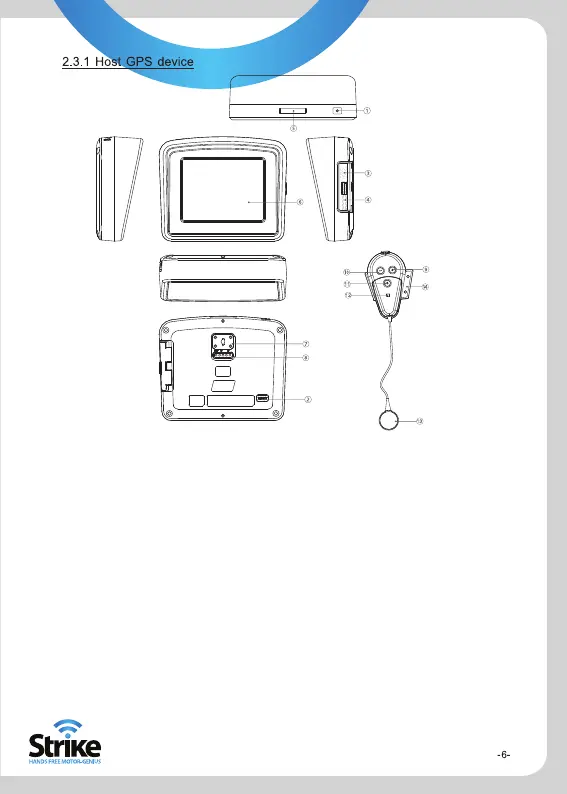
1.Power Key Power on /off /sleep
2.Reset When the device is crashed, halt or works abnormally, press this key to reset the
system
3.MINI USB Port ①Exchange the data with PC by MINI USB cable
② Charge the GPS device by connecting power adapter.
4.SD card slot
5.Bracket block slot
6.Display Screen
7.Fixed slot This allows you to lock the GPS to the cradle/fixed bracket
8.External power supply This connects to the motorcycle cradle to provide power
9.Volume increase key
10.Volume decrease key
11.Power key Press power on,press again power of
12.Indicating Light
① When in charge state, the light is red; when in fully charged state, the light is
green.
② When the device is on but the Bluetooth is not connected, the green light
flashes. When the Bluetooth is connected, the green light holds.
③ When in low-power state, the red light flashes.
13.Speaker
14.Clip Bluetooth earphone helmet mounting piece


 To Next Page