Copyright © 2015 Cobra Systems, Inc. All rights reserved
Connecting Striker Keypad
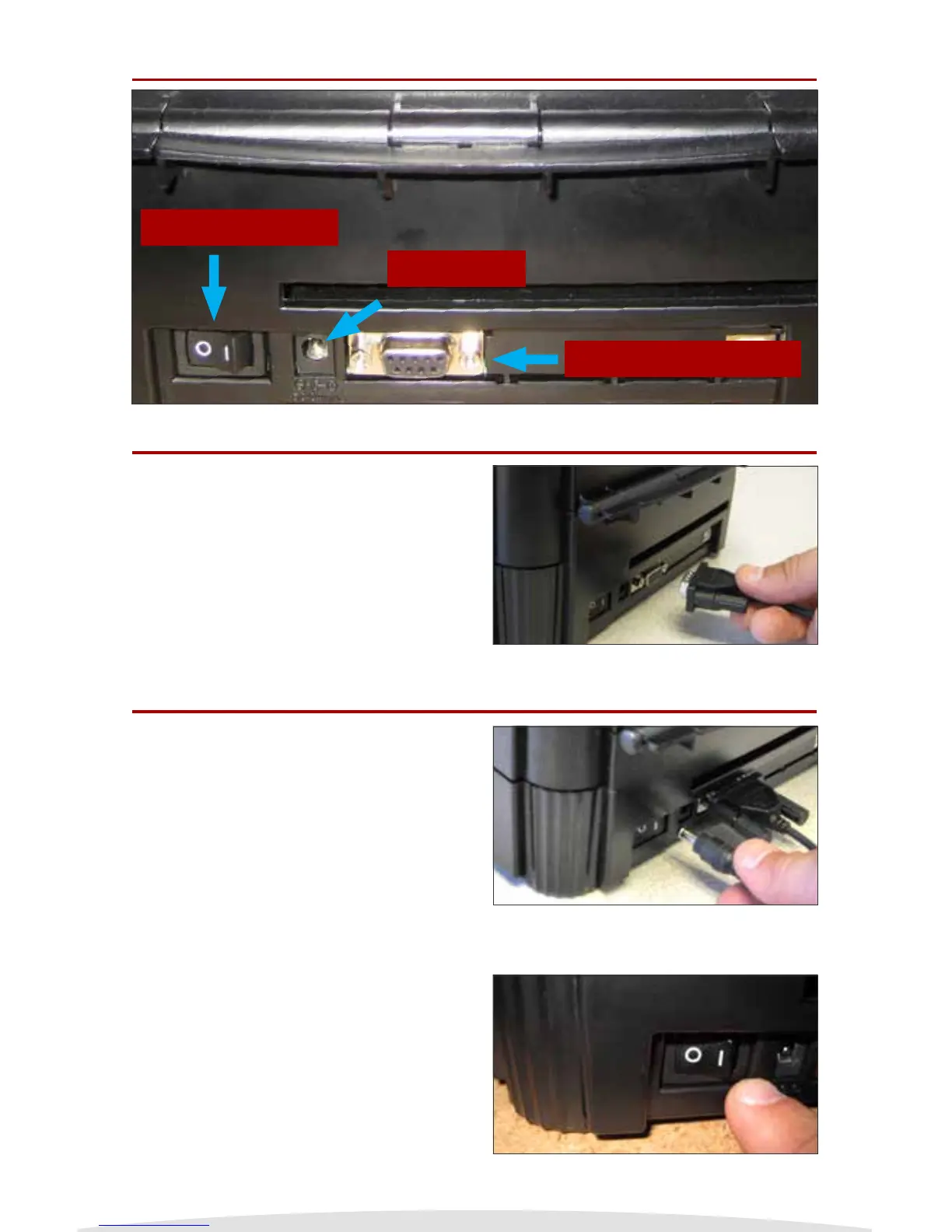
Powering On/O
Power On/O
DC Input
Keypad Connection
Behind the Striker Printer
Connect the Striker Keypad cord to the back
of the Striker Printer. The keypad cord is a
male RS232 and will connect to the keypad
connection as noted above and the right.
Connect the power DC cord to the back of the
Striker Printer. Make sure the AC connection
of the cord is connected to the DC convertor.
Always use a power strip to prevent any power
surge.
Power on and o with the switch located on
the rear of the Striker System’s bottom left hand
corner. Firmly ip the switch and make sure to
wait a second when turning o and back on.
5


 To Next Page