25
WWW.STROMLTD.COM
STROM LIMITED
CHANGING THE SETTINGS
To change the settings of the thermostat enter the engineers mode.
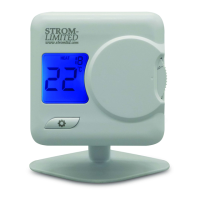
Changing the value is done by turning the selector dial , and swapping
between options by pressing the function button .
3
5
SETTING OPTIONS
MENU DISPLAY DESCRIPTION VALUES
1 Change Temperture Unit Celius or Fahrenheit
2 Thermostat Mode Heat or Cool
3 Sensor Calibration -3 to +3
o
C
4L LCD Contrast Ratio 12 to 15
5B Backlight Time Out O to 5 Seconds
6 Delayed Start On or O
7 DS Time (Cooling Only) 2 to 5 Minutes
INSTALLATION GUIDE


 To Next Page