EasyManua.ls Logo

Strong SRT 24HZ4003N - User Manual

Strong SRT 24HZ4003N
25 pages
Print Icon
To Next Page IconTo Next Page
Loading...
User Manual
Bedienungsanleitung
Manuel ulisateur
Manuale utente
Manual do Ulizador
Инструкции за употреба
Руководство пользователя
Посібник користувача
Användar Manual
Uživatelská příručka
Navodila za uporabo
Korisnički priručnik
Uputsvo za rukovanje
Používateľská príručka
Használa útmutató
Brukermanual
Manual del Usuario
Gebruiksaanwijzing
Brugervejledning
Manual de Ulizare
Instrukcja obsługi
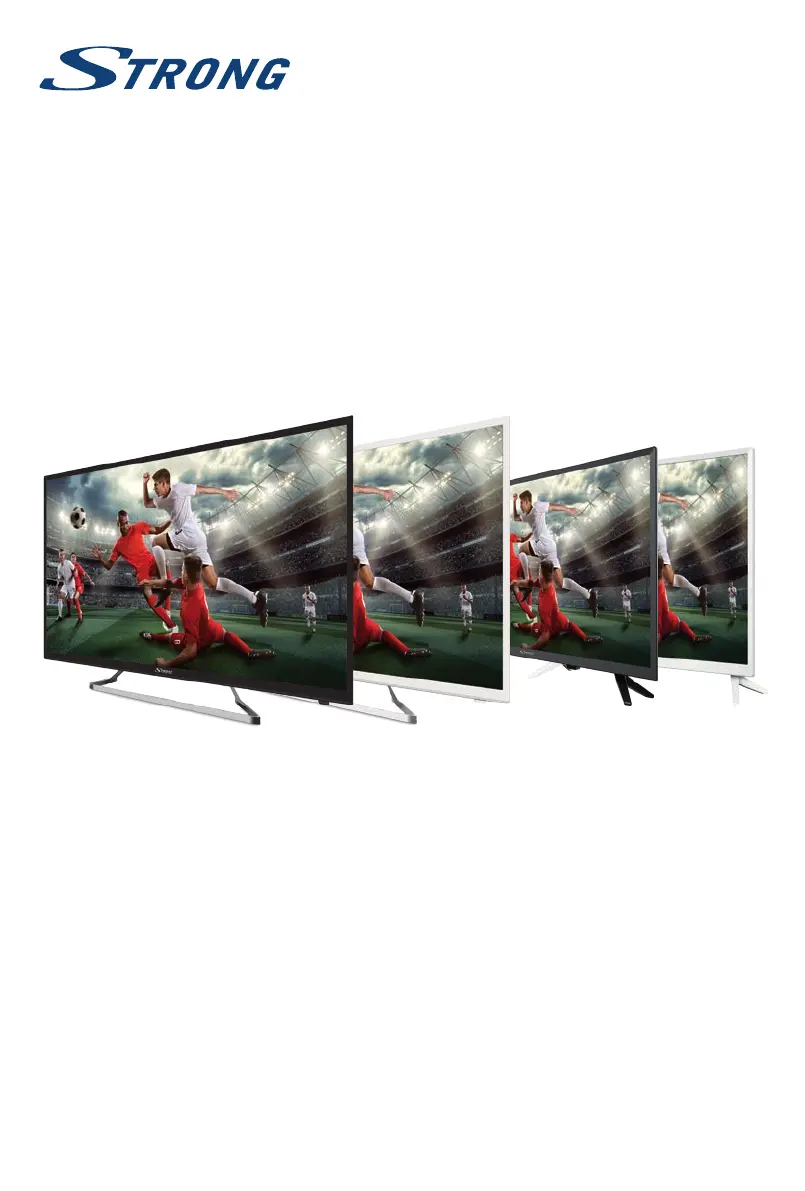
LED TV with DVB-T2/C/S2
SRT 24HZ4003N
SRT 32HZ4003N
SRT 39HZ4003N
SRT 40FZ4003N
SRT 24HZ4003NW
SRT 32HZ4003NW
SRT 39HZ4003NW
SRT 40FZ4003NW

Other manuals for Strong SRT 24HZ4003N

Questions and Answers

  • C
    Clinton GilbertAug 18, 2025
    How to fix snowy dots and interference on Strong LED TV?
    • Y
      ybradleyAug 18, 2025
      If you're experiencing snowy dots, blocking, and interference on your Strong LED TV, especially if your antenna is far from the signal source, here are some steps to take: 1. Adjust the position and orientation of your indoor or outdoor antenna to optimize signal reception. 2. Check the connection of the antenna to ensure it is secure. 3. Fine-tune the channel to improve the picture quality. 4. Try switching to another channel, as the issue might be due to broadcasting problems.
  • G
    Gregory RodriguezAug 21, 2025
    Why does my Strong LED TV have ghost images?
    • L
      lharrisonAug 21, 2025
      If you see ghosts on your Strong LED TV, it's because the television signal is reaching the TV through two different paths. To improve reception, try changing the direction or position of your antenna.
  • J
    joseph45Aug 23, 2025
    How to fix unorderly ripples on Strong LED TV screen?
    • D
      Dalton JohnsonAug 23, 2025
      If you're seeing unorderly ripples on the picture of your Strong LED TV, it's usually due to local interference from sources like cars, daylight lamps, or hair dryers. Try adjusting the antenna to minimize the interference.
  • O
    owilliamsAug 26, 2025
    Why is my Strong LED TV showing no color?
    • M
      matthew75Aug 26, 2025
      If your Strong LED TV has no color, you can try the following: 1. Change the color system settings. 2. Adjust the saturation level. 3. Try switching to another channel. It's possible you are receiving a black and white program.
  • D
    Donald DeanAug 28, 2025
    How to fix Strong LED TV with no picture and sound?
    • J
      John CoxAug 28, 2025
      If your Strong LED TV shows no picture and no sound, here are a few things you can check: * First, verify that the fuse or circuit breaker is working correctly. * Next, plug another electrical device into the same outlet to ensure that the outlet is functioning and turned on. * Also, make sure the power plug is making good contact with the outlet. * Finally, check the signal source to ensure it is properly connected and functioning.
  • D
    Diana JohnsonAug 30, 2025
    What to do if my Strong LED TV has picture but no sound?
    • A
      Anne WintersAug 30, 2025
      If your Strong LED TV has normal picture but no sound, try the following: 1. First, press the volume up button to increase the volume. It's possible the volume is simply set too low. 2. Next, check if the volume is muted. Press the mute button to restore the sound. 3. Try changing the sound system settings. 4. Broadcasting issues can also cause this problem.
  • J
    Jesse HernandezSep 2, 2025
    Why is my Strong LED TV remote control not working?
    • P
      Patricia LopezSep 2, 2025
      If your Strong LED TV's remote control isn't working, consider these potential solutions: * Replace the batteries with fresh ones. * Ensure the batteries are installed correctly, paying attention to the polarity. * Confirm that the main power to the TV is connected.
  • S
    Stephanie PatelSep 5, 2025
    What to do if Strong LED TV has sound but no picture?
    • C
      Christopher PrattSep 5, 2025
      If your Strong LED TV shows no picture but the sound is normal, you can try the following: 1. Adjust the brightness and contrast settings to see if the picture appears. 2. Keep in mind that the issue might be due to a broadcasting failure.
  • E
    Edgar BrandtSep 7, 2025
    Why is my Strong LED TV picture bad during heavy rain?
    • M
      matthewtuckerSep 7, 2025
      If you're experiencing bad picture or blocking errors on your Strong LED TV during heavy rain, it's because heavy rain can weaken satellite signals, causing blocking. To minimize these effects, ensure your dish installation meets the required standards.
  • C
    Cory VanceSep 10, 2025
    How to stop radio frequency interference on Strong LED TV?
    • C
      Carolyn FrySep 10, 2025
      If you are experiencing radio frequency interference with your Strong LED TV, locate and remove the source of the radio interference.

Summary

Licenses

1.0 INSTRUCTION

1.1 Safety Instructions

Essential safety guidelines to follow before and during the operation of the TV.

1.2 Storage

Guidance on how to store the device and its packaging properly.

1.3 Accessories

List of included items such as installation instructions, remote control, and batteries.

1.4 Equipment set-up

Instructions on placing the TV on a surface and ensuring proper ventilation.

2.0 INSTALLATION

2.1 Default PIN code: 0000

Information on the default PIN code for initial setup and security.

2.2 Front panel;underside

Details about the front panel and underside components of the TV.

2.3 Rear panel

Details the various input/output connectors on the back of the TV for different screen sizes.

2.4 Side panel

Describes the ports and connections located on the side of the TV for various screen sizes.

2.5 Remote control

Details the functions and operations of all buttons on the remote control.

2.6 Installing the batteries

Step-by-step guide on how to insert batteries into the remote control.

2.7 Using the remote control

Instructions on how to point and operate the remote control effectively.

3.0 FIRST TIME INSTALLATION

3.1 DVB-S;S2 installation

Guide for setting up satellite reception, including satellite aiming and channel scanning.

3.2 DVB-T;T2 installation

Instructions for installing terrestrial digital TV, including tuning and channel selection.

3.3 DVB-C installation

Steps for setting up cable TV reception, including network scan and manual tuning.

4.0 ELECTRONIC PROGRAMME GUIDE (EPG)

5.0 MENU SETTINGS

5.1 Menu control (DTV mode)

How to navigate the main menu and submenus in DTV mode.

5.2 Picture menu

Settings for adjusting picture modes, colour temperature, and aspect ratio.

5.3 Sound menu

Options for selecting sound modes, adjusting bass, treble, balance, and volume.

5.4 Channel

Guidance on channel tuning, setup, and management options.

5.5 Time menu

Settings for clock, time zone, sleep timer, and auto standby.

5.6 Lock

Features for system lock, setting passwords, channel lock, and parental guidance.

5.7 Setup Menu

Configuration options for language, audio, subtitles, and country settings.

6.0 USB

6.1 Reminder when using the USB player

Important notes and precautions for using USB storage devices with the TV.

6.2 USB menu

Accessing and navigating the USB menu for playing movies, music, and photos.

7.0 TROUBLESHOOTING

8.0 SPECIFICATIONS

9.0 APPENDIX

Strong SRT 24HZ4003N Specifications

General IconGeneral
Screen Size24 inches
Display TypeLED
Refresh Rate60 Hz
HDMI Ports2
USB Ports1
TunerDVB-T2/C/S2
Aspect Ratio16:9
Built-in TunerYes
Sound OutputStereo
Resolution1366 x 768 pixels

Related product manuals