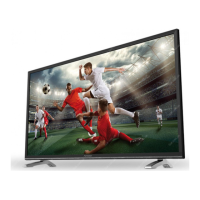
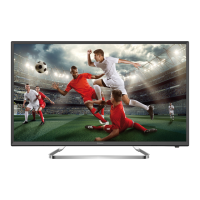
This document describes the features and usage of a STRONG LED TV, available in various models including SRT 24HZ4003N, SRT 32HZ4003N, SRT 39HZ4003N, and SRT 40FZ4003N, as well as their "NW" (presumably white) variants. The TV supports DVB-T2/C/S2 tuners, allowing reception of terrestrial, cable, and satellite broadcasts.
Function Description
The STRONG LED TV is designed for home entertainment, offering a range of functionalities for viewing various media. It includes multiple input sources such as HDMI, USB, VGA, SCART, and AV IN, making it compatible with a wide array of external devices like DVD/Blu-ray players, game consoles, and computers. The integrated DVB-T2/C/S2 tuners enable direct reception of digital terrestrial, cable, and satellite television channels without the need for an external set-top box.
The TV features an Electronic Programme Guide (EPG) to display information about broadcasted programmes, allowing users to navigate and select shows easily. It also supports multimedia playback via USB, enabling users to view movies, music, and photos directly from a USB storage device. Advanced features like HDMI CEC allow for integrated control of connected HDMI devices.
Usage Features
Installation and Setup:
Upon first-time installation, the TV guides the user through a setup process, starting with language selection. Users can choose between "Home Mode" and "Shop Mode," with Home Mode being recommended for typical use. The tuner selection allows choosing between DVB-S (satellite), DVB-T (terrestrial), or DVB-C (cable) broadcasts.
- DVB-S/S2 Installation: For satellite reception, users select their region to ensure correct time zone settings. They then highlight and confirm the satellite their dish is aimed at. Settings for DiSEqC port and LNB type can be adjusted. A signal quality bar assists in fine-tuning antenna alignment for optimal reception. The channel search offers "Default," "Blind Scan," and "Network" modes, with options to search for "FTA Channels" (Free-To-Air) or "All Channels" (FTA and Encrypted). Users can also specify searching for "DTV" (digital TV), "RADIO," or "All" channels.
- DVB-T/T2 Installation: For terrestrial reception, users select the "Tune Type" (DTV, ATV, or DTV+ATV) and their country before initiating the channel search for "All Channels" or "FTA Channels."
- DVB-C Installation: For cable reception, users can choose between "Network Scan" (recommended for quick search) or "Full Scan." Manual input of frequency, Network ID, and Symbol rate is also possible, which should be obtained from the cable provider.
Remote Control Operation:
The remote control provides comprehensive navigation and control over the TV's functions. Key buttons include:
- Power (ن): Turns the TV on/standby.
- Mute ( ): Mutes or restores volume.
- ASPECT: Changes the aspect ratio of the display.
- SOUND: Changes the sound mode.
- PICTURE: Changes the picture mode.
- EPG: Displays the Electronic Programme Guide.
- 0~9: Direct channel selection.
- LIST: Calls up the channel list.
- G: Goes back to the previously viewed channel.
- SUB: Enables/disables subtitles.
- TEXT: Enters/exits teletext.
- SIZE: Enlarges teletext display.
- MIX: Superimposes teletext over TV programme.
- HOLD: Holds teletext page.
- REVEAL: Displays concealed teletext information.
- INDEX: Displays teletext index page.
- SUB.PAGE: Selects teletext subpages.
- INFO: Displays information about the current source.
- FAV: Accesses favourite channel lists.
- AUDIO: Selects available audio languages, including audio description for visually impaired viewers.
- TV/R: Switches between TV and radio.
- MENU: Opens menu options.
- INPUT: Selects input source.
- Navigation buttons (▲▼◄►): Navigates menus.
- OK: Confirms selections.
- BACK: Steps back in menus.
- EXIT ( ): Exits the current menu.
- SLEEP: Sets sleep timer.
- VOL +/-: Adjusts volume.
- CH +/-: Changes programmes.
- PROG: Enters Programme Edit menu.
- Playback controls (II, , K, ►►): Play/pause, stop, previous, next, fast reverse, fast forward for media playback.
- COLOUR BUTTONS (RED, GREEN, YELLOW, BLUE): Execute prompt functions in TV or DTV menu mode, and specific EPG functions (e.g., extra info, reminder settings).
Menu Settings:
The TV offers various menu settings to customize viewing and listening experience:
- Picture Menu: Adjusts picture mode (Dynamic, Standard, Mild, User), colour temperature (Cool, Medium, Warm, User), aspect ratio (Auto, 4:3, 16:9, Zoom1, Zoom2), and noise reduction (Off, Low, Middle, High). In "User" picture mode, brightness, contrast, colour, and sharpness can be fine-tuned.
- Sound Menu: Adjusts sound mode (Standard, Music, Movie, Sports, User), bass, treble, balance, auto volume (On/Off), surround sound, and AD Switch (Audio Description). S/PDIF Mode allows "Auto" output for Dolby audio.
- Channel Menu: Includes Auto Tuning, Dish Setup (for DVB-S/S2), DTV Manual Tuning, ATV Manual Tuning, and Channel extra settings like Programme Edit (skip, rename, delete, move, add to favourites), Signal Information, CI Information (for CAM modules), and Channel list selection (Main List or Favorite List).
- Time Menu: Sets clock, time zone, sleep timer, auto standby, and OSD timer.
- Lock Menu: Provides system lock (password protection), channel lock (to prevent viewing of specific channels), and parental guidance settings (age restriction for programmes). The default PIN code is 0000.
- Setup Menu: Allows selection of menu language, audio languages, subtitle languages, and displays the selected country.
- Restore Factory Default: Resets all settings and deletes installed channels, returning the TV to its first-time installation state.
- Software Update (USB): Updates TV software via a USB device.
- HDMI CEC: Controls connected HDMI devices, including CEC Control (On/Off), Audio Receiver (On/Off), Device Auto Power Off, and TV Auto Power On.
- USB Clone: Backs up or restores channel lists to/from a USB device.
USB Playback:
The TV supports playback of movies, music, and photos from USB storage devices.
- Media Types: Users select the media type (Movie, Music, Photo, Text) from the home page.
- Navigation: Folders and files are navigated using the remote control.
- Playback Controls: Standard playback controls (play, pause, stop, previous, next, fast forward, fast reverse) are available.
- Movie Playback: Allows changing play mode and viewing video information.
- Music Playback: Supports lyrics display if the lyrics file (.lrc) is in the same folder and has the same name as the music file.
- Photo Browsing: Offers repeat modes, photo information, rotation (90 degrees clockwise/counter-clockwise), zoom in/out, and move view (when zoomed).
- Text Documents: Allows browsing text files from a USB device.
Maintenance Features
Battery Installation:
The remote control requires 2x AAA batteries. Users must ensure correct polarity when inserting them. Precautions for battery usage include avoiding short circuits, replacing insufficient batteries, removing batteries during long periods of non-use, not mixing battery types, and proper disposal.
Remote Control Care:
To ensure proper functioning, the remote control should be pointed towards the remote sensor on the TV. Obstructions between the remote and sensor should be avoided. The remote should not be subjected to violent vibration, liquid splashes, or high humidity. Direct sunlight should also be avoided to prevent deformation from heat. If the remote control does not work due to strong lighting, the lighting or TV's position should be changed, or the remote should be operated closer to the sensor.
Software Updates:
The TV's software can be updated via USB. Users can check the manufacturer's website (www.strong.tv) for improved software versions, download the file, copy it to the root of a USB device, and then perform the update through the TV's SETUP menu.
Troubleshooting:
The manual provides a troubleshooting section to address common issues such as:
- No picture, no sound: Check fuse, circuit breaker, electrical outlet, power plug connection, and signal source.
- No colour: Change colour system, adjust saturation, try another channel.
- Remote control not working: Change batteries, check battery installation, ensure main power is connected.
- No picture, normal sound: Adjust brightness/contrast, check for broadcasting failure.
- Normal picture, no sound: Increase volume, restore sound from mute, change sound system, check for broadcasting failure.
- Unorderly ripples on the picture: Adjust antenna to minimize interference from local sources (cars, daylight lamps, hair driers).
- Snowy dots, blocking, interference: Adjust antenna position/orientation, check antenna connection, fine-tune channel, try another channel.
- Ghosting: Change antenna direction/position.
- Radio frequency interference: Find and remove the interference source.
- Video playback issues (freeze/macro blocks): Use a USB device with sufficient speed and space.
- No signal or weak signal (DVB-S/S2): Check cable connections, LNB, and other equipment; peak the dish; wait for rain/storm to subside; adjust dish pointing; consider a larger dish or changing its position; connect a signal attenuator if the signal is too strong.
- Bad picture/blocking error during heavy rain: Ensure dish installation is up to standards.
If problems persist after troubleshooting, users are advised to contact their local service line, STRONG dealer, or send a support email via the website.
General Safety:
The manual emphasizes several safety instructions:
- Use only manufacturer-specified attachments/accessories.
- Refer to back enclosure for electrical and safety information.
- Avoid exposing the apparatus to rain or moisture.
- Do not impede ventilation openings.
- Do not place liquid-filled objects on the apparatus.
- External wires must be installed by an instructed person or use ready-made leads.
- Securely attach the apparatus to the floor/wall to prevent injury.
- Replace batteries correctly with the same or equivalent types.
- Do not expose batteries to excessive heat.
- Avoid excessive sound pressure from earphones/headphones.
- Ensure the mains plug/appliance coupler remains readily operable and the power cord is not damaged.
- Dispose of batteries environmentally responsibly.
- Do not place naked flame sources on the apparatus.
- A USB terminal provides a maximum of 500 mA.
- The apparatus is Class II (double insulated) and does not require a safety connection to electrical earth.
Operating Environment:
- Do not install in confined spaces.
- Avoid damp, cold, or dusty areas, and protect from overheating or direct sunlight.
- Do not attach candles to accessible openings to prevent flammable foreign material from entering the TV.
WEEE Directive:
The product should not be disposed of with other household waste in the EU. It should be recycled responsibly through return and collection systems or by contacting the retailer to promote sustainable reuse of material resources.



 To Next Page

 General