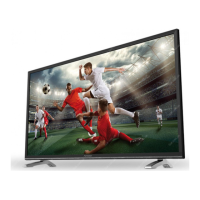
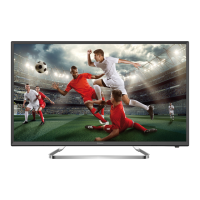
This document serves as a comprehensive user manual for the STRONG LED TV models SRT 32HB4003 and SRT 40FB4003, which are equipped with DVB-T2/C/S2 tuners. It provides detailed instructions for installation, operation, and troubleshooting to ensure optimal performance and safety.
Function Description
The STRONG LED TV is designed to provide high-quality visual and audio entertainment. It features integrated DVB-T2/C/S2 tuners, allowing reception of digital terrestrial, cable, and satellite broadcasts. The TV supports various input sources, including HDMI, USB, VGA, SCART, and AV IN, making it versatile for connecting different external devices such as DVD players, Blu-ray players, game consoles, and computers. The HDMI inputs, particularly HDMI 1 (ARC), support Audio Return Channel functionality for simplified audio connections to digital amplifiers and home theatre systems, including full Dolby audio support.
The TV's core function is to display video content and play audio from broadcast signals or connected external devices. It includes an Electronic Programme Guide (EPG) for digital TV modes, which provides information on broadcasted programmes and allows users to set reminders. The USB function enables playback of multimedia files (movies, music, photos, and text documents) directly from a USB storage device.
Usage Features
Installation and Setup:
The manual provides clear instructions for physically setting up the TV, including attaching the stand. It emphasizes the importance of proper ventilation and avoiding placing objects on top of the set. The first-time installation guides users through language selection, mode selection (Home or Shop), and tuner selection (DVB-S, DVB-T, or DVB-C).
Channel Management:
Users can perform various channel searches, including Auto Tuning for DVB-S/S2, DVB-T/T2, and DVB-C modes, as well as DTV Manual Tuning and ATV Manual Tuning. The Dish Setup menu is available for DVB-S/S2 users to configure satellite and LNB settings. The Programme Edit menu allows users to skip, rename, delete, move, and add programmes to a favourite list using colour buttons on the remote control.
Picture and Sound Settings:
The TV offers customizable picture modes (Dynamic, Standard, Mild, User) and colour temperatures (Cool, Medium, Warm, User). In "User" mode, settings like Brightness, Contrast, Colour, and Sharpness can be adjusted. Noise Reduction features (Off, Low, Middle, High) help improve picture quality. For audio, various sound modes (Standard, Music, Movie, Sports, User) are available, along with adjustments for Bass, Treble, Balance, and Auto Volume. The Surround Sound feature enhances the audio experience, and an AD Switch (Audio Description) provides narration for visually impaired viewers in DTV mode, if available. S/PDIF Mode allows outputting Dolby audio to a digital home audio system.
Time and Lock Functions:
The Time menu automatically obtains time from channel transmissions, though manual setting is possible. Users can set a Sleep Timer (from 10 to 240 minutes) and configure Auto Standby (2H, 3H, 4H, or Off) to automatically shut down the TV. The OSD Timer controls how long the info banner is displayed. A Lock menu provides password protection for the system, allows locking specific channels, and enables parental guidance settings based on age.
HDMI CEC:
The HDMI CEC (Consumer Electronics Control) feature allows interconnected HDMI devices to communicate and control each other. Users can enable/disable CEC Control, Audio Receiver, Device Auto Power Off (TV turns off connected device), and TV Auto Power On (TV turns on automatically when connected device is powered on).
USB Multimedia Playback:
The TV supports playback of movies, music, photos, and text documents from USB storage devices. The USB menu allows users to navigate folders and files. During playback, control buttons on the remote (Play/Pause, Stop, Previous/Next, Fast Reverse/Fast Forward) enable easy media management. For movies, users can change the play mode and aspect ratio. For music, repeat modes (None, 1, All) are available. Photo viewing includes options for repeat, rotation, zoom in/out, and moving the view when magnified.
System Settings:
The Setup Menu allows users to select the Menu Language, Audio Languages (Primary/Secondary), and Subtitle Language. The "Country" setting displays the region selected during the first-time installation. The "Restore Factory Default" option resets all settings and deletes installed channels, returning the TV to its initial setup state. "Version Information" displays the current software version. "Home/Shop" mode switches between default brightness and Auto standby settings. The "USB Clone" function allows users to back up the channel list to a USB device and restore it later.
Maintenance Features
Software Update:
The TV supports software updates via USB. Users can download improved software versions from the manufacturer's website, copy them to a USB device, and update the TV's software through the SETUP menu. The process involves plugging in the USB device, confirming the update, and then removing the USB stick and restarting the TV.
Troubleshooting Guide:
The manual includes a comprehensive troubleshooting section that lists common problems and their possible causes and solutions. This helps users diagnose and resolve issues such as no picture/sound, no colour, remote control malfunction, no picture/normal sound, normal picture/no sound, unorderly ripples on the picture, snowy dots/blocking/interference, radio frequency interference, video playback issues (freeze/macro blocks), and no signal/weak/intermittent reception. Solutions range from checking power connections and batteries to adjusting antenna position, checking cable connections, and fine-tuning channels.
Battery Precautions:
The manual provides important precautions for using batteries in the remote control, including observing polarity, replacing insufficient batteries, removing batteries for long-term storage, avoiding mixing different battery types, and proper disposal.
Remote Control Usage:
Instructions for installing batteries in the remote control are provided, along with guidelines for optimal remote control usage, such as pointing it towards the sensor, avoiding violent vibrations, liquid splashes, high humidity, and direct sunlight.
WEEE Directive Compliance:
The manual includes information on the correct disposal of the product in accordance with the WEEE Directive, encouraging responsible recycling to promote sustainable reuse of material resources and prevent harm to the environment.



 To Next Page

 General
 Weight and Dimensions