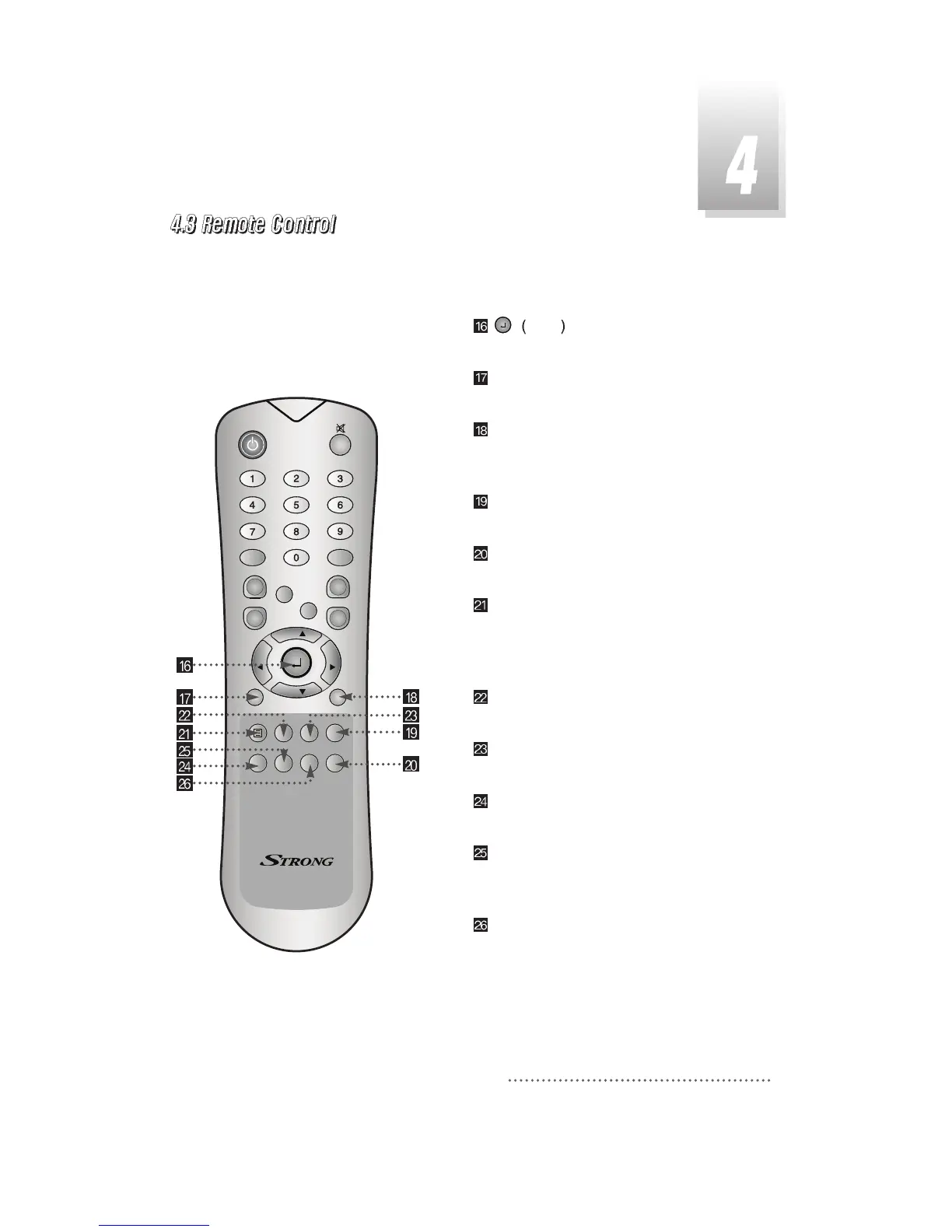
ENTER
:
To select an item or to confirm a
menu. Pause function.
TV/RADIO
:
To switch between the TV and radio
channels.
TV/SAT
:
To toggle the TV output source
between the satellite input and UHF/VHF
antenna input.
SLEEP
:
To switch off the receiver automatically
after between 30 and 150 minutes.
HELP
:
To display the information of the current
menu.
BLUE : To delete a channel from the Channel
List menu. To show extended program
information in the EPG menu. To see Teletext
Service Data.
WHITE
:
To add a new channel to the Channel
List menu.
ORANGE
:
To see variant channel lists for user's
convenience in the Channel List menu.
RED
:
To setup favorite channel lists in the
Channel List menu.
GREEN : To lock channel in the Channel List
menu. To show current/next program
information in the EPG menu.
YELLOW : To move a channel to other position
in the Channel List menu. To show program
schedule information in the EPG menu.



 To Previous Page