IInnssttaallllaattiioonn cchheecckklliisstt
Follow this checklist with a PPeerrffoorrmmaannccee--LLOOAADD compatible PPoowweerr--PPRROO cot (model 6500, 6506, 6516) or PPeerrffoorrmmaannccee--
PPRROO cot (Model 6086).
Make sure that you do not have any unused components after installation. Your PPeerrffoorrmmaannccee--LLOOAADD system does
not ship with any extra components. If you have any unused components after installation, call Stryker service.
Using a torque wrench, double check that all four attached floor plate bolts (A) are tightened 60+/-10 ft-lb. (Figure 8).
Visually check that all bolts and screws are properly tightened with no signs of protruding or missing fasteners.
Lift the vehicle bumper to the raised position, if equipped.
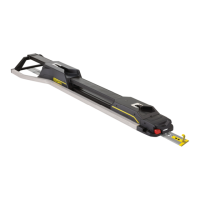
Load the PPeerrffoorrmmaannccee--LLOOAADD compatible cot into PPeerrffoorrmmaannccee--LLOOAADD.
Check that the head end pin slides freely into the head end interface. If not, call Stryker service.
Make sure that the cot is locked into PPeerrffoorrmmaannccee--LLOOAADD by firmly pulling in and out and side to side on the foot end
of the cot.
Press the release button at the foot end of PPeerrffoorrmmaannccee--LLOOAADD and push toward the head end to unlock the
fastener. Pull to remove the cot from the vehicle patient compartment. Make sure that the cot is released.
For Type II ambulances or if the cot center line is 17-1/2 in. or less from the vehicle wall, make sure that the optional
wheel guide assembly (6390-027-000) is installed. Mark N/A if the wheel guide is not required.
If equipped with inductive charging, install a depleted cot battery into a PPeerrffoorrmmaannccee--LLOOAADD compatible PPoowweerr--
PPRROO cot, load the cot into PPeerrffoorrmmaannccee--LLOOAADD. Make sure that the cot battery LED indicator is flashing green to
indicate that it is charging.
Product serial number:
Installed by: Date:
Inspected by: Date:
NNoottee -- Maintain a copy of this record for at least seven years.
EN 24 6392-009-001 Rev D.3


 To Next Page