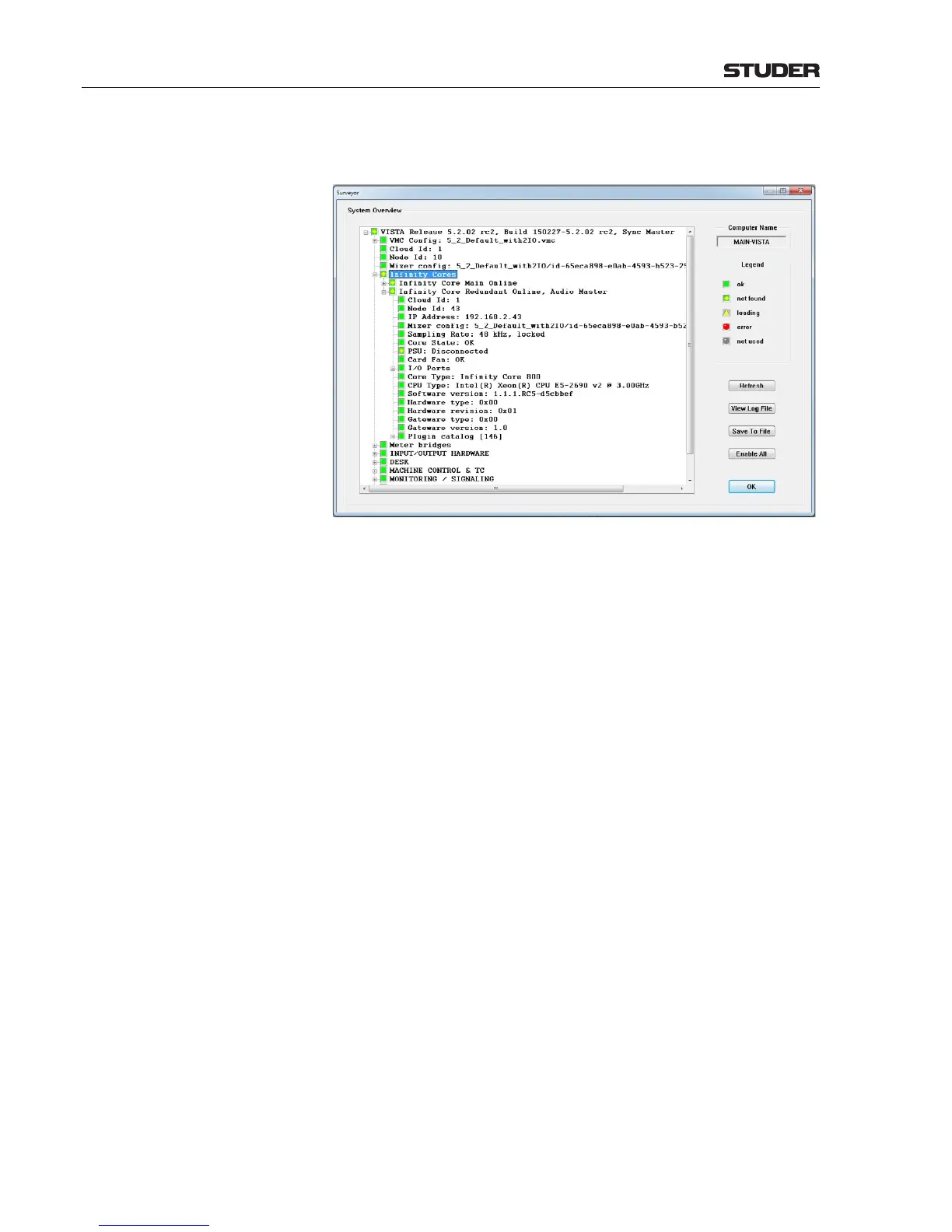
Clicking on the item Infinity Cores brings up the detailed state of the one
or two connected Infinity Cores :
Please note that Name1 is the name which has been configured via Infinity
Panel.
The Core that lists the status “Audio Master” is the Core that currently is
active e.g. processing the audio and handling all I/O signals. Both Cores
being “Online” means that they are either active, or ready to take-over from
the active Core.
Cloud Id Is the Cloud Id of the Core network cloud
Node Id Is the Node Id of the selected Core
IP Address Is the IP address of the selected Core
Mixer config Shows the Session Configuration that is actually loaded and running in the
Core.
Sampling Rate Shows the active sampling rate of the selected Core.
Core State Shows the state of the Core. The following states can be displayed :
Startup - Core is starting up
W ait for configuration - Wait for Session Configuration download
Ok - System is running, Session Configuration is valid
General Error - General Core failure, check the core logfile
Remote configuration download failed - Failed to download Session
Configuration
Config rejected : Invalid config - Session Configuration is invalid
Config rejected : Core Type mismatch - Core Type of the Session
Configuration doesn’t match with the Core Type of the Core
Corelink Error - Failure on the Core Link Card, check the core logfile
DSP Error - DSP failiure
PSU Shows the state of the power supplies.
Card Fan Shows the state of the Core Link Card fan.
I/O Ports Here, all active I/O ports are shown when clicking on this item.
Core Type The actual Core Version is shown here. It has to match or be greater as the
requirement listed under VMC Config / Core Requirement.
Infinity Core Name1 Here the status of the first connected Core is shown (lower IP Address). Please
note that Name1 is the name which has been configured via Infinity Panel.
Infinity Core Name2 Here the status of the second connected Core is shown (higher IP Address).



 To Next Page