Vista 5 M2 Digital Mixing System
4 TFT Meters
Date printed: 09.06.11
SW V4.5
Electrical
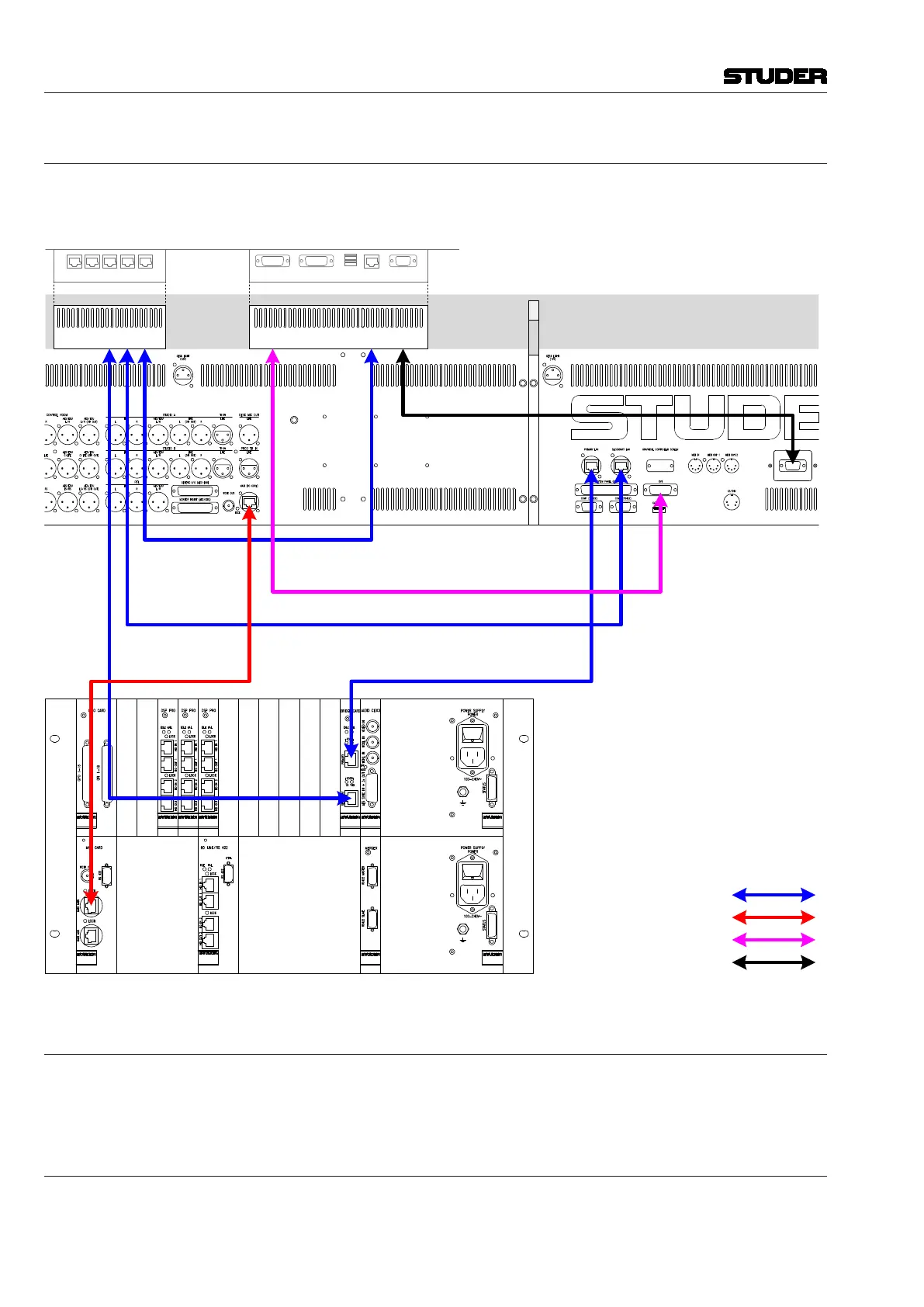
1. Wirethesystemaccordingtothediagrambelow.
2. Connectthemainscableattachedtothemeterbridgetothemainsoutletat
theconsole’srearside.
SCore Live
Frame
VISTA 5 M2 Desk
Rear Side
Cat5 Control Connection Desk - Core
Cat5 Control
Connection
Meterbridge
- Core
GB Ethernet Switch
Cat5 MADI Connection
Desk-Core
(CR Monitoring)
Secondary Lan Port to Meterbridge Switch
Meterbridge PC to
Meterbridge Switch
GC DVI Signal to Meterbridge
Meterbridge PC
(Bottom View)
Ext. DVI Input Power ONGC DVI Input
Power ONGC DVI Input
Ethernet EthernetUSB
Power-On Link to Meterbridge PC
Cat5 Ethernet Connection
Cat5 MADI Connection
DVI Connection
Power-On Connection
Configuration
ForcorrectoperationoftheTFTmeters,openthe D950system.ini file
and add HasTFTMeters=Yes in the [d950systeminfo] area.
System Start
Oncethisallisdone,theVista5M2canbestartedasusual,asdescribedin
thismanual.Themeterbridgewillautomaticallystartupwiththeconsole.



 To Next Page