Vista 5 M2 Digital Mixing System
TFT Meters 7
Date printed: 09.06.11
SW V4.5
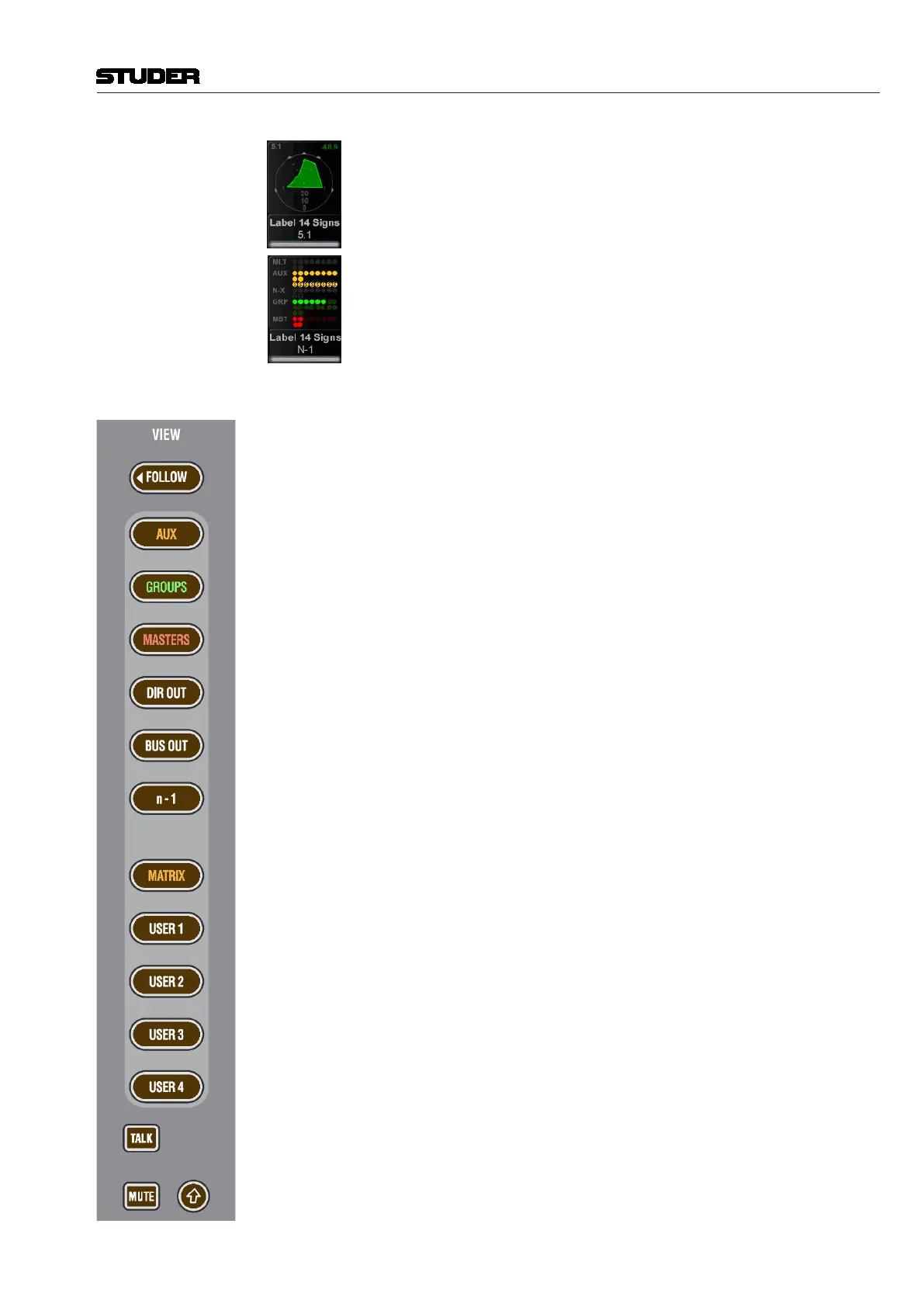
Surroundchannelscomeperdefaultwithasurroundimageviewinthelower
area,offeringaspatialvisualizationofthesurroundsignal.Itallowsspotting
anomalities in a surround signal much faster than any other method.
Alternatively,abusassignviewcanbeselectedonanychannel,givinganice
overviewofthebusroutingrightbelowthebargraphmeters.Thismaynotbe
sensibleforeverychannelbutisusefulfortheoneswherethebusassignment
is changed frequently.
Control Bay ThecontrolbayTFTmeteringisofmultipleuse.TheVIEWkeystogether with
the ñ (shift) keyallowswitchingbetweendifferentviews.AllVIEWkeysare
ofthemomentary/latchingtype.
The FOLLOWkeydisplaysthemeteringthatbelongstothechannelassigned
tothedesksurface.
Then, thereareview keys for alldifferenttypeof master channels:Aux,
Groups,program Masters, Matrix, etc., aswellasoutputmeter views of
multitrackandn-1/xbusses.
Moreover,therearefouruserkeysthatallowdisplayinganychoiceofchan-
nelsofthemixingconsoleonthefouruserpages.Forassignmentthereisa
pageontheGC’sStripSetupwindowthatletsassignupto10channelson
the USER 1page,upto20channelsintworowsontheUSER 2page,and
amaximumof40half-widthchannelsintworowsonboththeUSER 3 and
USER 4 pages.
The two meter slots at the right of the control bay TFT screen, however, con-
tinuously show PFL and CR levels.



 To Next Page