Vista 5 M2 Digital Mixing System
TFT Meters 9
Date printed: 09.06.11
SW V4.5
Fader Bay Meters ThedefaultassignmentoftheTFTmeterstothefaderchannelstripsis1:1.
Thismaybemodifiedbythesystemadministratoronly;ifnotloggedinas
systemadministrator,the‘FaderBayMeters’tabisnotdisplayed,andmeter
assignmentisisrestrictedtothecontrolbay.
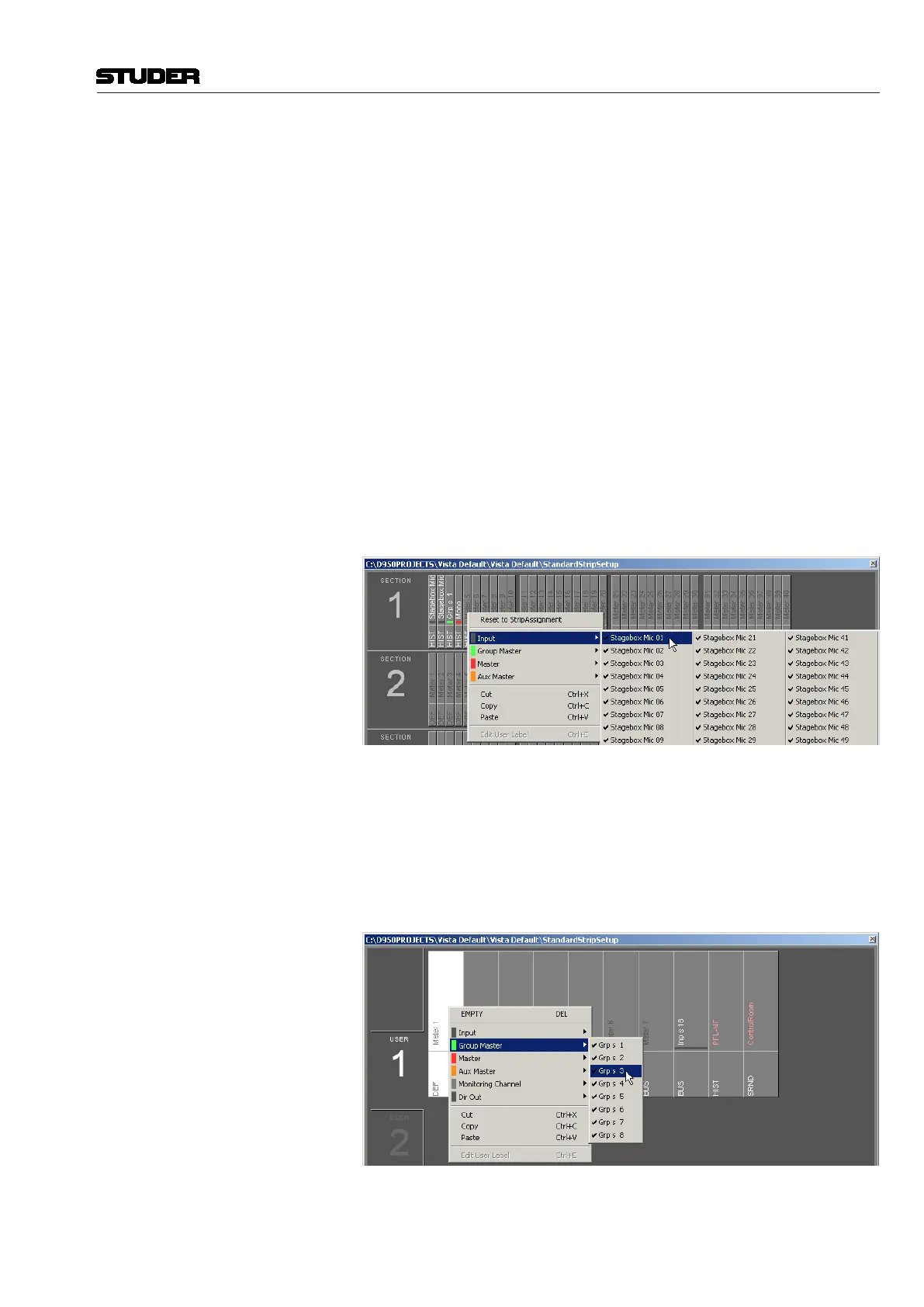
Assignment isdonein thestripsetupwindow.First,clickthe‘Fader Bay
Meters’tab.Thewindowchangestotheviewshownbelow.Enteringchannels
isdonewiththesamemechanismasisusedfortheassignmentofchannels
tobays.
Changesinthechannelassignmentmaybeeasilyresettothedefaultsetting
byselecting‘ResettoStripAssignment’.
Lower Meter Area Thedefaultsettingsofthelowermeterareaarelabeled‘DEF’.Thesearethe
historyviewformonoandstereochannels,andthesurroundviewfor5.1
channels.
Whenright-clickingintothelowermeterarea,thedisplaymodeofthelower
partofthemetercanbeselected(‘HIST’forthehistorydisplay,‘BUS’for
busassignmentview,‘SRND’forsurroundview,and‘L2’forlayer2view).
Optionsnotavailableforaparticularchanneltypewillbegrayed-out.
Changesmadeheremayalsoberesettothedefaultsettingbyselecting‘Reset
toStripAssignment’afteraright-clickintheuppermeterarea.
Control Bay Meters Clickonthe‘ControlBayMeters’tab.Thewindowchangestotheviewshown
below.Enteringchannelsisdonewiththesamemechanismasisusedforthe
assignmentofchannelstobays.
Afterselectingoneofthe‘USER’fields,theviewcorrespondingtotheuser
keyscanbedefined.
Pleasenotethatthetwometersatthefarrightofthecontrolbayarealways
usedforPFLandCRmonitoringandcannotbeassignedtoachannel.



 To Next Page