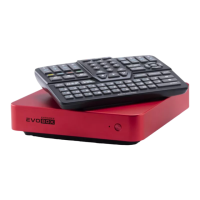
To connect the microphone to the karaoke system, follow the steps below:
Make sure the microphone accumulator is properly placed and charged.
Open the karaoke system settings and go to the "Audio" section.
Select "Microphones", subsection "Connection".
Follow the tips on the display.
1.
2.
3.
4.
Connection
When the microphone is on, press the "Button Switch" 1 for 10 seconds. Once the microphone number is changed,
connect the microphone to the karaoke system.
Changing the microphone number 6
Each microphone has 16 connection channels. To switch to the channel changing mode, Switch the microphone on
and press the "Button Switch" 1 three times. The microphone will display the sign . A brief press of the "Button
Switch" changes the current channel number. Once the channel is selected, the microphone will exit this mode
automatically after 5 seconds.
Changing microphone channel 7
Learn more about EVOBOX microphones at support.studio-evolution.com.
The exterior of the device can differ from what it is in this manual.
Microphone connection
The microphone signal receiver is integrated into the
karaoke system
Transmission of digitized sound
Maximum noise immunity
Dynamic microphone type
Digital audio processing sampling frequency 48 kHz
Ultra-short audio latency
Frequency response: 30 – 20000 Hz
Setting up with one button, placed on the
microphone
High-capacity lithium batteries are charged without
removing them from the microphone
Battery level monitoring on both microphone display
and TV screen
Working time after a full charge — over 10 hours
Operational distance — up to 30 m
SE 201D Advantages
Table of useful frequencies, MHz
CH
MIC 1
MIC 2
01
661.500 662.300 663.100 663.900 664.700 665.500 666.300 667.100 667.900 668.700 669.500 670.300 671.100 671.900 671.700 673.500
676.500 677.300 678.100 678.900 679.700 860.500 681.300 682.100 682.900 683.700 684.500 685.300 686.100 686.900 687.700 688.500
02 03 04 05 06 07 08 09 10 11 12 13 14 15 16
IMPORTANT NOTICE! To ensure the connection to the karaoke system, change the channels when EVOBOX is on, and the microphone
is connected to the karaoke system.


 To Next Page
 Loading...