NUMA Compact by Studiologic®
24
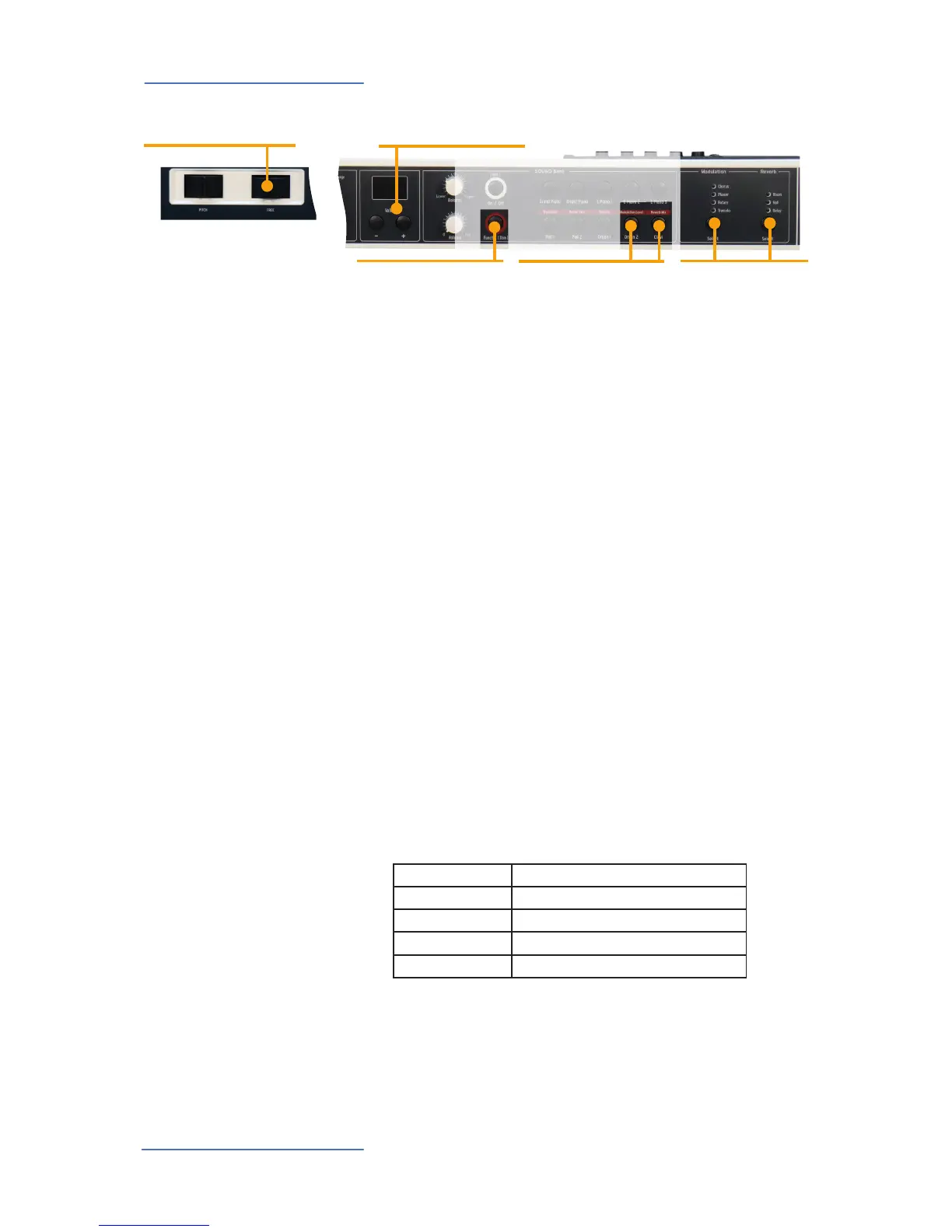
Eects
Function
• in combination with
Modulation Lev / Reverb Mix
Modulation Lev - Reverb Mix
• Modulation efx level
• Reverb efx Mix
Select
• Eects Selection
Free
• MIDI modulation
• Modulation efx parameters
Display - Value -/+
• Display and value adjust-
ment
Press Function & Modulation Level to adjust the eect
depth, using the Value -/+ buttons.
Press Function & Reverb Mix to adjust the Reverd level,
using the Value -/+ buttons.
Press again the Function tab to keep the adjustements and
quit from this mode.
To select a Modulation or Reverb eect, step through the
various algorithms by tapping the corresponding Select but-
ton. The selected eect is indicated by the related LED. If no
LED is lit up, no eect is active. Both eects can be used inde-
pendently at the same time.
Modulation Level
Reverb Mix
Eect selection
Note: When combining 2 sounds in Layer the instrument will keep the selected
eect. If two sounds with 2 dierent eects are layered, the Numa Compact will
keep the priority sound eect for both sounds.
Example:
Grand Piano (+ Chorus) & Pad1 (+ Phaser) = Grand Piano & Pad1 (+ Chorus)
The Free wheel sends the modulation parameter as per MIDI
standard (Vibrato), through the MIDI OUT and USB port; it
also controls some parameter of the internal EFX as shown
below :
EFFECT PARAMETER
Chorus Depth
Phaser Deepth and feedback
Rotary Slow/Fast (with Still funtion in the middle position)
Termolo Speed
Free Wheel














 To Next Page