NUMA Compact by Studiologic® 25
E
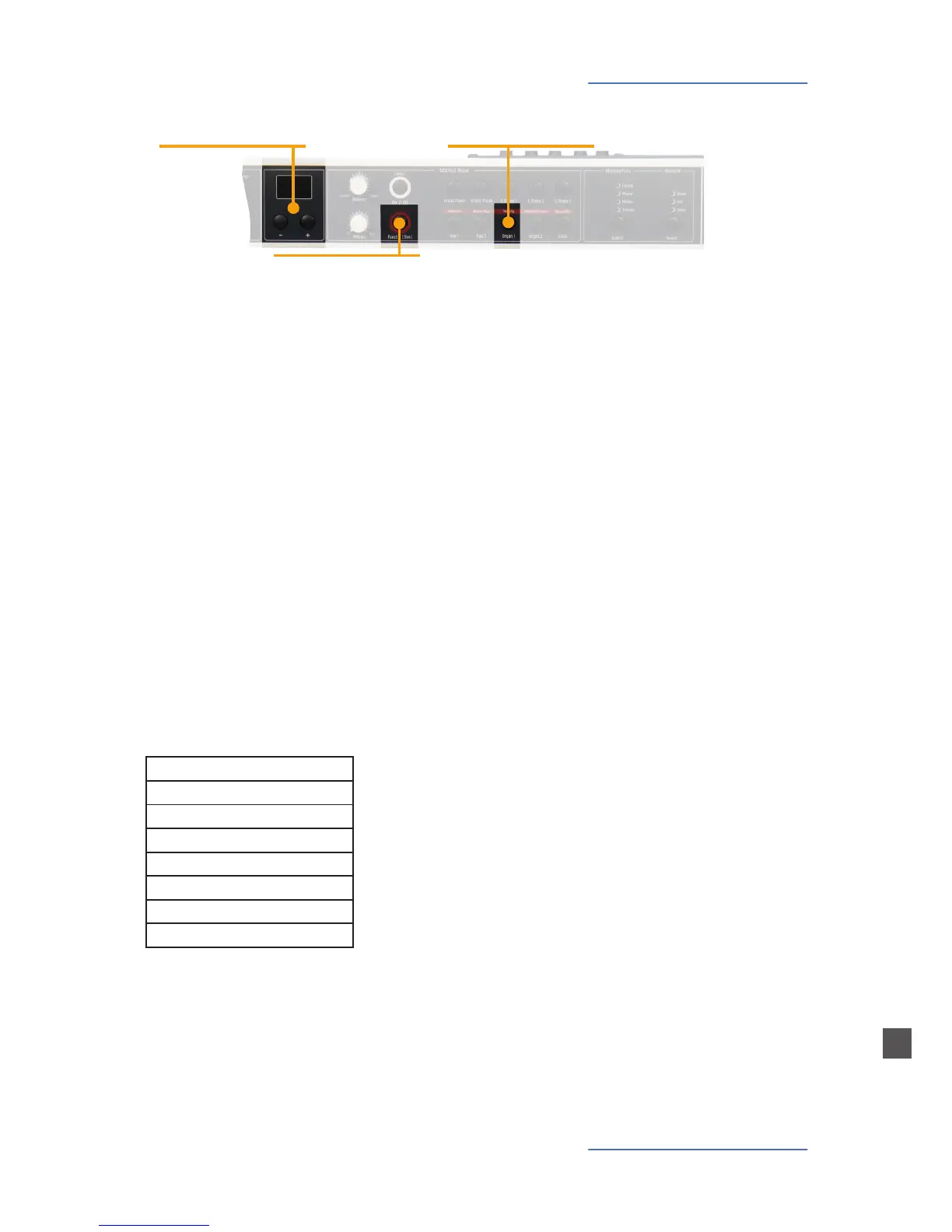
The velocity denes the touch sensitivity of the keyboard;
you can choose from 3 dierent velocity curves. Enter the
velocity mode by pressing Function&Velocity. The display
indicates the dierent curves as S (soft) M (medium) H (hard)
and F (xed). Use Value -/+ to select the appropriate velocity.
When F is selected, pressing again the Velocity tab will allow
to select a xed value using the Value -/+.
Press Function again to keep the adjustment and quit the ve-
locity mode.
Velocity / Storage
Velocity
Velocity
• Velocity curve selection
Display - Value -/+
• Display and value adjust-
ment
Function
• in combination with Velocity
To store your settings, keep pressed the Function [store] for
a few seconds. Use Value -/+ to select one of the 50 positions
from P01 to P50.
Press again Function [store]: the display will show Y and N.
Press the Value– (Y) to conrm and store or Value+ (N) to
quit without storing.
Each preset, memorizes the following parameters:
Suond(s)
Eects Selection
Eect(s) - Mix / Level
Layer
Layer Balance
Free Wheel
Velocity curve
MIDI parameters
Store Preset














 To Next Page