10
DAW mode
The DAW (Digital Audio Workstation) mode allows you
to use Mixface as a control surface for your favorite
music software (eg Cubase, Digital Performer etc.).
Introduction
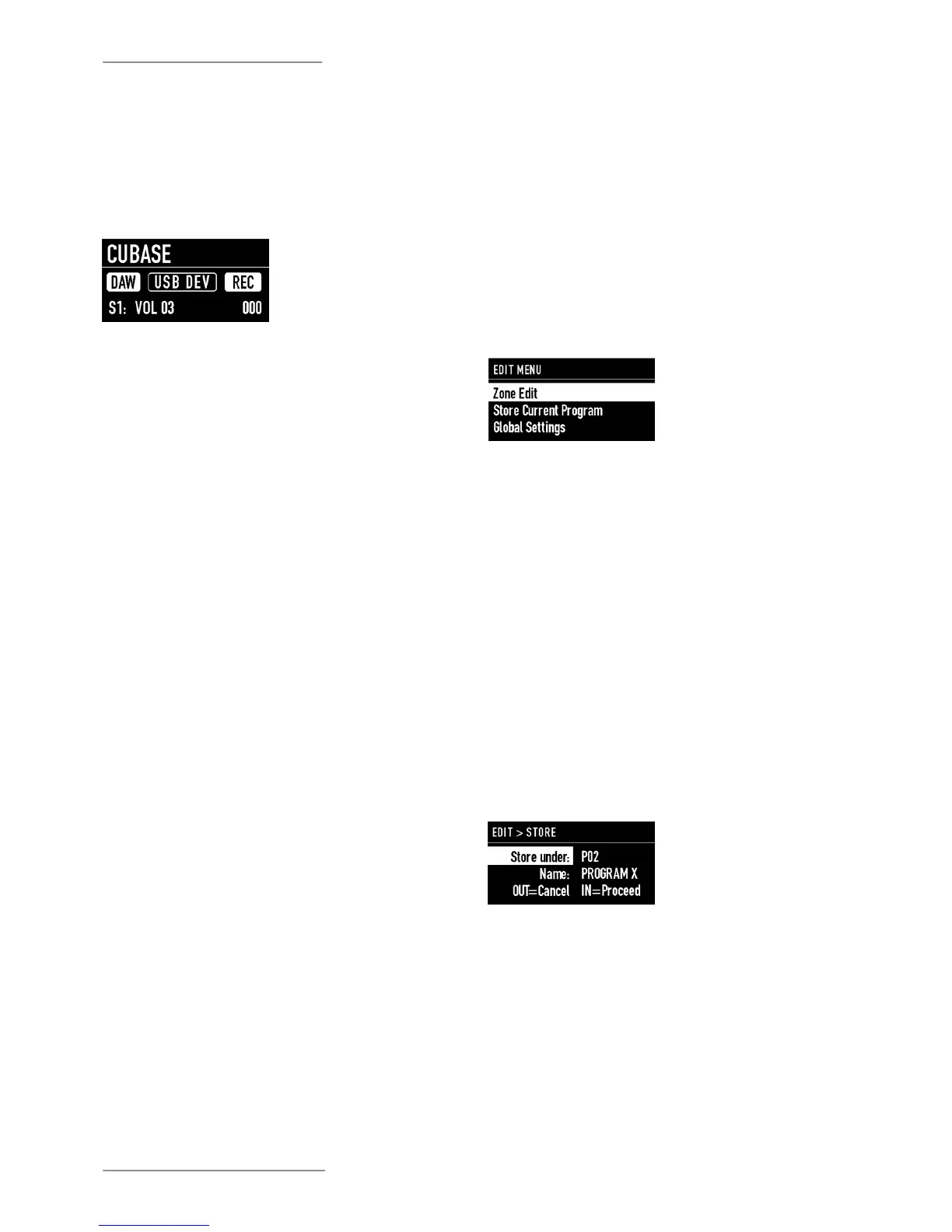
The DAW mode home screen shows:
• The name of the selected DAW;
• The DAW mode;
• The used port;
• How to use the multi-function buttons (rec, mute,
solo or select);
• The value of the control in use.
After selecting your DAW from the Global mode (eg
Cubase), Mixface is ready to be used as a control
surface.
Use
Each DAW works in a slightly dierent way and can use
dierent protocols. In some cases it is only necessary
to set some conguration parameters, in others you
will need to install les.
Please check the conguration instructions for your
DAW on the Studiologic website.
Conguring your DAW for use with
Mixface
Congure Mixface
The EDIT menu allows access to the programming of
the current Program or to the global parameters.
To enter the "EDIT" mode, press and hold the "[EDIT]"
button for 2 seconds.
The menu displays the following options:
• Zone Edit;
• Store Current Program;
• Global Settings.
Introduction
Turn the main Encoder to select the desired option,
press the Encoder or the IN key to access it, and the
OUT key to exit a level or press again EDIT to exit.
The STORE page of the EDIT mode allows you to store
and name a Program.
• Store Under: is the location where you want to save
the Program. Mixface has 99 memory locations.
• Name: to rename the Program by clicking (to move
the cursor to the next digit) and rotating the Encoder
(to select letters or numbers)
Press IN to save the changes or OUT to not conrm the
operation.
Store Current Program
Mixface detects if changes have been made to the
Program, so outgoing asks the user if he wants them to
be saved in the current Program. This allows to directly
save and overwrite the current Program.


 To Next Page