12
Global
The last editing section of Mixface allows edit the
global settings of the unit.
Introduction
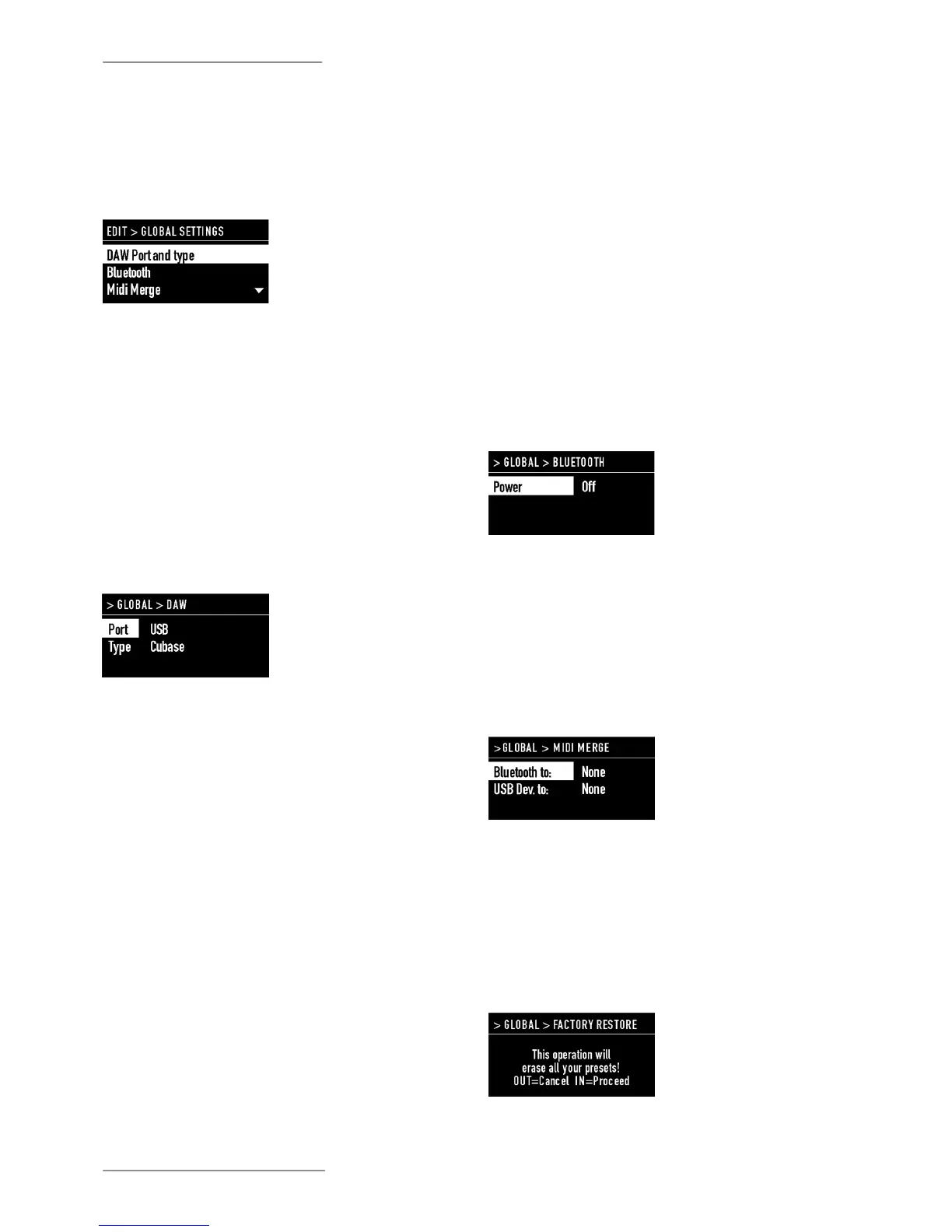
There are 3 functions available:
• DAW Port and Type;
• Bluetooth;
• MIDI Merge;
• Factory restore.
When selecting DAW, the user can choose the control
port of his Digital Audio Workstation (USB or Bluetooth)
and the software used (Cubase, Digital Performer,
Ableton Live, Presonus Studio One, Avid Protools).
DAW (Digital Audio Workstation) selection
The list of compatible DAW's will be updated and
extended over time, thanks to the possibility of
updating the rmware of Mixface via USB port.
Currently you can check the following DAW (Digital
Audio Workstation):
• Steinberg Cubase / Nuendo;
• Motu Digital Performer;
• Ableton Live;
• Presonus Studio One;
• Propellerhead Reason;
• Apple Logic / GarageBand;
• Avid ProTools.
The Bluetooth function allows the Bluetooth wireless
communication to be activated and deactivated
towards the computer.
This mode allows you to remotely control the Mixface
(DAW and CTRL mode) wirelessly and to implement in
your Studiologic MIDI Controller the ability to play, for
example, a virtual instrument wirelessly.
NOTE
In Bluetooth mode, Mixface make available only one
port (called SLMIX BT), and the transport buttons of
Mixface work only in DAW mode in order to avoid
possible interferences in the workow.
If required, the PIN code is "0000".
Bluetooth
The MIDI Merge function allows to mix the MIDI
data of the Bluetooth and USB Device ports to
other outputs in the following combinations:
• From Bluetooth to: none (none), USB Device,
USB Host;
• From USB Device to: none (none), USB Host.
MIDI Merge
The Factory Restore function deletes all user-
programmed settings and Programs and
restores the factory settings. The screen asks for
conrmation, in order to avoid unwanted actions.
To proceed press IN.
Factory restore


 To Next Page