8
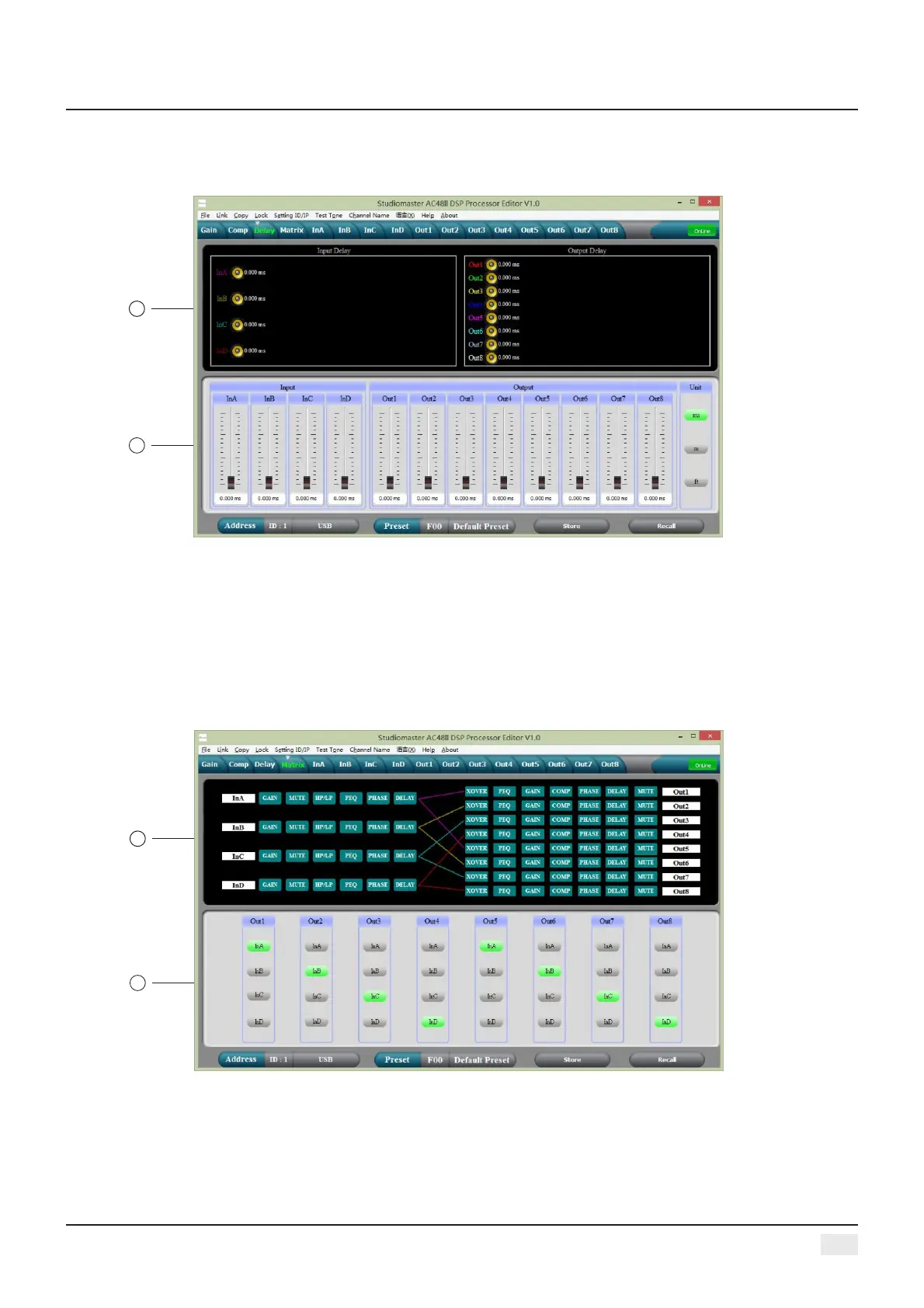
THE THIRD: DELAY INTERFACE
1, Show the delay parameter status of all channels.
2, Can adjust delay parameter of all channels, the scale is 0-680ms, there are millisecond, meter and
feet units for converting.
1
2
THE FOURTH: MATRIX INTERFACE
1
2
1, Show connections of the device, users can enter and edit relevant channel by clicking the square ,
every channel name is revisable.
2, All output channels can choose any input channels.
Digital Audio Processor


 To Next Page