Output Level Indicators
4-segment high precision LED and1 compressor signal LED shows the status of output level and
compressor on current channel.
Output Mute Keys
Mute channel by pressing and exit by pressing again.
Output Edit Keys
Press to enter into relevant channel edit status parameter will show on the edit, Key and LCD.
USB
Used to connect with PC and center-control equipment, remote control.
7
8
9
10
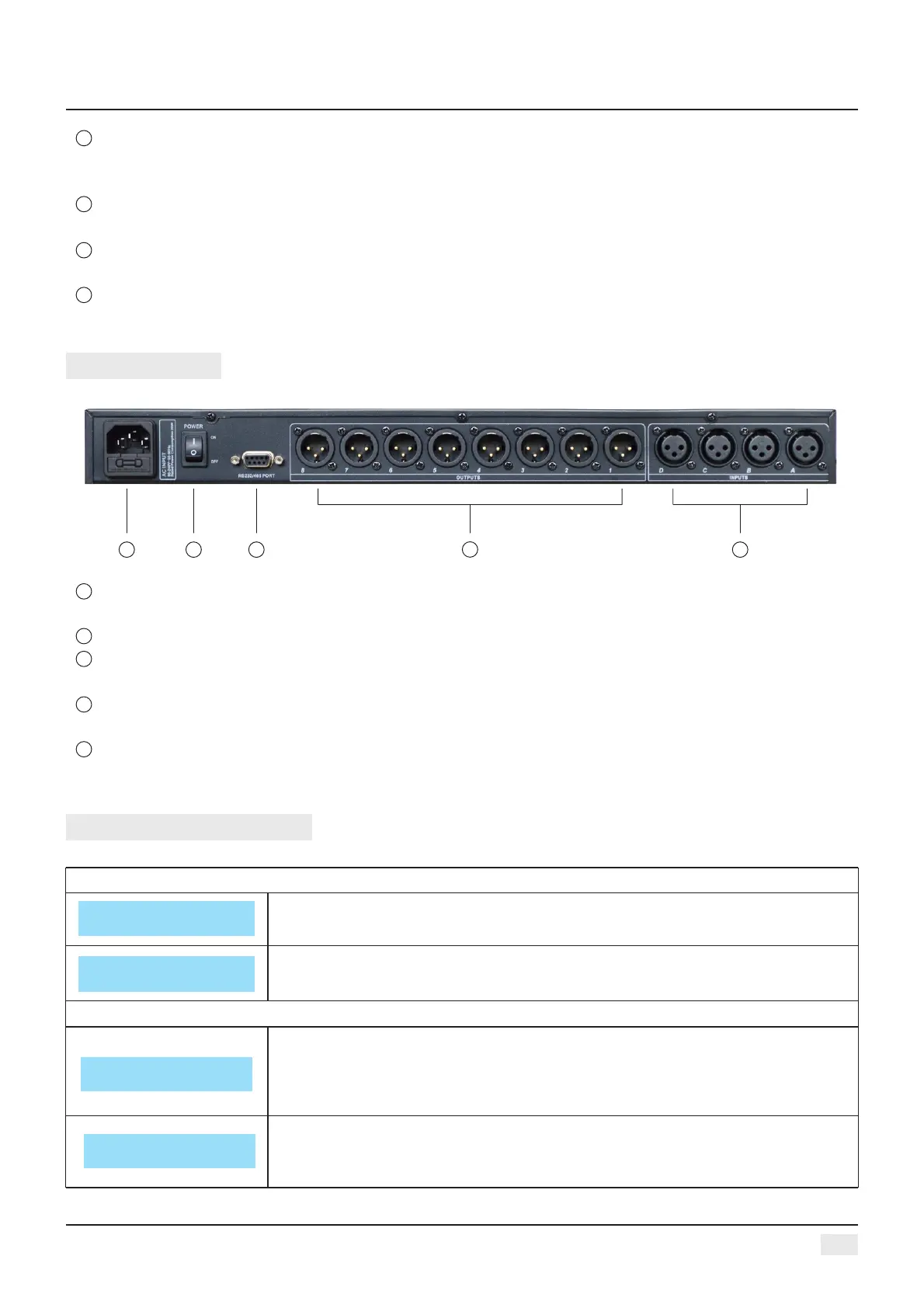
REAR PANEL
21
3
4
5
Power Socket
The voltage is 95V-240V.
Power on/off Switch
RS232/485 interface
Center-control by RS232, cascade control by RS485.
Output interface
Male XLR balanced output 1-8.
Signal input interface
Female XLR balanced input A-D.
4
2
1
3
5
2
OPERATION GUIDANCE
Below status after power on:
Power on, show brand, model and version.
After self-check, show brand, model and current user preset.
ID Number Select
ID: 1
Press UTIL key, enter below setting status
Press UTIL key one time, enter ID number setting: the ID number of the units,
should be different when cas cade connection, the setting scale is1-254. (If
cas cade connection units are over 16 or long distance, a loaded 120 ohms
resistance should be parallel connected by RS 485.
Unit unlock
Password 1234
Press DOWN key one time, enter password setting: users can choose all the
words or numbers to set the password they want, the initial password is
“1234”.
Digital Audio Processor
Studiomaster
AC48II V1.0
AC48II
F00 Default Preset


 To Next Page