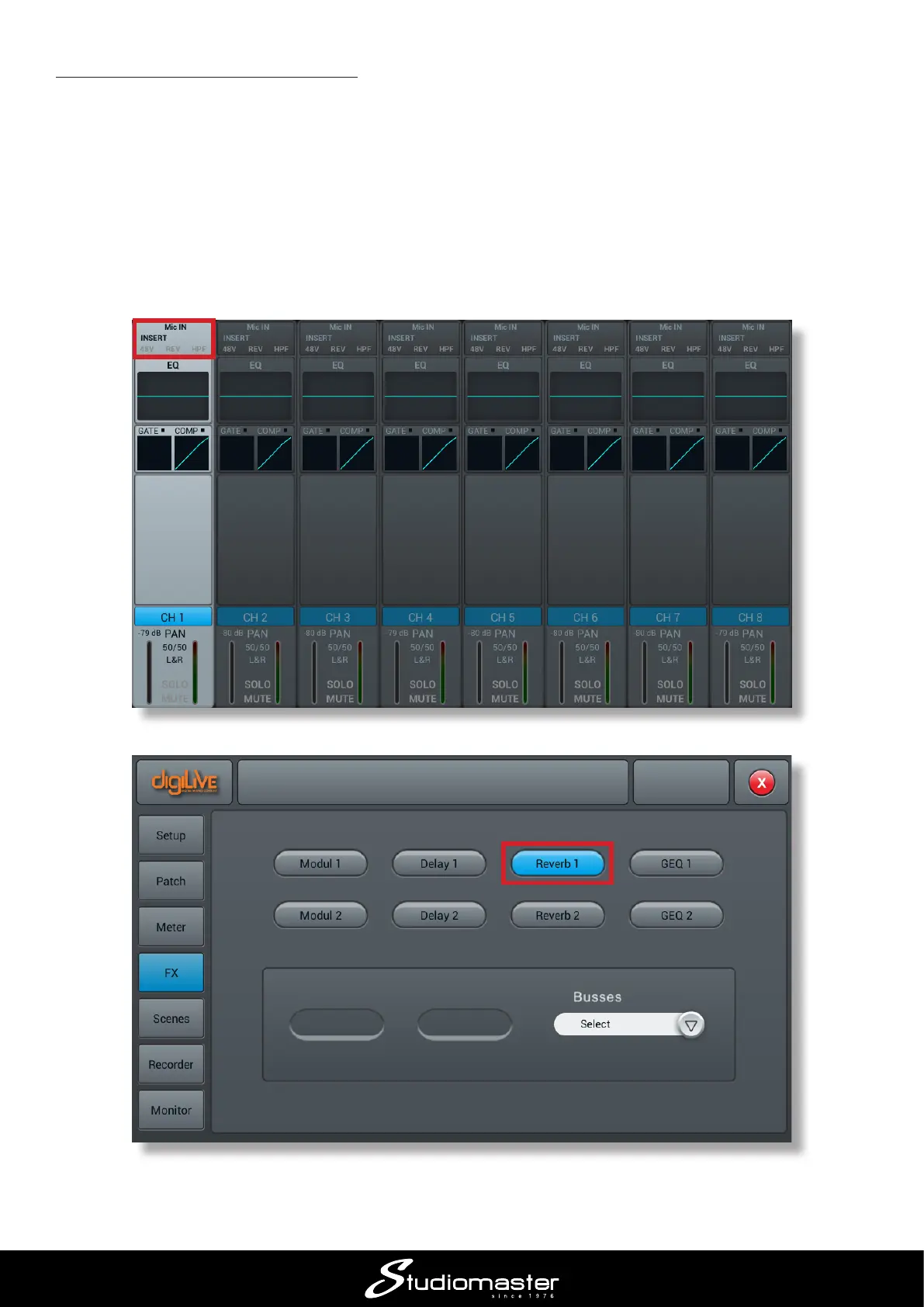
5.4 Adding reverb to your vocals
Singers’ voices are always enhanced by the addition of some reverb: correctly set, it adds depth
and colour and even helps to conceal anything slightly o-key!
digiLiVE has eight digital eects (FX) processors, including two independent reverb units. To add
reverb to a vocal:
• Press the SELECT button of the relevant input channel and then tap the topmost area of the
highlighted channel (Mic IN)
• In the Insert section, tap the Reverb 1 button














 To Next Page