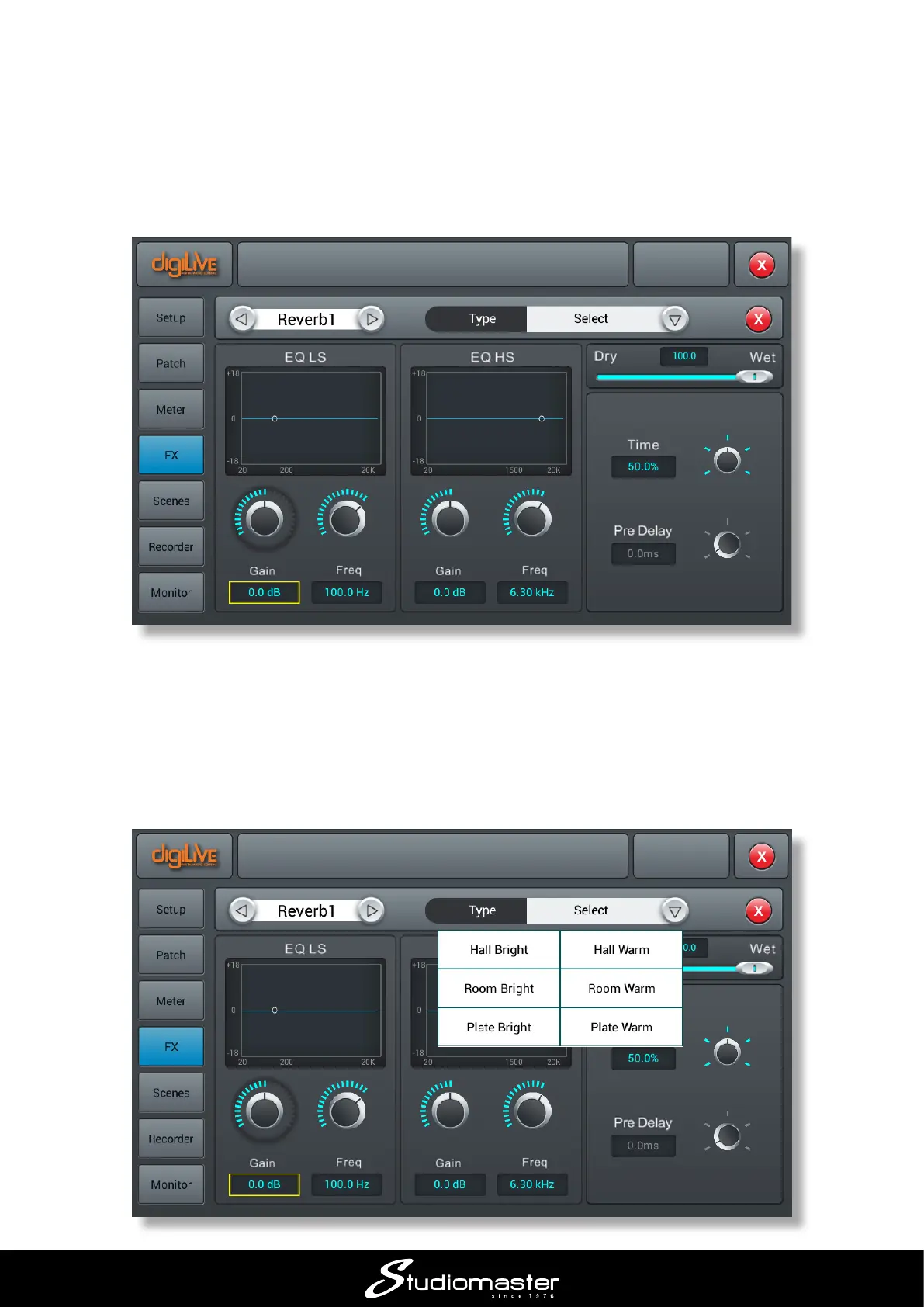
You will now hear that reverb has been added to the selected input channel. The FX processors
have their own control pages: to adjust the amount and nature of the reverb,
• Press the SET-UP button
• On the SET-UP page, tap the FX button on the left
• Double-tap Reverb 1
Either tap a control and then use the ADJUST knob, or use a nger to move the on-screen control:
use a “dialling” action for the rotary knobs.
The “amount” of reverb is controlled by the Wet/Dry slider, and the reverberation time by the Time
control.
Tap the arrow in the Type text box to open a list of reverb programs:














 To Next Page