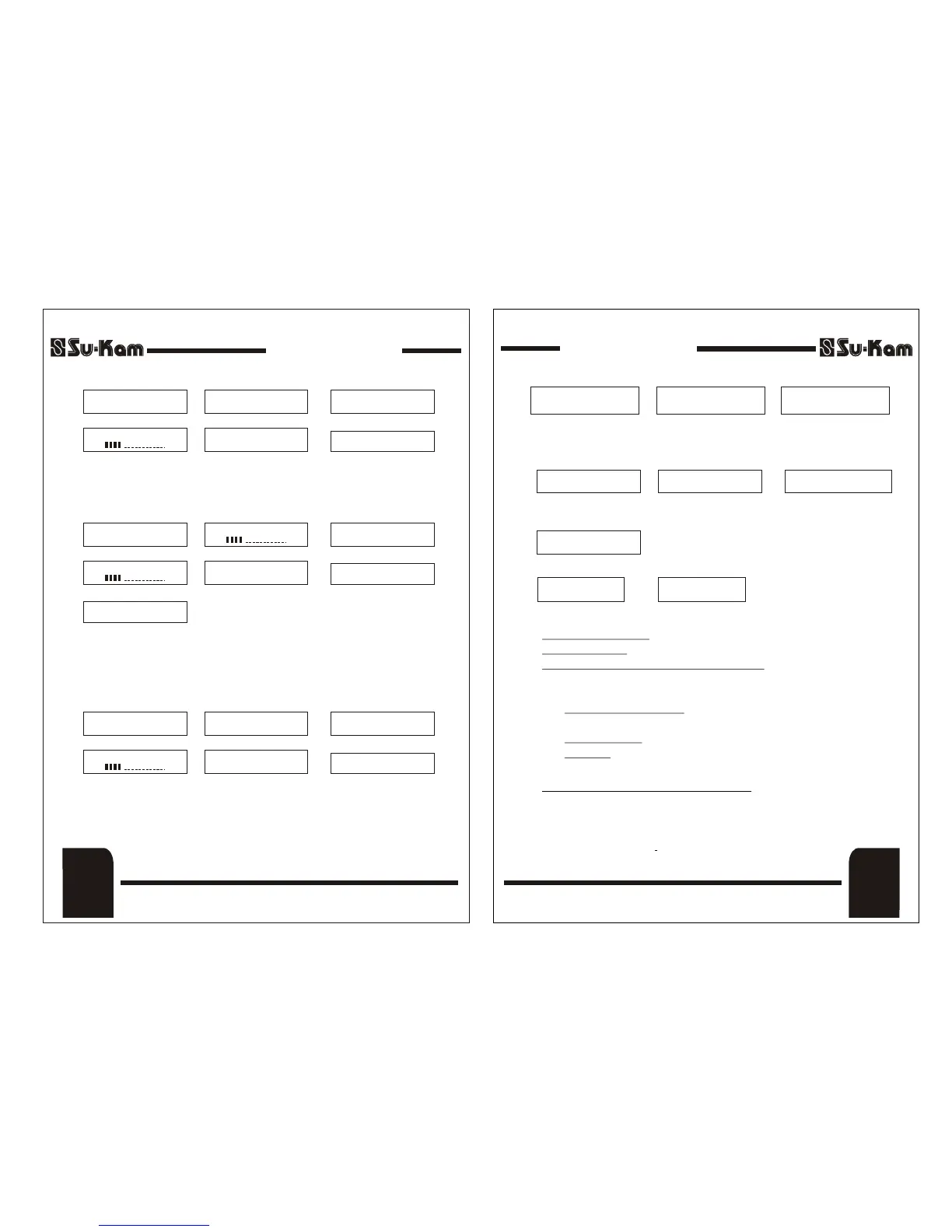
8. Mains Low Cut (UPS Switch OFF)
In this condition the system gets permanently shutdown but battery keeps
charging with 2-3 amps up to Main input voltage 140 Volts.
CHARGING CURRENT
SELECTION AT 12 A
CHARGING CURRENT
SELECTION AT 16 A
9. Mains High Cut (UPS Switch ON)
This Display shows Mains High Cut protection. In this condition, the system
comes on Home UPS mode and the mains will get cut off. The above
message keep on scrolling on the LCD panel displaying above parameters one
by one till Mains recover.
10. Mains High Cut (UPS Switch OFF)
In this condition the system gets permanently shutdown. For using, Home
UPS should be switched ON if the battery is charged.
DSP Sine Wave Home UPSDSP Sine Wave Home UPS
11. Charging Current Change With Selection Switch
* PROTECTION *
OVER TEMPERATURE
ROUTINE REMINDER
PL. CHECK BATTERY
WATER LEVEL &
RESTART UPS
B) DESCRIPTION OF BACK PANEL
1) Mains Input MCB : This isolates mains input from Home UPS.
2) Battery MCB : This isolates battery from Home UPS.
3) Maintenance Bypass Rotary Switch : A three position rotary
switch is provided for
(i) Home UPS Output (ii) Output OFF (iii) Bypass
1) Home UPS Output: This is the normal running position, when
output is fed to the load.
2) Output OFF: The output of system is disconnected from load.
3) Bypass: The load is bypassed from Home UPS and is connected to
Mains Supply only.
4) Battery Charging Selection Switch : Selector switch to adjust the
battery charger for different battery capacity. Set 12A for 100 - 150 Ah
Battery and 16A for 160 - 200Ah Battery. In case of frequent power cut,
set the switch Position at high charging current (16A) to charge your
batteries in lesser time.
DSP Sine Wave Home UPSDSP Sine Wave Home UPS
(7)
Front Panel
&
Back Panel
MAINS LOW CUT
UPS SWITCH OFF
I/P VOLT : ___V
I/P FREQ : ___HZ
a.
b.
c.
d.
BATTERY : ___V
FAN STATUS : OFF
UPS TEMP : NORMAL/HIGH
e.
MODE : UPS/W-UPS
f.
[ ]
MAINS HIGH CUT
UPS ON
O/P VOLT : ___V
O/P FREQ : ___HZ
a.
b.
c.
d.
POWER CUT TIME
HH : MM : SS
e.
FAN STATUS ON
UPS TEMP : NORMAL / HIGH
f.
O/P LOAD : ...........%
[ ]
BATTERY : ___V
[ ]
MODE : UPS/W-UPS
g.
FAN STATUS : ON
UPS TEMP.: HIGH
PL. CHECK FAN AT
THE BACK PANEL
a.
b.
b.
c.
* ATTENTION *
CHARGING CURRENT
STATUS CHANGED
RESTART UPS
Front Panel
(6)
MAINS HIGH CUT
UPS SWITCH OFF
I/P VOLT : ___V
I/P FREQ : ___HZ
a.
b.
c.
d.
BATTERY : ___V
FAN STATUS : OFF
UPS TEMP : NORMAL/HIGH
e.
MODE : UPS/W-UPS
f.
[ ]
a.
b.
FROM FRONT PANEL
TO ACTIVATE
c.
a.
TEMP. SENSOR FAIL
* ATTENTION *
This is displayed when system is overheated.
14. After Every 3 Months Routine Reminder is Displayed
12. Over Temp. Protection with Buzzer Beep
13. Temperature Sensor Fail Condition
This is Displayed when charging selection switch at back panel is toggled,
Restart Home UPS to activate the changed charging current.
REV. 25-04-08REV. 25-04-08


 To Next Page
 Loading...