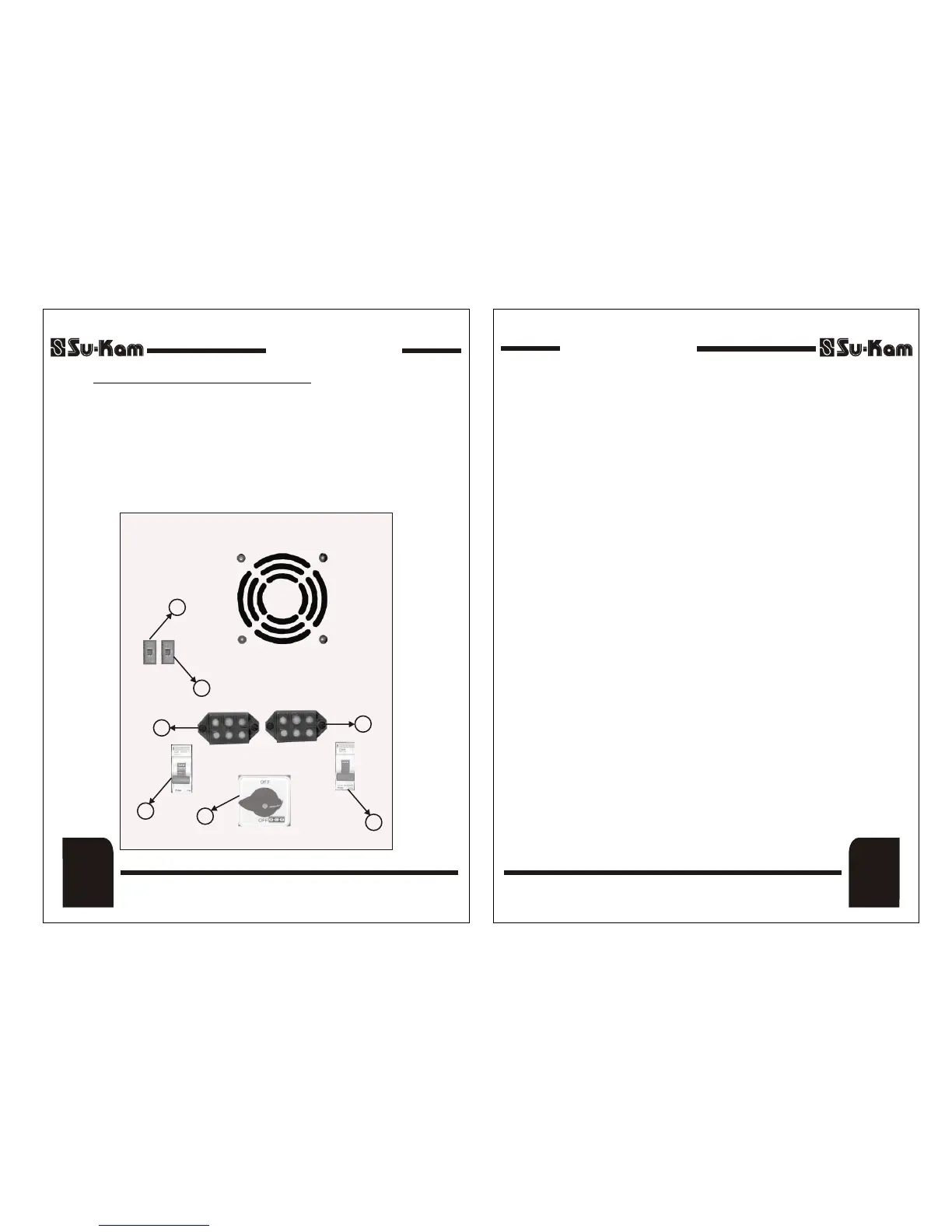
5) Selection of Switch for UPS / W-UPS Mode :
If you want to run PC load select the switch to UPS mode.
Other wise keep the switch to W-UPS mode.
6) Input Terminal Block.
7) Output Terminal Block.
BACK PANEL
(8)
Back Panel
DSP Sine Wave Home UPSDSP Sine Wave Home UPS
Quick Installation Guide
1) Mount the Home UPS securely in horizontal position in a clean, dry and
ventilated enclosure.
2) Ensure that the front panel ON/OFF switch and battery MCB at the
rear panel is in OFF position before you begin the installation.
3) Connect the positive terminal of the battery to the positive wire (RED)
of the Home UPS and negative terminal to negative wire (BLACK) of
the Home UPS. Immediately check the connections & switch ON
Battery MCB.
4) Now connect the Output terminal to the load.
5) Switch ON the front panel switch and run the load without AC input
Power. Place a load on the Home UPS and make sure it works.
6) Connect AC input supply to the input terminal such that Line is
connected to the terminal marked 'L' ; Neutral is connected to terminal
marked 'N' and Earth is connected to the Earth terminal marked 'E'.
7) Switch ON the mains MCB & Home UPS should now show 'Mains
Present, Battery Charging' on the LCD. After the delay for mains
synchronization (approx. 30Sec), the load is connected to mains &
simultaneously the Battery starts charging.
8) Now disconnect the AC input power, the load should be transferred to
the Home UPS mode immediately.
Quick Installation Guide
Quick
Installation
Guide
(9)
DSP Sine Wave Home UPSDSP Sine Wave Home UPS
1
2
3
5
4
6
7
REV. 25-04-08REV. 25-04-08


 To Next Page