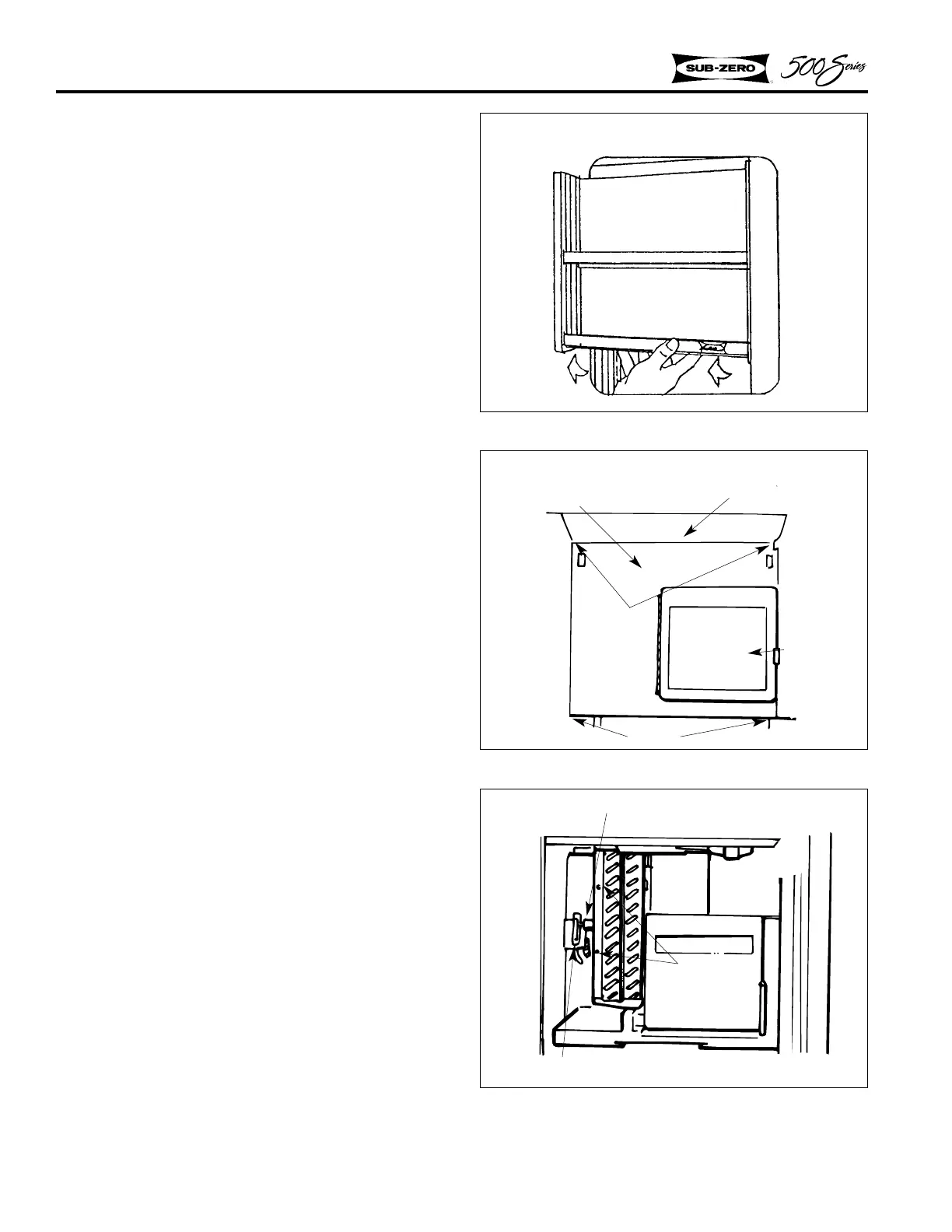
Figure 2-33. Evaporator Cover
Models 590
Figure 2-32. Freezer Utility Rack
Light Diffuser
Screws
Screws
Evaporator Cover
Ice Bucket
Assy.
Figure 2-34. Freezer Fan Motor
Models 590
Fan Bracket
Mounting
Screw
Freezer Fan Motor
COMPONENT INFORMATION
2-12
Freezer Fan Motor - Model 590
1. To access the freezer evaporator fan motor, lift
off the freezer utility rack (Figure 2-32).
2. Remove the top diffuser. Remove front evap-
orator cover held in place with two screws at
the top and two screws at the bottom (Figure
2-33).
NOTE: On Model 590, remember to remove screw
just below water reservoir area before tilting evap-
orator cover forward.
3. Remove two screws, then pull fan motor
assembly out (Figure 2-34).
NOTE: Fan motor wires are held in place by a
clip on the side wall.
4. For reassembly, reverse steps 1 - 3.
NOTE: After fan motor is installed, make sure fan
blade rotates freely.
Models 590



 To Next Page