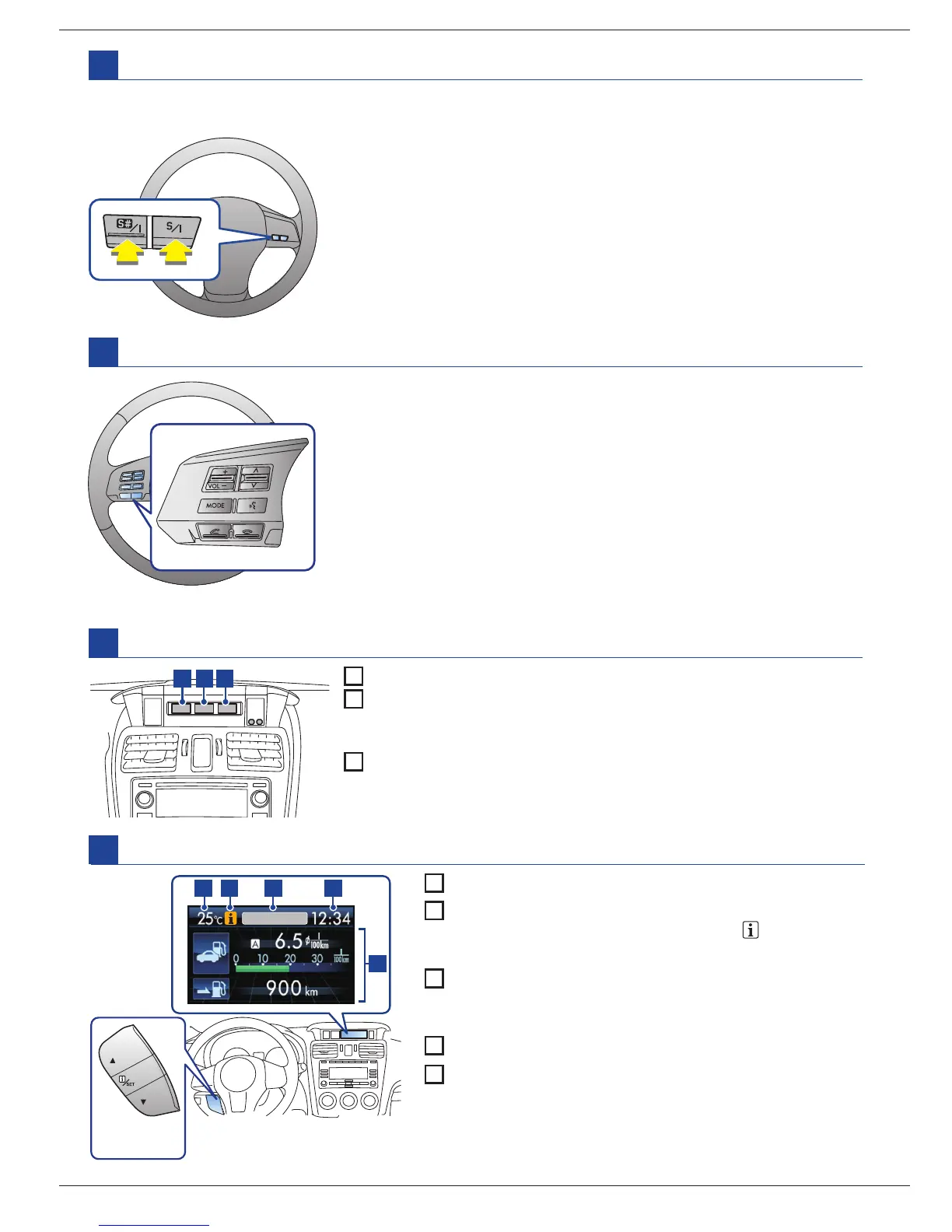
SI-DRIVE switches (if equipped)
M
Intelligent (I) mode:
Perform either of the following procedures.
- Press the
S/I
switch when the Sport (S) mode is selected.
- Press the
S#/I
switch when the Sport Sharp (S#) mode is selected.
Sport (S) mode:
Press the
S/ I
switch when any mode other than
Sport (S) mode is selected.
Sport Sharp (S#) mode:
Press the
S#/I
switch when any mode other
than Sport Sharp (S#) mode is selected.
Audio control buttons
N
Information display (if equipped)
O
1 2 3
1
Outside temperature indicator
2
Driving information display:
With the ignition switch in the ON position, each successive press
of the information display selection knob switches the display.
3
Clock
Models with Hands-free system
Please refer to the Owner’s Manual for the models without
Hands-free systems.
These buttons allow the driver to control audio functions without
taking his/her hands off the steering wheel. For the detail and the
preparation, please refer to your Owner’s Manual.
This system consists of three modes: Intelligent (I), Sport (S), and Sport Sharp (S#).
By operating the SI-DRIVE switches, the character of the power unit changes.
Multi function display (if equipped)
P
1
Outside temperature indicator
2
Information reminder:
If the information reminder appears, pull
/SET
switch
on the steering wheel toward you to recall the message.
3
Top display:
Displays the driving range on remaining fuel, average
fuel consumption or current fuel consumption.
4
Clock
5
Driving information display/Control switch:
By operating ▲ or ▼ of the control switch, the screens
and selection items can be switched.
31 2 4
5
Control
switch
Control switch:
By operating ▲ or ▼ of the control switch,
the screens and selection items can be switched.
For the detail, please refer to
your Owner’s Manual.















 To Next Page