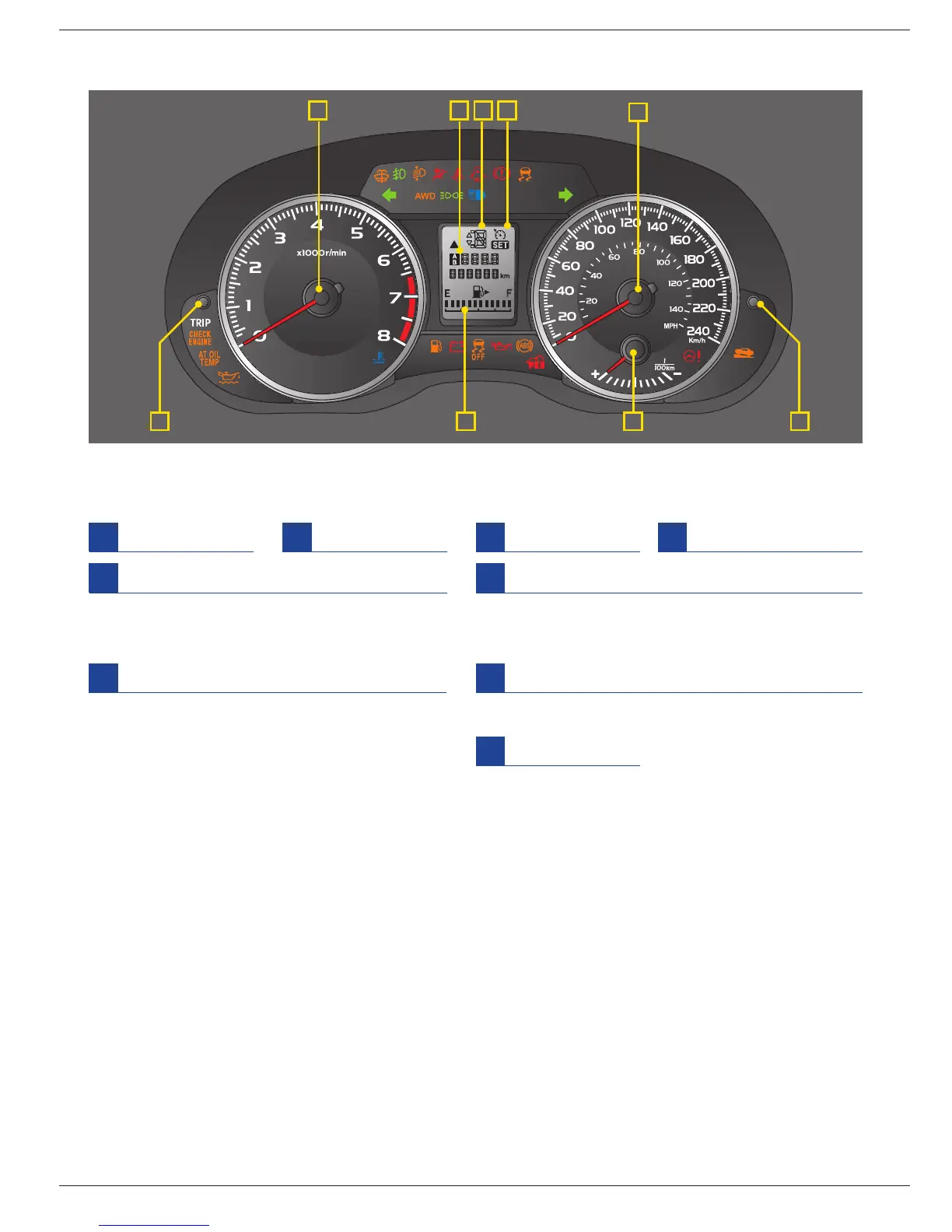
Some functions are available on certain models.
For detailed operating and safety information, please consult your Owner’s Manual.
SELECT
METERS / INDICATORS
B D G H
C FE
A
Speedometer
A
Tachometer
B
Fuel gauge
C
Odometer / Trip meter
D
Press to select between trip A and trip B.
Press and hold to reset selected trip meter.
For other functions, please refer to Owner’s Manual.
Trip meter A/B selection and reset knob
E
This indicator shows the position of the select lever.
For models with manual mode, when the manual
mode is selected, the gear position indicator
(which shows the current gear selection) and the
upshift/downshift indicator light up.
Select lever / gear position indicator
G
See page 7.
Cruise control indicator / Cruise control
set indicator
H
Press this knob to switch the display.
For the details, please refer to Owner’s Manual.
Information display selection knob
F
The design may be slightly different from the illustrations depending on the models and destinations.
For models with the EyeSight system: Refer to the Owner’s Manual supplement for the EyeSight system.
Eco gauge
I
I















 To Next Page