Black plate (145,1)
北米Model "A2520BE-A" EDITED: 2015/ 5/ 25
! Operation by the button on the
instrument panel
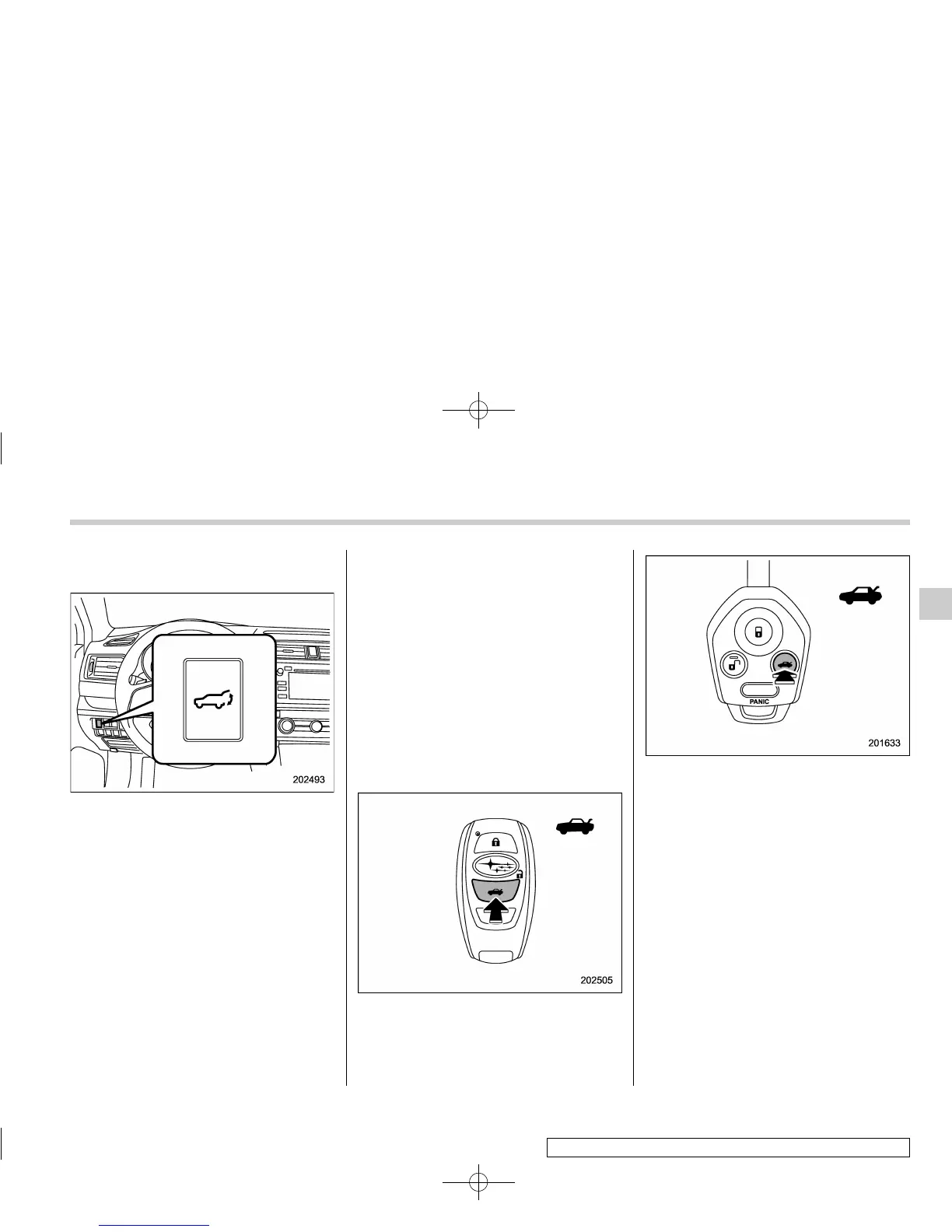
Power rear gate button
To open the rear gate:
Press and hold the power rear gate button
when the rear gate is closed. Then an
electronic chirp will sound twice and the
hazard warning flashers will flash twice.
The rear gate will open automatically.
To stop the rear gate midway:
Briefly press the power rear gate button
while the rear gate is being opened. Then
an electronic chirp will sound twice and
the hazard warning flashers will flash
twice. If the button is pressed and held
again, the rear gate will close. If the button
is briefly pressed while the gate is closed,
the rear gate can be opened.
To close the rear gate:
Press and hold the power rear gate
button. Then an electronic chirp will sound
twice and the hazard warning flashers will
flash twice. If the button is briefly pressed
again, the rear gate will open.
NOTE
If the rear gate cannot be opened/
closed by performing the operation
described above, a short electronic
chirp will sound three times.
! Operation by the button on the
access key/transmitter
Powerreargatebutton (models with
access key)
Power r ear gate button (models with
transmitter)
To open the rear gate:
Press and hold the power rear gate button
when the rear gate is closed. Then an
electronic chirp will sound and the hazard
warning flashers will flash. The rear gate
will open automatically.
NOTE
. For models with “keyless access
with push-button start system”,an
electronic chirp will sound four times
and the hazard warning flashers will
flash four times.
. For models without “keyless access
with push-button start system”,an
electronic chirp will sound twice and
the hazard warning flashers will flash
Keys and doors/Rear gate (Outback)
– CONTINUED –
2-43
2













 To Next Page