Black plate (280,1)
北米Model "A2520BE-A" EDITED: 2015/ 5/ 25
Audio/Audio set
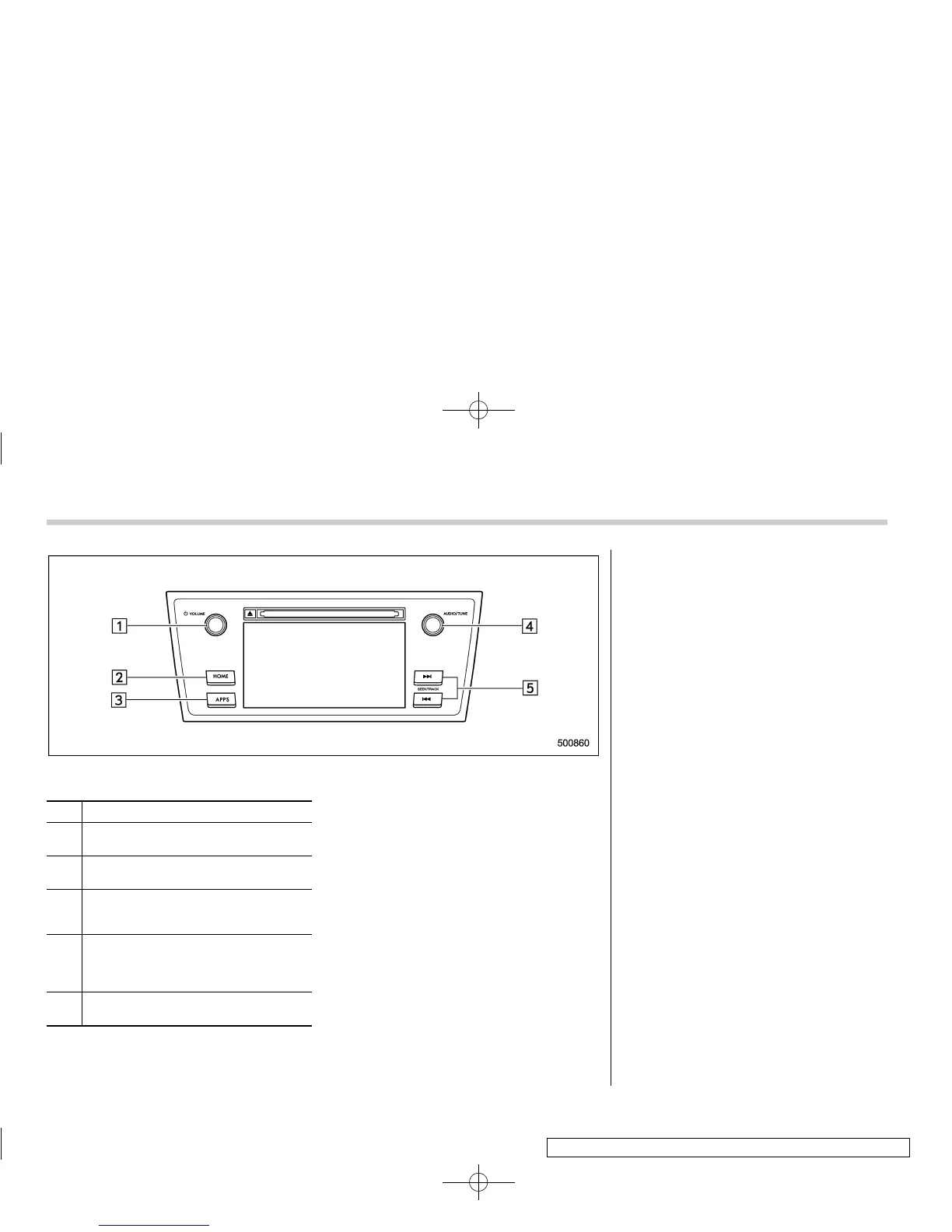
Audio panel
No. Function
&
1
Turn to adjust volume.
Press to turn the audio system on/off.
&
2
Press to display the sound setting
screen. Refer to “Unit settings” F5-19.
&
3
Press to display the station operation
screen.
Press to select an audio mode.
&
4
Turn to display the next/previous con-
tent item.
Press to select an audio source. Refer
to “Selecting an audio source” F5-18.
&
5
Press to display the next/previous con-
tent item.
NOTE
. For safety reasons, certain func-
tions are not avai lable while your
vehicle is in motion.
. In order to maximize signal recep-
tion, performance and precision of the
smartphone, please ensure the smart-
phone is placed as close to the system
as possible, while ensuring it is stowed
and secure while driving.
. When the ignition switch is in the
“ACC” or “ON” position, the battery of
the connected iPhone/iPod touch is
charged.
. iPhone/iPod touch may not be re-
cognized when the ignition switch is in
the “ACC” or “ON” position. In this
case, remove the iPhone/iPod touch
and reconnect it.
. The accuracy of the displayed in-
formation or the signal reception per-
formance depends on the smartphone
or the connected device, and it ’s wire-
less connection.
. Since the aha application uses sig-
nals from GPS satellites and wireless
communication lines, it may not work
properly in the following locations.
– In a tunnel
– In underground parking lots
5-46













 To Next Page