16
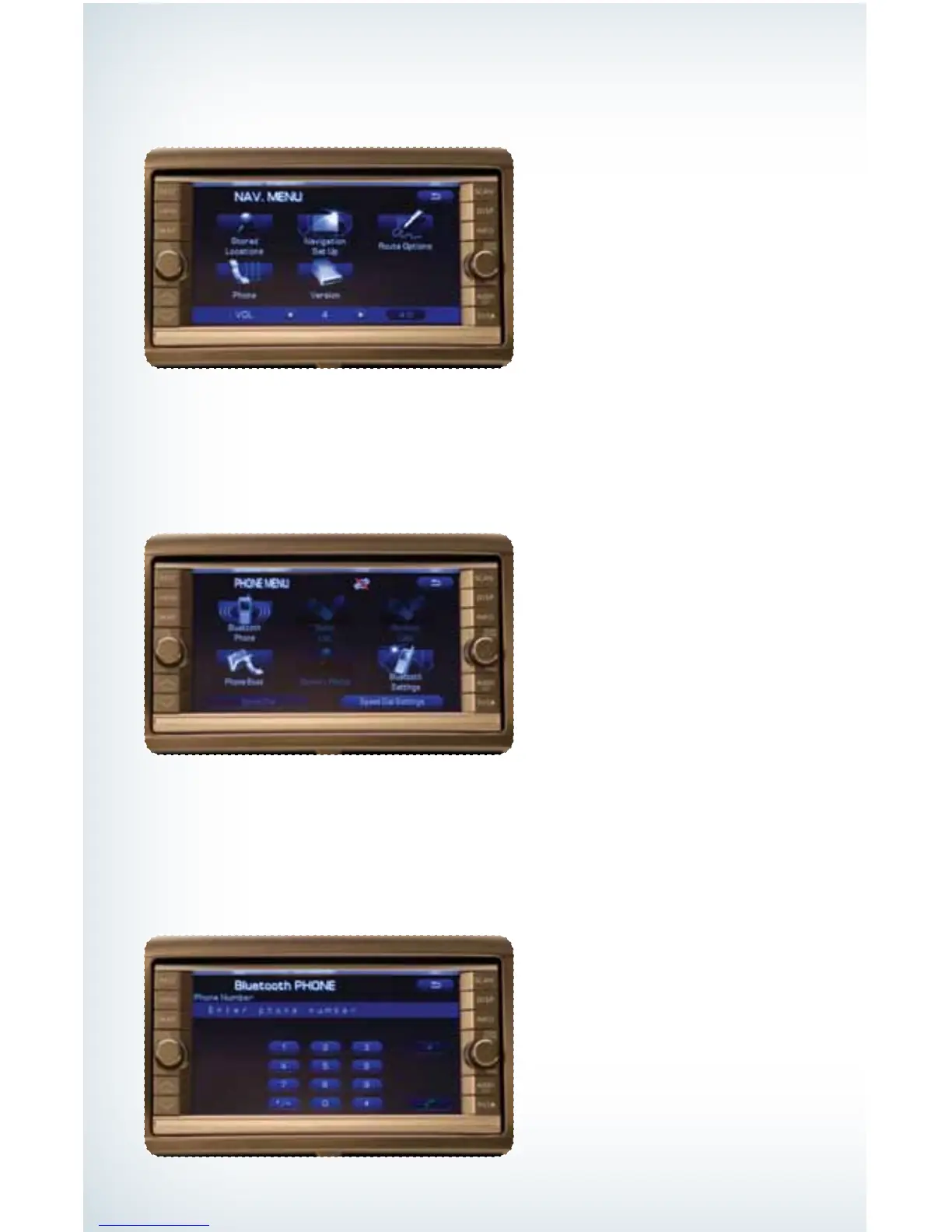
Then touch “Bluetooth Phone”; a numeric keypad will be displayed.
Touch the numbers for the phone number you wish to call. When complete, touch
the green phone soft key.
Making a Call
Press the MENU button; then touch the “Phone” soft key on the touch screen.
793593_11a_Bluetooth_QRG_072310.indd 16 7/23/10 11:23 AM







 To Next Page