20
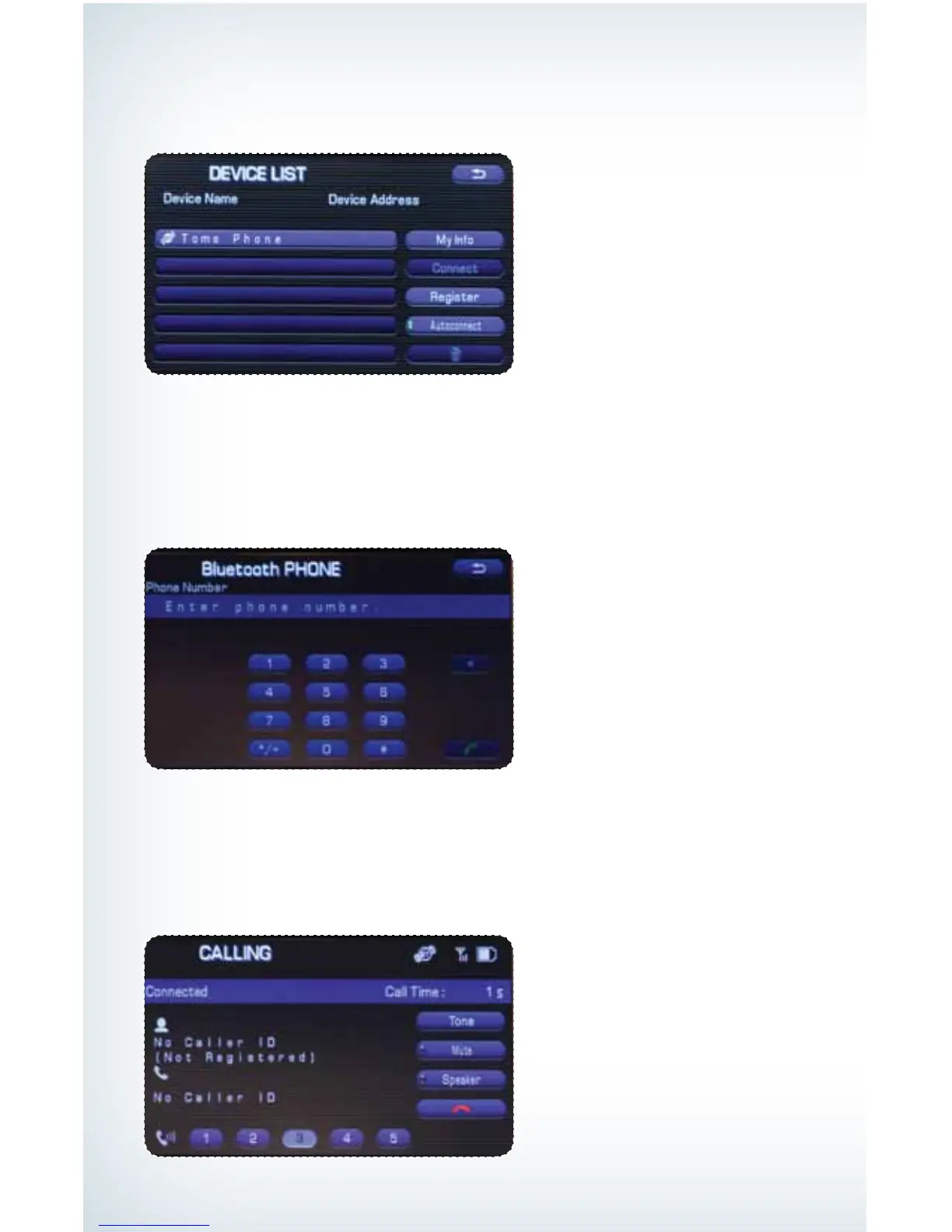
After the beep, say the numbers of the phone number you wish to call. The system will
repeat the numbers you have said at this point. You can continue saying numbers, you
can cancel, make a correction or dial. Say “Dial”; the system will then dial the number.
Making a Call
Press the Talk button on the steering wheel; then say “Dial by number.” A numerical keypad
will be displayed.
Put your phone into Bluetooth pairing mode and pair your phone to the system using
the pass-key provided. When the phone is successfully paired the screen will show
the phone’s name on the list.
793593_11a_Bluetooth_QRG_072310.indd 20 7/23/10 11:24 AM





 To Next Page