24
Controls
1
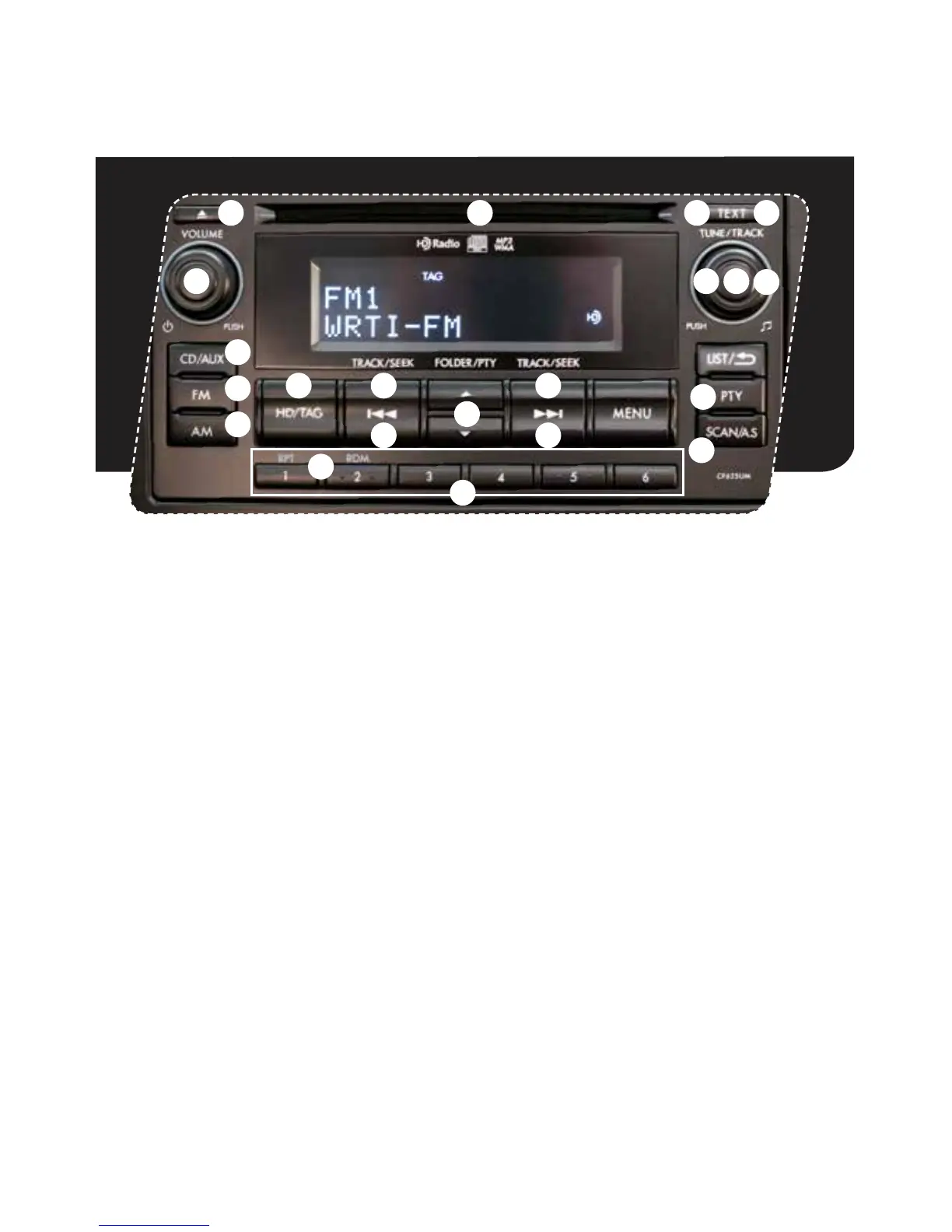
AM/FM Stereo HD Radio
®
with Single Disc CD Player
(if equipped)
Radio Functions
1. Power/Volume Control
Press the power/volume control knob
for on or off; rotate the knob to control
the volume.
2. Bass, Middle, Treble, Fader and Balance
Eachpressofthe“TUNE/TRACK/
CH”buttonwillcycleyouthrough
Bass, Midrange, Treble, Fade or
Balance.Rotatethe“TUNE/TRACK/
CH”knobtoadjustthedesiredlevel.
3. FM
Pressthe“FM”buttontochoose
FM1, FM2, FM3 or FM-AS.
4. AM
Pressthe“AM”buttontochoose
AM or AM-AS reception.
5. Tune/Track
Rotatethe“TUNE/TRACK/CH”
knob clockwise to increase the
tuning frequency; rotate the knob
counterclockwise to decrease it.
6. Seek
Press the right or left arrow of the
“SEEK”buttontopickupthenext
highest or lowest frequency.
7. Presets
You can save up to six favorite
stationsforeachband–FM1,FM2,
FM3 and AM. Select a frequency
and press one of the preset buttons
until a conrmation beep is heard.
12
9
8
10
14
6
6
3
4
16
17
1918
15 15
11
52
7
13
1353095_14a_Subaru_Forester_QRG_021913.indd 24 2/19/13 9:34 AM















 To Next Page