EasyManua.ls Logo

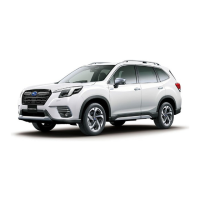
Subaru Forester 2022 - User Manual

Subaru Forester 2022
156 pages
Print Icon
To Next Page IconTo Next Page
Loading...
2022
Getting Started Guide
Forester
Subaru of America, Inc.
One Subaru Drive
Camden, NJ 08103-9800
MSA5B2202A
Issued August 2021
Printed in USA 08/21
Love. It’s what makes Subaru, Subaru.

Table of Contents

Question and Answer IconNeed help?

Do you have a question about the Subaru Forester 2022 and is the answer not in the manual?

Summary

Purpose of this Guide

Important Safety Information

Guidance on essential safety information and owner's manuals.

In Case of Emergency

Procedures and contact information for emergencies, including STARLINK.

Entry and Exit

Keyless Entry

Operation of the keyless entry system for locking and unlocking.

Keyless Access with Push Button Start

Using the push-button start and keyless access features.

Instrument Panel

Gauges and Warning Lights

Warning and Indicator Lights

Identification and meaning of various warning and indicator lights.

Controls

Advanced Adaptive Cruise Control

Using the advanced adaptive cruise control system.

Getting Comfortable

Operating the Vehicle

Starting the Vehicle

Procedures for starting the engine with and without push-button ignition.

Driving the Vehicle

Modes and operations for the automatic transmission shift.

Electronic Parking Brake (EPB)

How to apply and release the electronic parking brake.

Passenger;Cargo Areas

Child Safety Locks

How to use the child safety locks on the rear doors.

Additional Specifications

Tire Pressure Monitoring System (TPMS)

How the TPMS works and how to view tire pressure.

STARLINK Overview

Driver Profile

Phone

Pairing a Phone

Step-by-step guide to pairing a phone with the vehicle's system.

Apps

Maps (if equipped)

Finding a Destination by Address

Steps to search for and navigate to a destination by address.

Finding a Destination by POI

Steps to search for and navigate to a destination by Point of Interest.

STARLINK Safety and Security

Safety and Security Overview

Introduction to STARLINK safety and security services.

Settings and Updates

EyeSight

EyeSight Overview

Introduction to the EyeSight driver assist technologies.

Operation

How the EyeSight system functions and its limitations.

Functions

Detailed descriptions of EyeSight's safety and awareness features.

Pre-Collision Braking

Pre-Collision Braking

System that helps prevent or minimize frontal collisions.

Lane Departure Warning

Audible and visual warnings for unintentional lane departure.

Lane Sway Warning

Detection of drowsy or inattentive driving based on lane movements.

Lane Departure Prevention

Steering assistance to help keep the vehicle within its lane.

Advanced Adaptive Cruise Control with Lane Centering

System for adaptive cruise control and automatic lane centering.

Driver Assist Technologies

Rear-Vision Camera

Provides a clear view behind the vehicle for obstacle avoidance.

Blind Spot Detection (BSD); Rear Cross Traffic Alert (RCTA)

Systems to warn of vehicles in blind spots and approaching traffic.

Reverse Automatic Braking (RAB)

System to automatically apply brakes when reversing near objects.

DriverFocus Distraction Mitigation System

DriverFocus Overview

Introduction to the DriverFocus system for reducing distracted driving.

Drowsy;Inattentive Warnings

Alerts provided when the driver is detected as drowsy or inattentive.

Care and Limitations

Stereo Camera Precautions

Important precautions for maintaining the EyeSight stereo cameras.

How To Appendix

Bluetooth Pairing

Step-by-step instructions for pairing Bluetooth devices.

Android Auto

Connecting an Android Phone

Steps to connect and set up Android Auto with your phone.

Apple CarPlay

Connecting an iPhone

Steps to connect and set up Apple CarPlay with your iPhone.

Wi-Fi

Firmware and Software Updates

Firmware and Software Updates

Procedures for updating vehicle system software.

Summary

Purpose of this Guide

Important Safety Information

Guidance on essential safety information and owner's manuals.

In Case of Emergency

Procedures and contact information for emergencies, including STARLINK.

Entry and Exit

Keyless Entry

Operation of the keyless entry system for locking and unlocking.

Keyless Access with Push Button Start

Using the push-button start and keyless access features.

Instrument Panel

Gauges and Warning Lights

Warning and Indicator Lights

Identification and meaning of various warning and indicator lights.

Controls

Advanced Adaptive Cruise Control

Using the advanced adaptive cruise control system.

Getting Comfortable

Operating the Vehicle

Starting the Vehicle

Procedures for starting the engine with and without push-button ignition.

Driving the Vehicle

Modes and operations for the automatic transmission shift.

Electronic Parking Brake (EPB)

How to apply and release the electronic parking brake.

Passenger;Cargo Areas

Child Safety Locks

How to use the child safety locks on the rear doors.

Additional Specifications

Tire Pressure Monitoring System (TPMS)

How the TPMS works and how to view tire pressure.

STARLINK Overview

Driver Profile

Phone

Pairing a Phone

Step-by-step guide to pairing a phone with the vehicle's system.

Apps

Maps (if equipped)

Finding a Destination by Address

Steps to search for and navigate to a destination by address.

Finding a Destination by POI

Steps to search for and navigate to a destination by Point of Interest.

STARLINK Safety and Security

Safety and Security Overview

Introduction to STARLINK safety and security services.

Settings and Updates

EyeSight

EyeSight Overview

Introduction to the EyeSight driver assist technologies.

Operation

How the EyeSight system functions and its limitations.

Functions

Detailed descriptions of EyeSight's safety and awareness features.

Pre-Collision Braking

Pre-Collision Braking

System that helps prevent or minimize frontal collisions.

Lane Departure Warning

Audible and visual warnings for unintentional lane departure.

Lane Sway Warning

Detection of drowsy or inattentive driving based on lane movements.

Lane Departure Prevention

Steering assistance to help keep the vehicle within its lane.

Advanced Adaptive Cruise Control with Lane Centering

System for adaptive cruise control and automatic lane centering.

Driver Assist Technologies

Rear-Vision Camera

Provides a clear view behind the vehicle for obstacle avoidance.

Blind Spot Detection (BSD); Rear Cross Traffic Alert (RCTA)

Systems to warn of vehicles in blind spots and approaching traffic.

Reverse Automatic Braking (RAB)

System to automatically apply brakes when reversing near objects.

DriverFocus Distraction Mitigation System

DriverFocus Overview

Introduction to the DriverFocus system for reducing distracted driving.

Drowsy;Inattentive Warnings

Alerts provided when the driver is detected as drowsy or inattentive.

Care and Limitations

Stereo Camera Precautions

Important precautions for maintaining the EyeSight stereo cameras.

How To Appendix

Bluetooth Pairing

Step-by-step instructions for pairing Bluetooth devices.

Android Auto

Connecting an Android Phone

Steps to connect and set up Android Auto with your phone.

Apple CarPlay

Connecting an iPhone

Steps to connect and set up Apple CarPlay with your iPhone.

Wi-Fi

Firmware and Software Updates

Firmware and Software Updates

Procedures for updating vehicle system software.

Subaru Forester 2022 Specifications

General IconGeneral
BrandSubaru
ModelForester 2022
CategoryAutomobile
LanguageEnglish

Related product manuals