BY CONTACTS LIST
Calls can be made by using contact data which is transferred
from a registered cellular phone.
1.
Display thephone screen. (→P.96)
2.
Select (Phonebook), and then select the
desired contact.
● When
is selected, changes to (yellow).
• The number is registered in the favorites list. (→P.102)
● Each time the symbol is selected
, the symbol changes
between
and (yellow).
3.
Select next to the desired number.
● Numbers may include Home,
Work, Mobile and Other
as categories depending on the phonebook data of the
connected cellular phone.
● The outgoing call screen is displayed.
l When “Automatically Download Phonebook/Recent Calls” is set to on,
contacts is transferred automatically. (→P.82)
RECEIVING ON THE Bluetooth PHONE
INCOMING CALLS
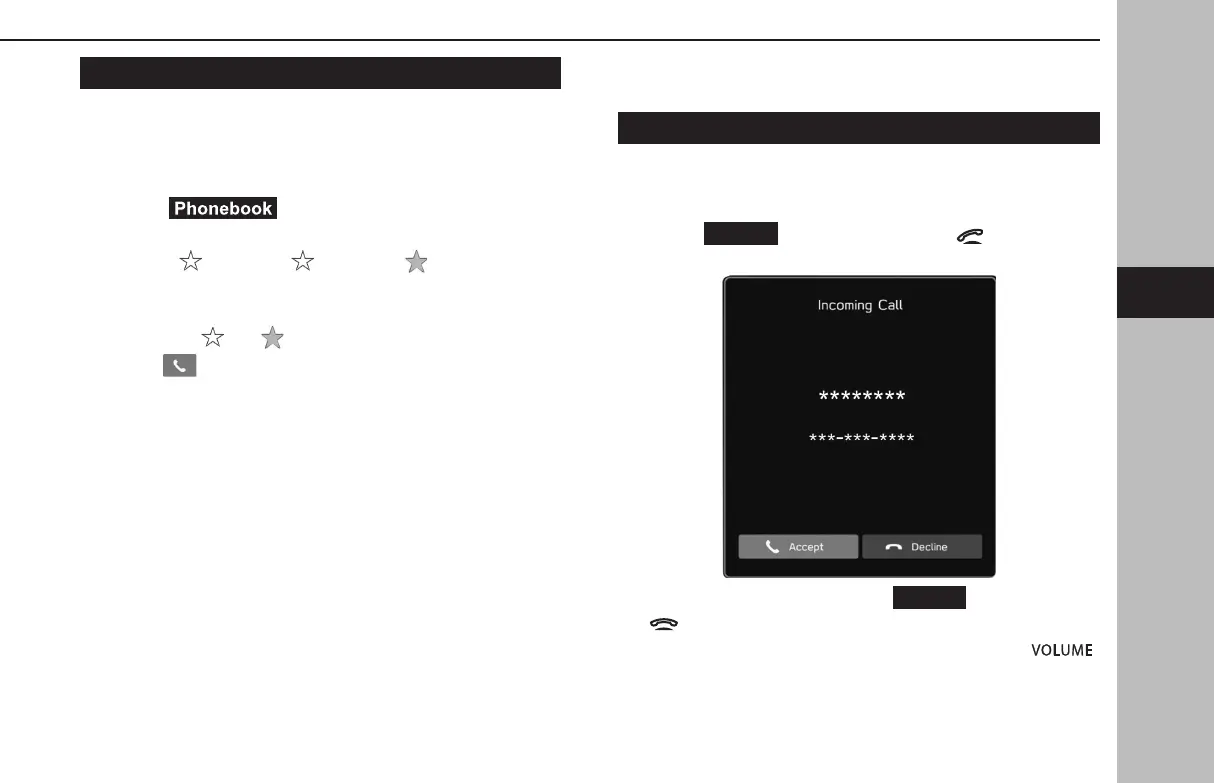
When a call is received, the incoming call screen pops up with
sound.
1.
Select
(Accept) or press the switch on the
steering wheel to talk on the phone.
To refuse to receive the call: Select
(Decline) or press
the
switch on the steering wheel.
To adjust the volume of a received call: Turn the “
”
knob, or use the volume control switch on the steering wheel.
PHONE OPERATION (HANDS-FREE SYSTEM FOR CELLULAR PHONES)
103
Phone
GB8_US.indb 103 2020/10/09 7:22:45














 To Next Page