BASIC OPERATION
MAP SCREEN
MAP SCREEN OVERVIEW
The map screen can be displayed using the following method:
1.
Display the home screen. (→P.40)
2.
Select (Map).
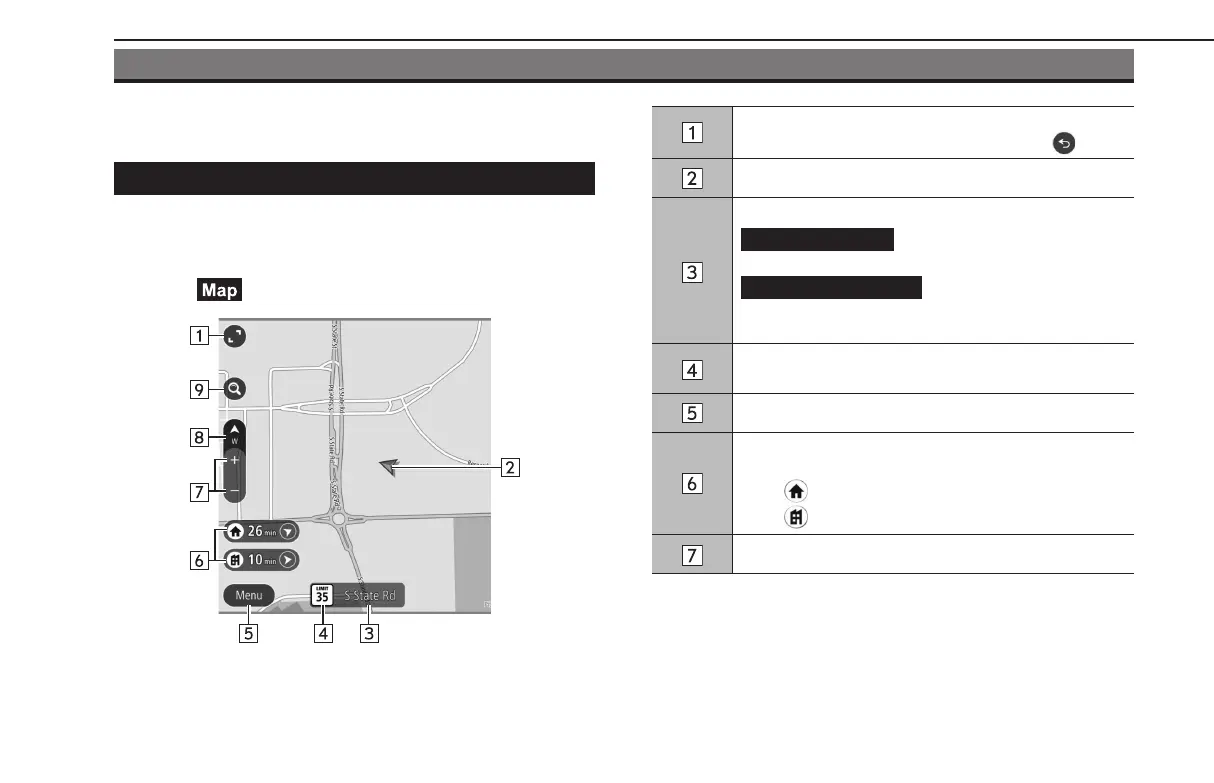
Select to increase/decrease the size of the map screen.
If the map is moved, this button will change to
.
Displays the current vehicle position.
Displays the current street name.
(Add to Favorites): Select to
register your current location as a favorite.
(Avoid Blocked Road): Select
to display the alternate route screen and search for 2
additional routes to the selected destination. (→P.197)
Displays the speed limitfor the road currently being
travelled on.
Select to display the main menu screen.
By registering your home or work (→P.200), the direction
and time required are displayed.
Select
to set home as the destination.
Select
to set work as the destination.
Select to change the scale of the map screen.
BASIC OPERATION
186
GB8_US.indb 186 2020/10/09 7:23:09














 To Next Page