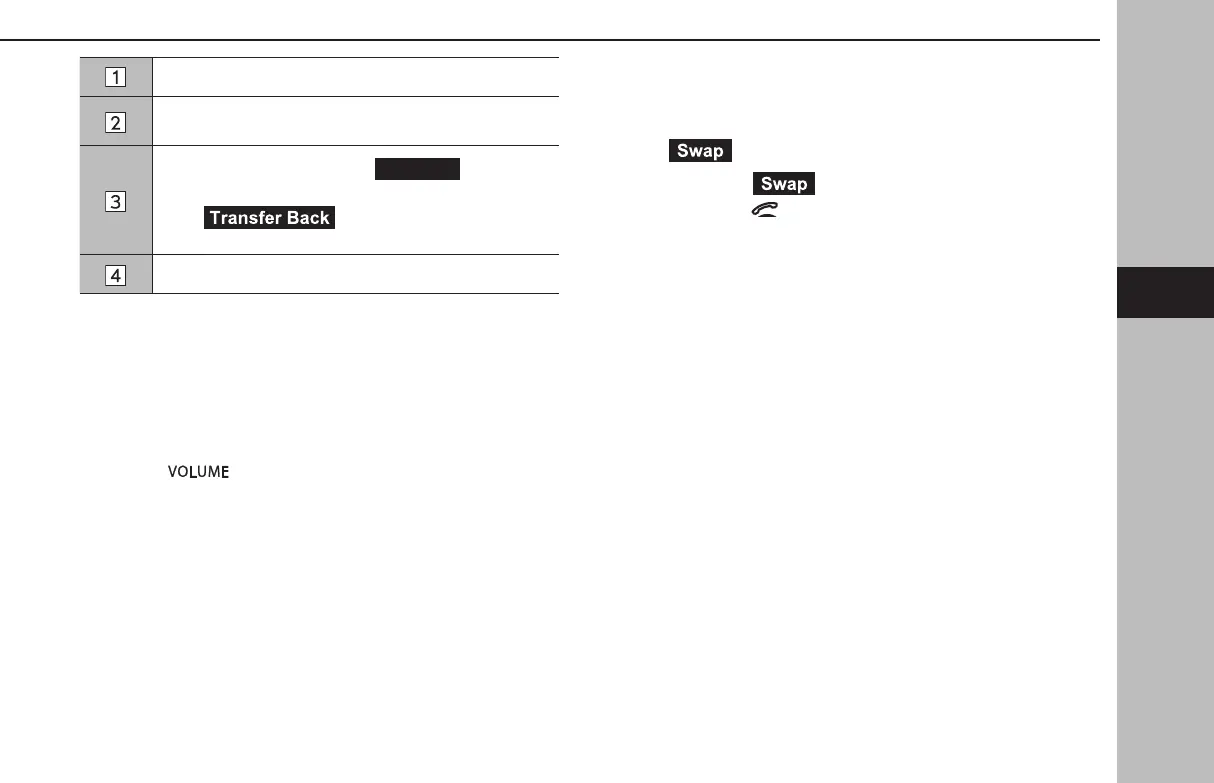
Select to mute your voice to the other party.
Select to enter the desired numbers/output tones.
This operation cannot be performed while driving.
Select to transfer the call. Select
(Transfer)
to change from a hands-free call to a cellular phone call.
Select (Transfer Back) to change from
cellular phone call to hands-free call.
Select to hang up the phone.
l Changing between cellular phone call and hands-free call can be
performed by operating the cellular phone directly.
l Transferring methods and operations will be dierent depending on
the type of cellular phone you have.
l For the oper
ation of the cellular phone, see the manual that comes
with it.
l Tur
n the“
” knob, or use the volume control switch on the
steering wheel to adjust the volume of the other party’s voice.
XIn the case of accepting an interrupt incoming call during
a call
The rst call is put on hold.
●
(Swap): Select to change parties.
● Each time
(Swap) or name area is selected, or
press the
switch on the steering wheel, the party
who is on hold will be switched.
PHONE OPERATION (HANDS-FREE SYSTEM FOR CELLULAR PHONES)
105
Phone
4
GB8_US.indb 105 2020/10/09 7:22:46














 To Next Page