XDual 7.0-inch display system
1.
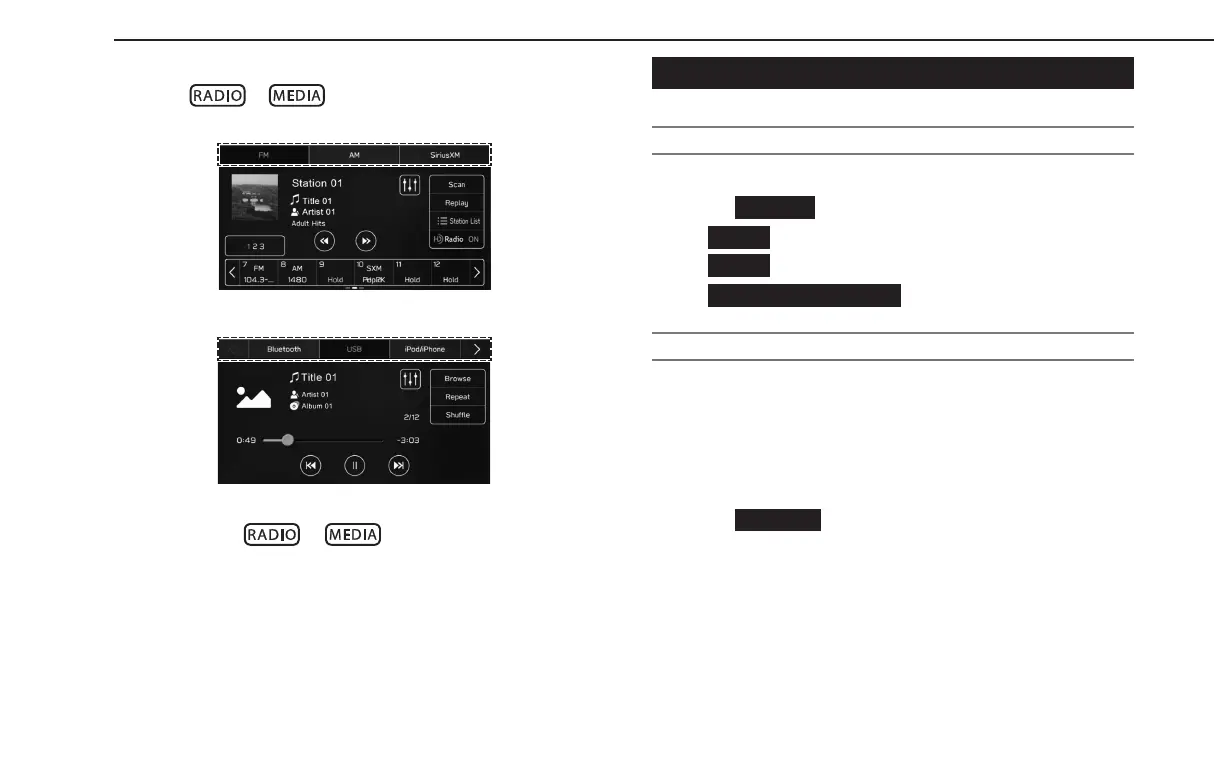
Press or .
2.
Select the desired audio source.
<Radio screen>
<Media screen>
● Each time
or is pressed, the audio source
can also be changed.
SOUND SETTINGS
DISPLAYING THE SOUND CUSTOMIZATION SCREEN
1.
Display the home screen. (→P.18, 40)
2.
Select
(Settings).
3.
→
(Sound)
4.
→
(Audio)
5.
→
(Sound Customization)
EQUALIZER SETTINGS
How good an audio program sounds is largely determined by
the mix of the treble, mid and bass levels. In fact, dierent kinds
of music and vocal programs usually sound better with dierent
mixes of treble, mid and bass.
1.
Display the “Sound Customization” screen. (→P.138)
2.
Select
(Equalizer).
BASIC OPERATION
138
GB8_US.indb 138 2020/10/09 7:22:57














 To Next Page