BASIC FUNCTION
18
BASIC FUNCTION
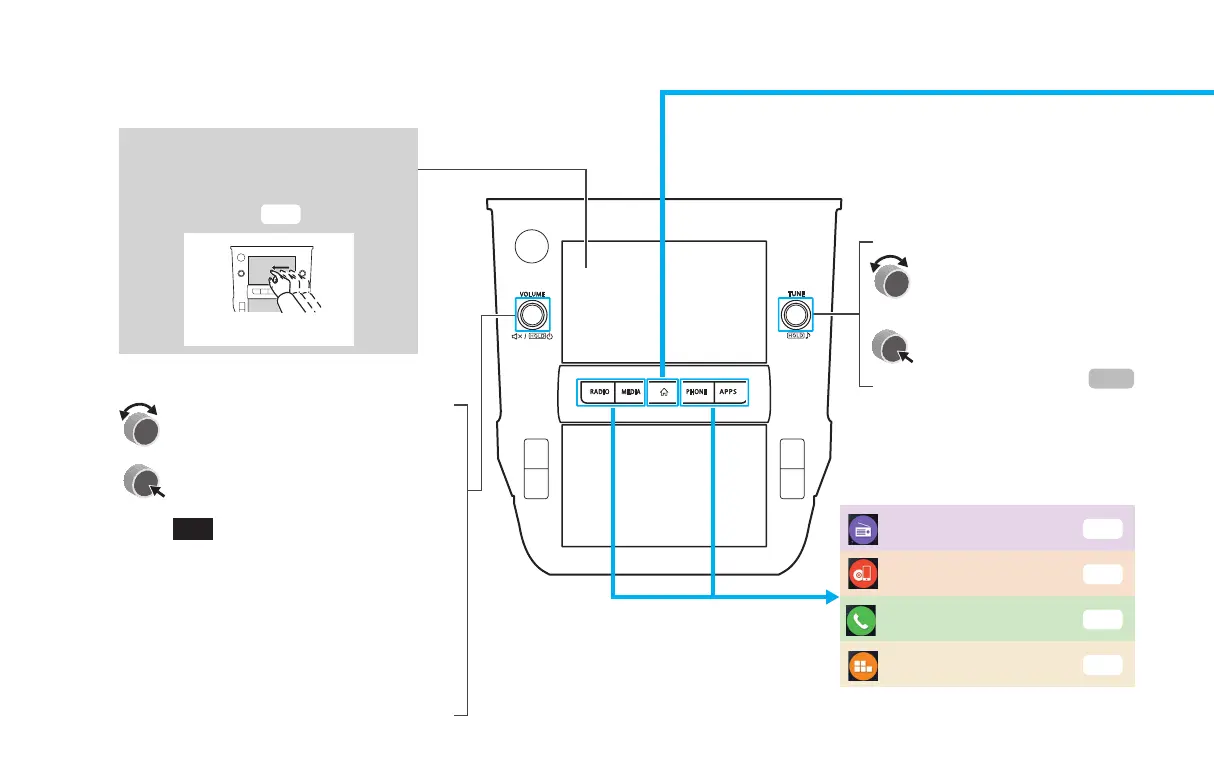
BUTTON OVERVIEW
TOUCH SCREEN
Operations are performed by
touching the touch screen directly
with your nger.
P.66
Drag
Displays the home screen
Turn the knob to adjust the volume.
Press the knob to turn the volume
mute on/o.
Press and hold the knob until a
message is displayed, and then select
(OK) or wait a few seconds for
the audio system to turn o. Press
and hold the knob to turn the audio
system on.
Press and hold the knob for 10
seconds or longer to reset the
system if the touch screens become
unresponsive during operation or if
any other system error occurs.
Shortcut to each screen
Turn the knob to select a
radio station or skip to the
next or previous track/le.
Press and hold the knob
to display the sound
customization screen.
P.138
Radio
P.30
Phone
P.24
Apps
P.27
Media
P.32
GB8_US.indb 18 2020/10/09 7:22:04














 To Next Page