MAIN MENU SCREEN
MAIN MENU SCREEN OVERVIEW
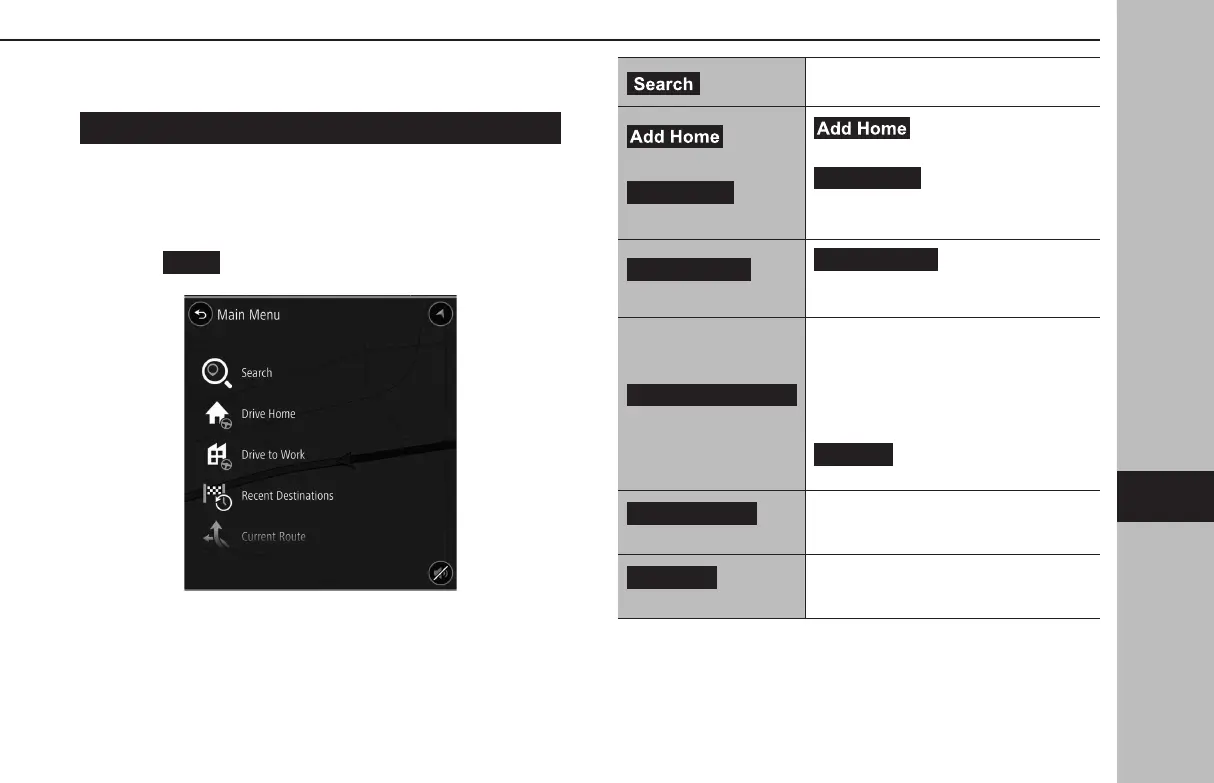
The main menu screen can be displayed using the following
method:
1.
Display the map screen. (→P.186)
2.
Select
(Menu).
(Search)
Select to display the search screen.
(→P.195)
(Add Home)*
1
/
(Drive Home)*
2
(Add Home): Select to
register a point as home. (→P.200)
(Drive Home): Select to
set the point registered as home as the
destination.
(Drive to Work)*
3
(Drive to Work): Select
to set the point registered as work as the
destination.
(Recent Destinations)
Select to display the recent destination
screen.
Recent destinations: Select a recent
destination to display the location menu
pop-up for that point on the map screen.
(→P.188)
(Edit List): Select to display
the edit list screen. (→P.200)
(Current Route)*
4
Select to display the current route edit
screen. (→P.196)
(Favorites)
Select to display the favorite screen.
(→P.198)
BASIC OPERATION
193
Navigation System
GB8_US.indb 193 2020/10/09 7:23:12


 To Next Page
 Loading...












