UPDATING THE MAP DATA MANUALLY USING A
USB MEMORY DEVICE
Maps can be updated using a USB memory device.
For details and to download update data, refer to the following
URL:
https://subaru-maps.com/
1.
Connect to a USB memory device. (→P.66)
2.
Select (Map Update) on the navigation
settings screen. (→P.207)
3.
→
(USB)
UPDATING THE MAP DATA
MANUALLY USING
Wi-Fi®
The map data may also be updated via Wi-Fi® network.
1.
Connect to a Wi-Fi® network. (→P.85)
2.
Select (Map Update) on the navigation
settings screen. (→P.207)
3.
→
(Wi-Fi)
4.
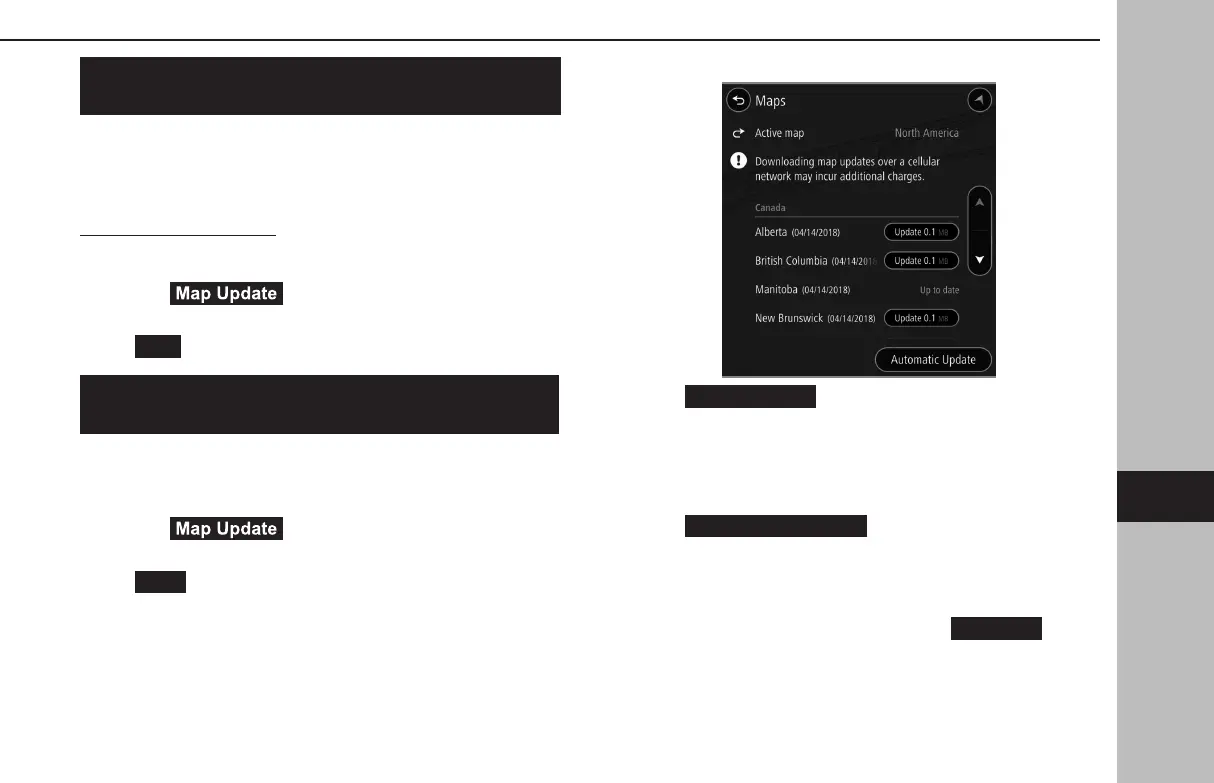
Select the regions for which maps are to be updated.
XWhen
(Update XX MB) is selected
5.
The update for the selected region will be automatically
downloaded and installed.
● After installation of the update is completed, a message
will be displayed.
XWhen
(Major Update XX MB) is
selected
5.
The map update data for the selected region will be
automatically downloaded.
● After downloading has completed,
(Install
All) will be displayed.
TIPS FOR THE NAVIGATION SYSTEM
213
Navigation System
GB8_US.indb 213 2020/10/09 7:23:20














 To Next Page