l Voice commands may not be recognized if:
• Spoken too quickly.
• Spoken at a low or high volume.
• Driving with a window open.
• Passengers are talking while voice commands are spoken.
• The air conditioning speed is set high.
• When air from the ventilator blows directly toward the
microphone.
l In the following conditions, the system may not recognize the
command properly and using voice commands may not be possible:
• The command is incorrect or unclear. Note that certain words,
accents or speech patterns may be dicult for the system to
recognize.
• There is excessive background noise, such as wind noise.
VOICERECOGNITION SYSTEM OPERATION
1.
Press the talk switch.
● Aft
er the voice recognition top screen has been
displayed, speech guidance will commence.
2.
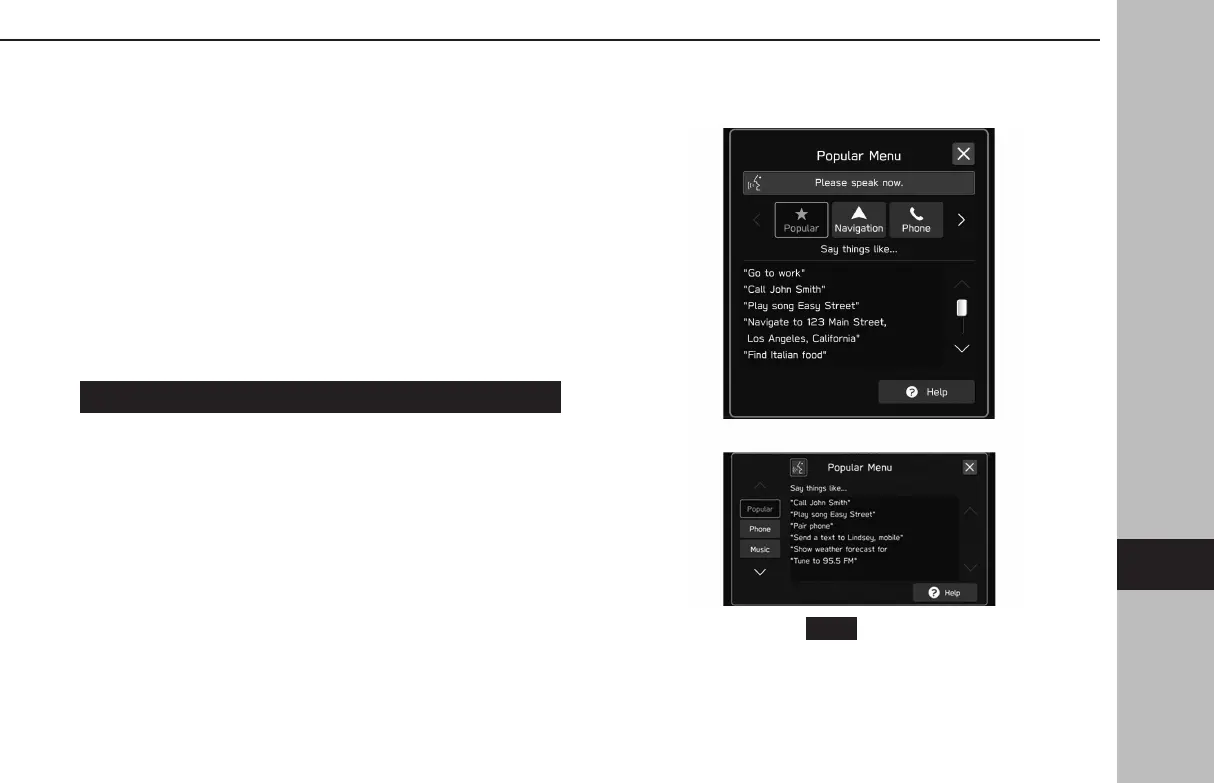
Say the command.
X11.6-inch display syst
em/11.6-inch display with Navi
system
XDual 7.0-inch display system
● When selecting
(Help) or saying “Help”, all
commands supported by the system are listed.
● If a category name is selected, the selected category
command list will be displayed.
VOICERECOGNITION SYSTEM OPERATION
219
Voice Recognition System
GB8_US.indb 219 2020/10/09 7:23:21














 To Next Page