BASIC FUNCTION
31
1
Quick Guide (DUAL 7.0-INCH DISPLAY SYSTEM)
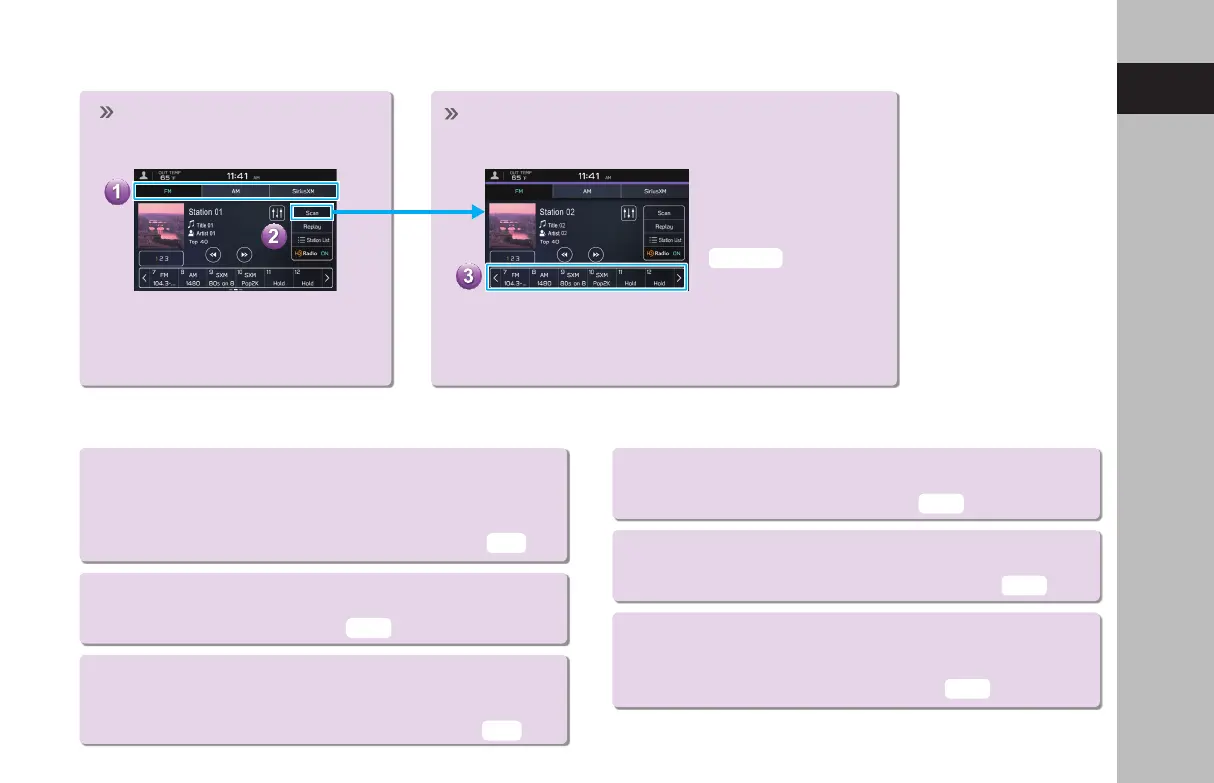
- Operation Flow: Presetting a Radio Station -
USEFUL SiriusXM® Radio FUNCTIONS
● Smart Favorites:
The rst 10 channels which are registered to a preset
button will automatically be registered to Smart Favorites.
Channels registered to Smart Favorites can be cached and
played back as desired within a certain amount of time.
● Tune Scan:
Channels registered to Smart Favorites can be
scanned to nd a desired channel.
● Tune Start:
When this function is on, channels registered as Smart Favorites
will be cached, and when the channel is changed, the song
on that channel can be listened to from the beginning.
● Trac & Weather Now:
If a city is selected, trac information and
weather news for that city can be heard.
● Favorite Teams:
If you have registered your favorite sports teams, you can
be informed of when games start and their progress.
● TuneMix:
If multiple channels for which TuneMix is possible
have been registered as TuneMix channels, songs from
these channels can be listened to randomly.
Select and hold one of the
preset buttons.
Mix preset function
Multiple stations can be
registered as presets. (AM,
FM or SiriusXM® Radio)
Select the radio band and the
radio station.
A valid subscription to SiriusXM®
Radio is required to receive satellite
radio service.
Register the radio station.
P.144,153
P.149
P.156
P.157
P.93
P.93
P.149
GB8_US.indb 31 2020/10/09 7:22:09














 To Next Page