CONNECTING AND DISCONNECTING
A USB MEMORY DEVICE/PORTABLE
DEVICE
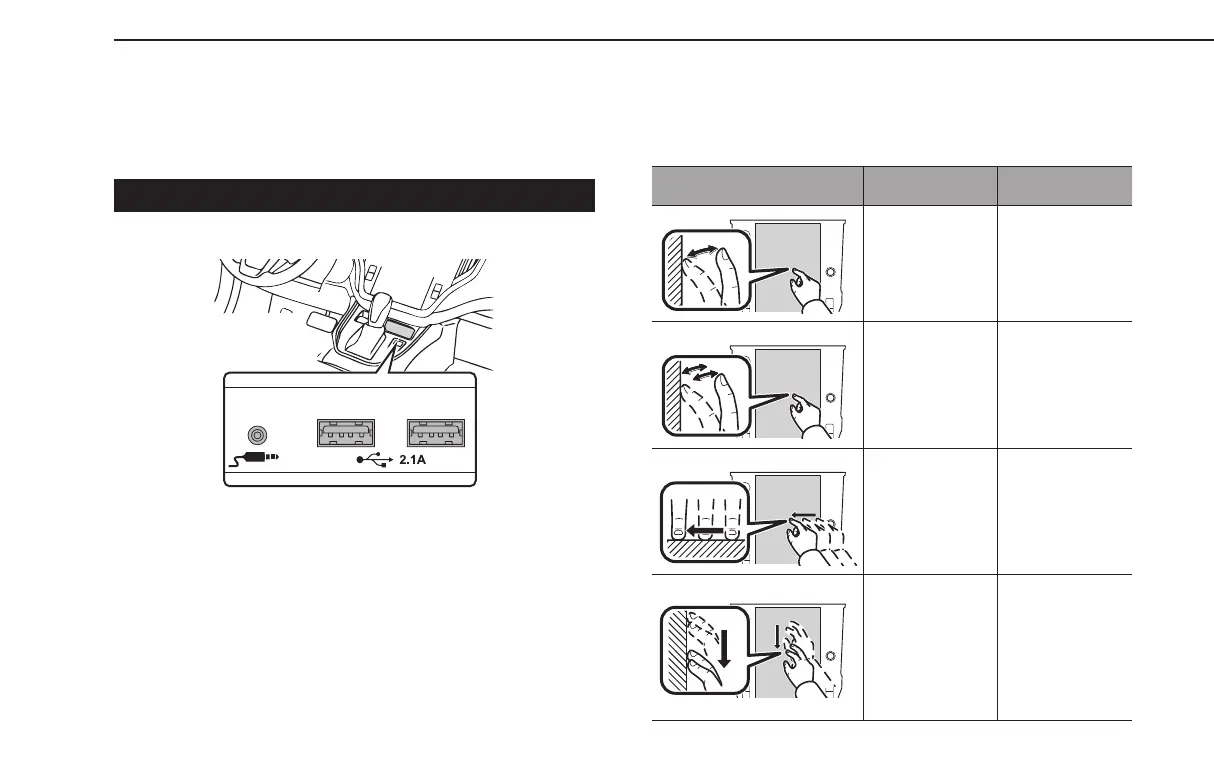
CONNECTING A DEVICE
1.
Connecta device.
● Turn on the power of the device if it is not turned on.
l Compatible USB memory device: →P.180
l Compatible iPod/iPhone: →P.180
l This unit does not support commercially available USB hubs.
l By connecting a device such as a cellular phone, charging starts
depending on the device.
TOUCH SCREEN GESTURES
Operations are performed by touching the touch screen directly
with your nger.
Operation method Outline Main use
Touch
Quickly touch
and release once.
Changing and
selecting various
settings
Double Touch
with one
nger*
1
Quickly touch
and release twice
with one nger.
Enlarging the
scale of the map
screen
Drag*
2
Touch the screen
with your nger,
and move the
screen to the
desired position.
• Scrolling the
lists
• Scrolling the
map screen*
1
Drag with two
ngers*
1
Touch the screen
with two ngers
and move the
displayed screen
as desired.
Changing the
displayed angle
of the 3D map
screen
BASIC INFORMATION BEFORE OPERATION
66
GB8_US.indb 66 2020/10/09 7:22:27














 To Next Page