12
problem solving & troubleshooting:
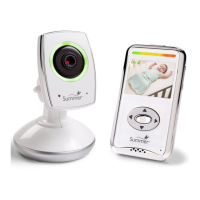
IN-HOME HANDHELD MONITOR:
No picture or sound:
Sound but no picture:
Picture but no sound:
Picture not clear:
• Make sure the camera and handheld monitor unit are paired
(see Pairing Monitor & Camera section on page 8).
• Make sure the camera and handheld monitor are turned on.
• Make sure the AC adapters are plugged in.
• Make sure the electrical outlets are working.
• Press the Quick View/Video On-Off button once to turn on
video mode.
• Check to make sure nothing is blocking the camera.
• Test reception by moving the handheld unit and/or camera to
different locations.
• Make sure the camera and handheld monitor unit are paired
(see Pairing Monitor & Camera section on page 8).
• Power the handheld completely off, remove and re-insert the
battery, then turn handheld back on.
• Turn up the volume using Volume Control.
• Make sure the camera and handheld monitor unit are paired
(see Pairing Monitor & Camera section on page 8).
• Position the handheld unit closer to the camera.
• Move the handheld unit away from other electronic devices,
cordless phones, etc.
• Adjust the brightness using Brightness Control.
• Test reception by moving the handheld unit and/or camera to
different locations.
Squealing sound coming from speaker on Handheld Unit:
• Move the handheld unit and camera further away from each
other.
• Turn the volume down using Volume Control.
• Power the handheld completely off, remove and re-insert the
battery, then turn handheld back on.
For more information, troubleshooting, and FAQs, visit:
www.summerinfant.com/summerwifi/helpcenter
Visit www.summerlinkwifi.com to view on your PC or Mac
computer. You must have Internet Explorer 9 and higher, Firefox
4.0 or higher, Chrome, or Safari 5.0 or higher.
Summer Link WiFi App help:
viewing on a PC or Mac:
Visit www.summerlinkwifi.com to view on your PC or Mac
computer. You must have Internet Explorer 9 and higher, Firefox
4.0 or higher, Chrome, or Safari 5.0 or higher.


 To Next Page