EasyManua.ls Logo

Summer 28630 - User Manual

Summer 28630
16 pages
Print Icon
To Next Page IconTo Next Page
Loading...
STRANGULATION HAZARD - Children have
STRANGLED in cords. Keep this cord out of reach
of children (more than 3 feet (0.9 m) away from the
crib). Use enclosed Security Clips to help secure cord away
from baby’s reach. Never use extension cords with AC
Adapters. Only use the AC Adapters provided.
WARNING:
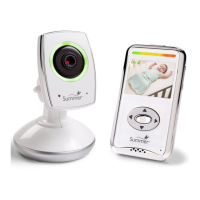
BABY ZOOMWIFI
VIDEO MONITOR & INTERNET
VIEWING SYSTEM
INSTRUCTION MANUAL
Please read the
following instructions
and warnings carefully.
Keep this instruction manual
for future reference.
Tools required for wall mount:
screwdriver and drill (not included)
For technical support see back page.
Adult use only.
WARNING:
Adult assembly required.
Keep small parts away from
children when assembling
.
28630
System Requirements: You need a broadband Internet connection
(cable/DSL) with recommended upload speed of 300 bps and a wireless
router or a cable/DSL modem. You must have a smartphone or tablet with
Android 2.3.4. or higher or Apple iOS 5.0 or higher for setup.
BC
Question and Answer IconNeed help?

Do you have a question about the Summer 28630 and is the answer not in the manual?

Summary

Product Overview and Initial Setup

Product Components and Features

Overview of monitor and camera parts, hardware, and features.

First-Time Camera Setup

Guide for initial camera setup, including app download and QR code scanning.

Camera Placement Options

Instructions for table top and wall mount camera installation.

Monitor and Camera Operation

Pairing Monitor and Camera

Steps to re-pair the monitor and camera if they lose connection.

Handheld Monitor Features

Explanation of features like temperature monitoring, video on/off, and volume control.

Camera Features Overview

Description of camera functions including Pan/Scan, Zoom, and Night Vision.

Internet Status Lights

Guide to interpreting the LED indicators for internet connection status.

Smartphone App and Advanced Features

Smartphone & Tablet App Features

Details on using the app for viewing, recording, and communication.

App Upgrade Options

Information on premium services available through app upgrades.

Troubleshooting, Safety, and Compliance

Troubleshooting Common Issues

Solutions for common problems like no picture, no sound, or poor picture quality.

PC Viewing and App Support

Instructions for viewing on a PC and accessing app help resources.

System Expansion and Parts

Information on adding cameras and ordering replacement parts.

Important Safety Instructions

Comprehensive safety rules covering operation, cleaning, and maintenance.

Regulatory Compliance and Warranty

Details on FCC compliance, monitor warranty, and contact information.

Summer 28630 Specifications

General IconGeneral
Model Number28630
CameraYes
Night VisionYes
Two-way CommunicationYes
BrandSummer
DisplayLCD
FeaturesOut of range indicator, Low battery indicator
Power SourceBattery

Related product manuals