Need help?
Do you have a question about the Summer 28640 and is the answer not in the manual?
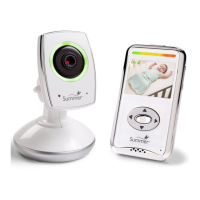
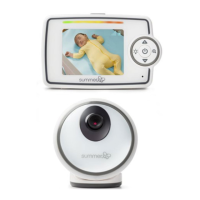
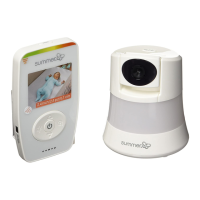
Lists the physical parts included in the system package such as the camera, monitor, and recharge base.
Lists the accessories and tools provided for setup, like screws and clips.
Details the functionalities and controls available on the handheld monitor unit.
Details the functionalities and indicators of the camera unit.
Connect your device to home WiFi and download the free Summer Link WiFi APP.
Open the APP and follow on-screen instructions to complete the signup process.
Locate the QR code on the camera's bottom to complete setup.
Power on the camera and follow on-screen steps to complete activation.
Guide for placing the camera on a flat surface, connecting power, and testing reception.
Instructions for charging the monitor and performing the initial setup with two adults.
Determine location, pre-drill hole, and attach camera mount securely.
Use enclosed security clips to secure the power cord away from baby's reach.
Steps to re-pair the monitor and camera if they are not communicating.
Instructions on how to remove a paired camera from the system.
Details on Temperature Monitoring, Video On-Off, and Power Save Mode.
Adjusting volume, brightness, and understanding sound lights.
Using Pan/Scan, Motion Tracking, and Multi-Level Zoom.
Using Two-Way Communication and understanding Night Vision capabilities.
Interpreting LED indicators for remote and local internet connection status.
Navigating the app, using controls like Snapshot, Record, Talk, and Splitscreen.
Details on premium services for audio alerts, viewing logs, and adding more users.
Instructions for accessing the system via a web browser on a computer.
Resolving common problems like no picture, no sound, or unclear video.
Information on where to find more help, FAQs, and troubleshooting tips.
Information on adding a second camera for expanded monitoring.
Contact details for replacement parts and product registration.
Covers reading instructions, cleaning, water exposure, and proper ventilation.
Guidelines on power sources, cord protection, overloading, and servicing.
Details on FCC compliance, operating conditions, and RF exposure.
Information on the 12-month warranty, coverage, and how to claim service.
 General
| Model Number | 28640 |
|---|---|
| Range | Up to 1000 feet |
| Power Source | AC Adapter |
| Type | Digital |
| Camera | Yes |
| Night Vision | Yes |
| Temperature Sensor | Yes |
| Two-Way Audio | Yes |
| Lullabies | Yes |
| VOX Mode | Yes |
| Product Type | Baby Monitor |
| Audio/Video | Video |
| Display | LCD |

 To Next Page