VMS
Client Software
/Initial Setup
- 08 -
Tricks:
The camera’s default ports are ONVIF 8899, TCP 34567, HTTP 80 and RTSP 554.
Those values must also be unique to each other.
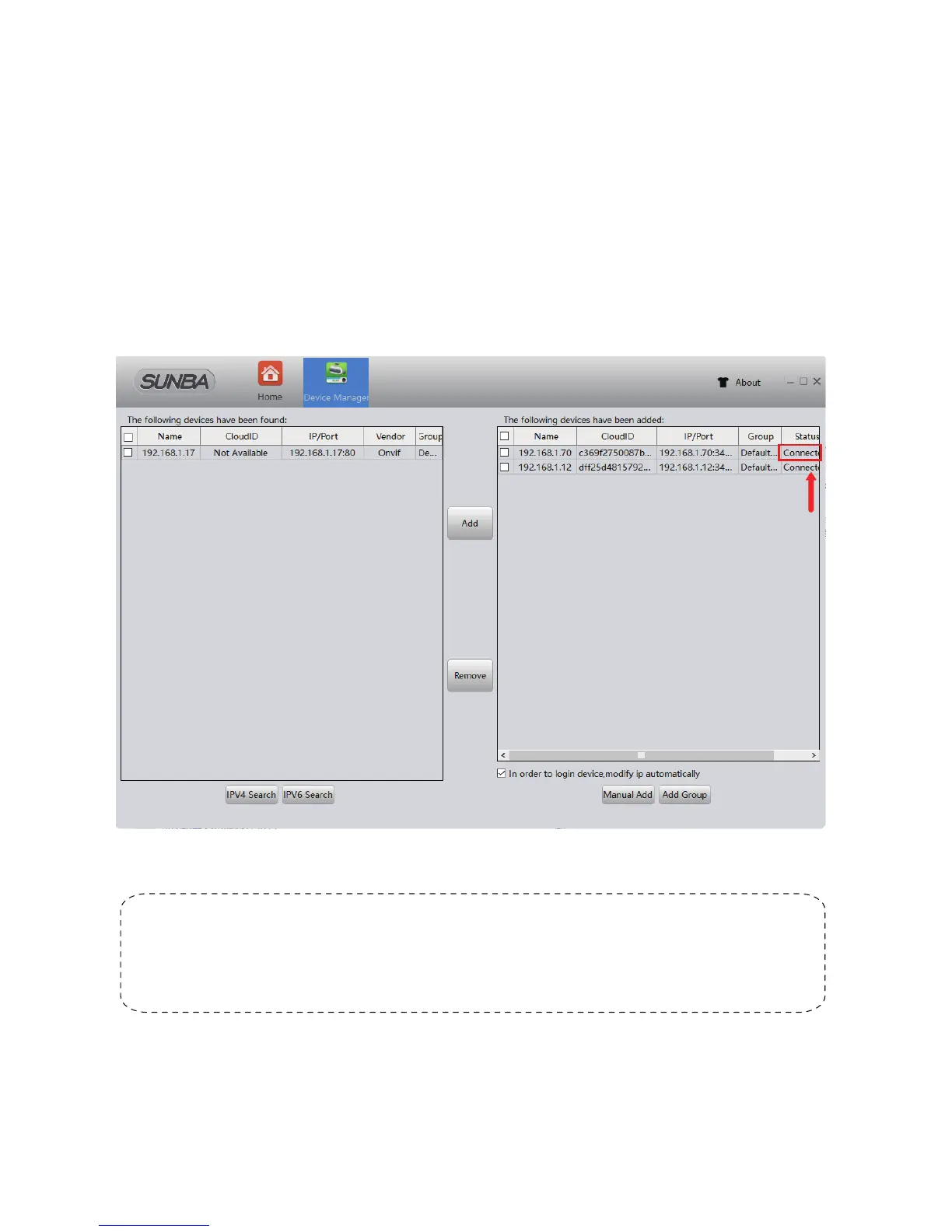
“Connected" status indicates
the camera is online.
Try the following if no device shows up:
A. Temporarily disable the firewall;
B. Connect the camera directly to your parental router;
C. Connect the camera directly to your PC/Mac for testing;
D. Contact support@sunba.net
Now the camera status should show “Connected”.



 To Next Page