EasyManua.ls Logo

Sunbeam AFP6000BK - User Manual

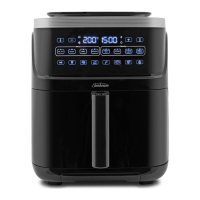
Sunbeam AFP6000BK
17 pages
Print Icon
To Next Page IconTo Next Page
Loading...
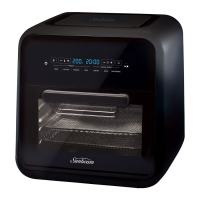
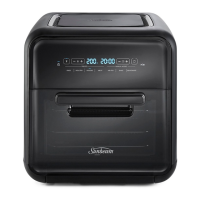
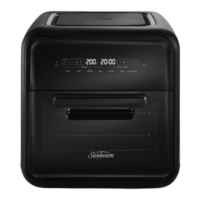
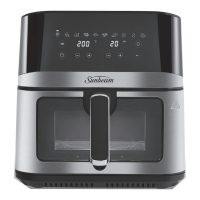
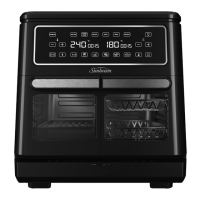
MULTI ZONE AIR FRYER OVEN
User Guide
AFP6000BK

Questions and Answers

  • K
    Kevin LeAug 7, 2025
    What to do if the Sunbeam Fryer touch panel is not responding?
    • N
      Nicole GriffinAug 7, 2025
      If your Sunbeam Fryer's touch panel isn't responding, first make sure the panel is clean and dry, and that you're using dry hands. If that doesn't work, unplug the unit and let it sit for 60 seconds before plugging it back in. If it still doesn't work, contact aftersales support.
  • A
    abigail11Aug 13, 2025
    Why my Sunbeam AFP6000BK will not start after programming?
    • A
      Allison CarrollAug 13, 2025
      If your Sunbeam Fryer is not starting after programming, make sure the door is closed properly. Also, if you're using SYNC mode, reduce the time difference between the sides.
  • M
    Michael HarrisAug 19, 2025
    How to prevent overcooked or undercooked food in Sunbeam AFP6000BK?
    • M
      Michael BurkeSep 12, 2025
      If your food is overcooked or undercooked in the Sunbeam Fryer, you may need to adjust the cooking time and temperature to suit your taste. Also, remember that because your Air Fryer Oven is smaller than your regular oven, it heats up faster and generally cooks food in less time.
  • E
    Eric WilsonAug 26, 2025
    What to do if the Sunbeam AFP6000BK touch panel right hand side is non responsive?
    • T
      Timothy BishopAug 26, 2025
      If the right-hand side of your Sunbeam Fryer's touch panel isn't responding, make sure the middle partition has been inserted correctly, following the instructions.
  • S
    Stacey HoffmanAug 31, 2025
    How to stop Sunbeam AFP6000BK from emitting a burning smell?
    • J
      Jennifer MillerSep 1, 2025
      To address the burning smell from your Sunbeam Fryer, refer to the 'Cleaning Your Air Fryer Oven' section for guidance on removing food buildup inside the cooking compartments.

Summary

Sunbeams Safety Precautions

Features of your Sunbeam Multi Zone Air Fryer Oven

Control Panel

Power

Controls the on/off state of the appliance.

Start; Pause

Initiates or pauses the cooking cycle.

Temperature adjustment

Allows modification of the cooking temperature.

Timer adjustment

Enables adjustment of the cooking duration.

Cooking functions

Selection of cooking modes like Air Fry, Roast, Bake.

Presets

Pre-programmed settings for common foods like Fries, Chicken.

Manual cooking function

Allows custom cooking settings.

Match Function

Synchronizes settings for both compartments.

Sync Function

Coordinates cooking completion for both compartments.

Cooking Compartment 1

Control for the first cooking zone.

Cooking Compartment 2

Control for the second cooking zone.

Light

Activates the interior light.

Temperature Display

Displays current or set temperature.

Time Display

Displays current or set cooking time.

Temperature Settings Guide

Before First Use

Preparing Your Air Fryer Oven

Steps for initial setup and preparation before the first cooking cycle.

Removing the Middle Partition

Instructions on how to safely detach the internal divider.

Usage Instructions

Re-inserting the Middle Partition

Guidance on how to put the middle partition back in place.

Choosing Your Accessories

Advice on selecting and using the appropriate cooking accessories.

Additional Functions

Turbo Crisp Function

Provides an extra 10 minutes of cooking for crispier results.

SYNC Function

Synchronizes cooking completion for both compartments.

MATCH Function

Sets identical time and temperature for both compartments.

Cooking Functions and Presets

Cooking Functions

Details the 6 selectable cooking modes available.

Food Presets

Outlines the 4 pre-programmed food settings.

Care and Cleaning

Cooking Guide

Troubleshooting

Sunbeam AFP6000BK Specifications

General IconGeneral
BrandSunbeam
ModelAFP6000BK
CategoryFryer
LanguageEnglish

Related product manuals