6
Setting the Time:
1) UsetheTIMESETbuttons(14)onthebackoftheunittosetthehourandminutes.Besuretonotewhetherthecorrect
AM or PM indicator light is on.
Playing the Radio:
1) SlidetheMUSICSELECTORswitch(3)tothe“Radio”position.
2) AdjusttheVOLUMECONTROLDIAL(7)toyourlisteningpleasure.
3) RotatetheRADIOTUNINGDIAL(6)whilewatchingtheRADIOFREQUENCYINDICATOR(2).
4) SlidetheMUSICSELECTORswitch(3)tothe“Off”positionwhenyouarenishedlistening.
Setting the Alarm:
1) PressandholdtheALARMTIMEbutton(9);thetimeshownontheclockdisplayisthealarmtime.
2) WhileholdingdowntheALARMTIMEbutton(9),presstheHRandMINbuttonstosetthedesiredalarmtime.Makesure
thecorrectAMorPMindicatorislit,ensuringanaccuratewake-uptime.
3) Ifyoudesiretobeawakenedbytheradio,adjusttheVOLUMECONTROLDIAL(7)toyourlisteningpleasurebeforesetting
thealarm,asoutlinedinthe“PlayingtheRadio”section.SlidetheALARMSOUNDSELECTORswitch(8)tothe“Radio”
position.Ifyouprefertobeawakenedbyabuzzer,simplyslidetheALARMSOUNDSELECTORswitch(8)tothe“Buzzer”
position.
Snooze Control:
Whenthealarmsounds,ablinkinglightwillilliuminatethesnoozebutton.SimplytouchtheSNOOZEbutton(1)tosilencethe
alarmtemporarily.Thealarmwillsoundagainapproximately9minuteslater.Topermanentlysilencethe“AlarmRadio”or
“Buzzer”,presstheALARMON/OFFbutton(10).
Brightness:
Toadjustthebrightnessleveloftheclockdisplay,simplyslidetheDISPLAYBRIGHTNESSSWITCH(5)toeitherthe“Lo”or
“Hi” position.
Auxiliary Wire and Plug:
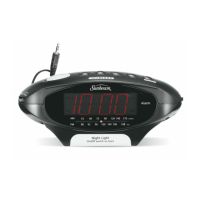
ToplaymusicfromanMP3player,mobilephoneorotherdevicethroughtheclockradio,awirewitha3.5mmplug,called
theAUXAUDIOJACK(4)hasbeenprovided.SettheMP3playeroraudiodevicenexttotheclockradioandinserttheAUX
AUDIOJACKintotheheadphonejackofthedevice.SlidetheMUSICSELECTORswitch(3)tothe“AUX”position.Youmay
nowplaymusicfromyourMP3playerthroughtheclockradiospeakers.UsetheVOLUMECONTROLDIAL(7)ontheclock
radiotoadjustvolumetoyourlisteningpleasure.Todisconnect,removetheAUXAUDIOJACK(4)fromtheMP3playeror
audiodeviceandinsertthewireintotheAUXAUDIOJACKSTORAGEport(13)locatedonthebackoftheunit.


 To Next Page