14
37
38 39
40 41 42
43 44 45
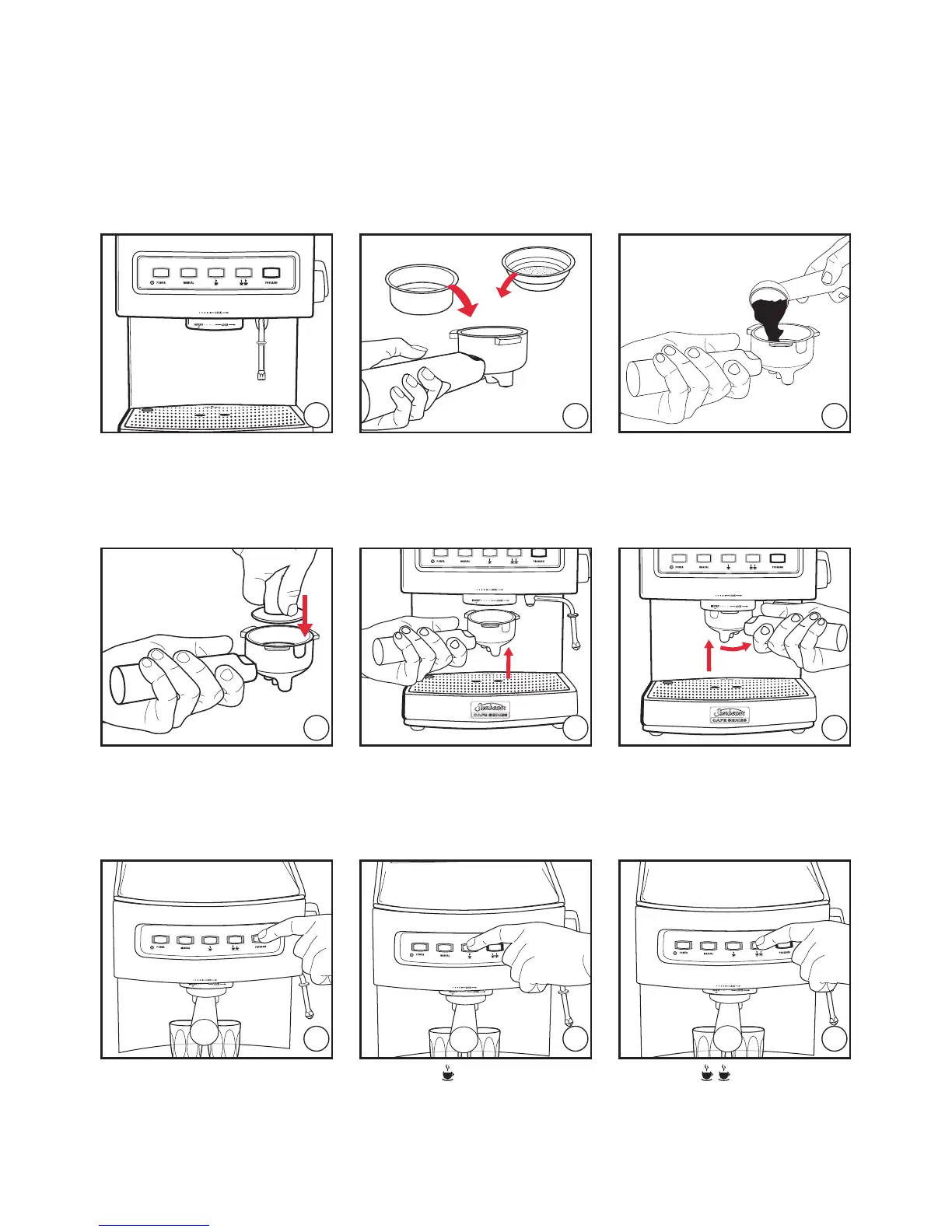
2 cup filter
1 cup filter
Press the 'PROGRAM' button.
Press the
single espresso
button to start and end the
pour.
Press the
double
espresso button to start and
end the pour.
Tamp the coffee grinds. Place filter handle onto
group head.
Turn filter handle to the
right, as far as it will go.
Swing the steam/hot water
wand over the drip tray.
Fit the handle with
appropriate filter basket.
Fill with finely ground coffee.
Reference guide to using your espresso machine (continued)
Programming
14










 To Next Page