-28-
13.7 Other Settings
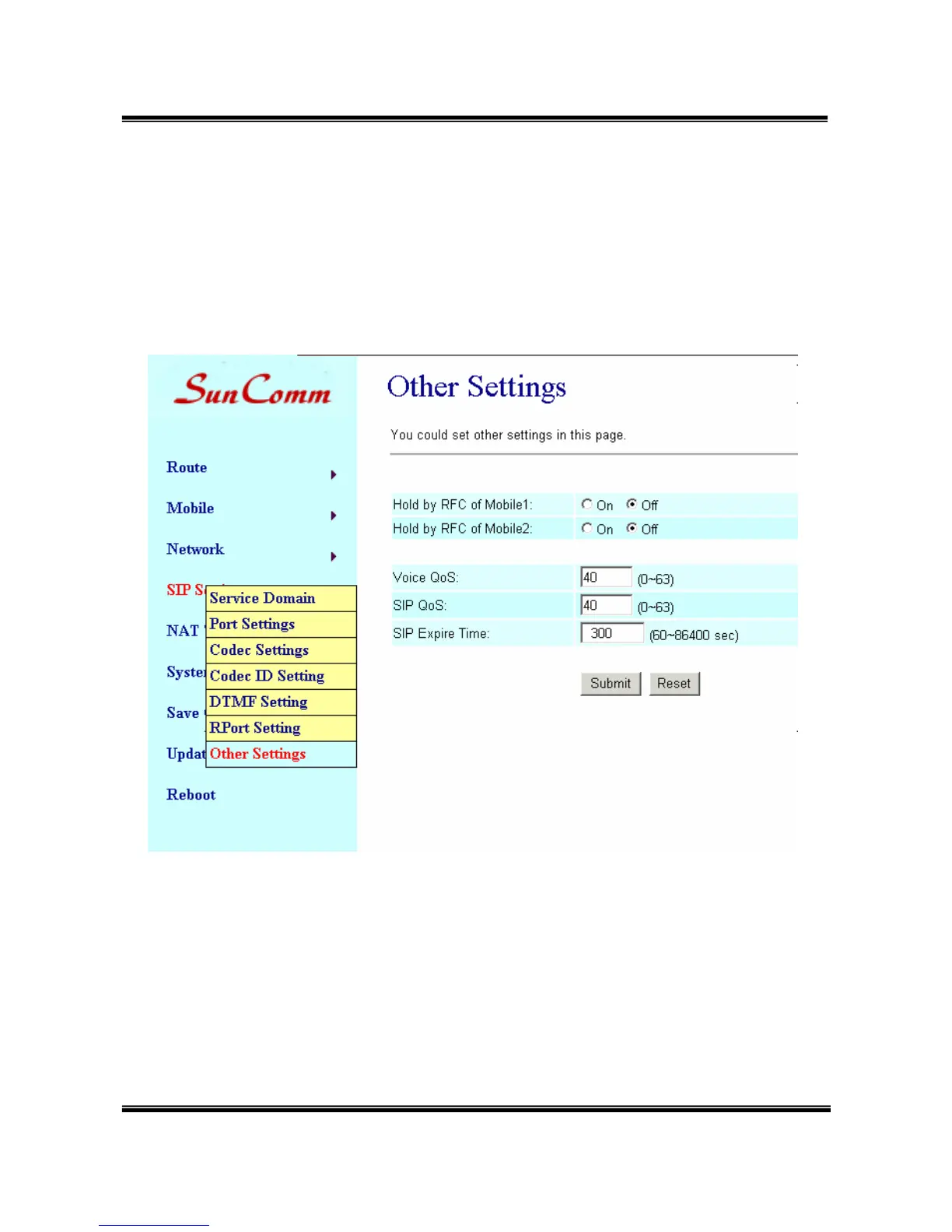
Other Settings: you can setup the Hold by RFC and QoS in this page. To
change these setting, please follow your ISP information. When you
finished the setting, please click the Submit button. The QoS setting is to
set the voice packets’ priority. If you set the value higher than 0, then the
voice packets will get the higher priority to the Internet. But the QoS
function still need to cooperate with the others Internet devices.


 To Next Page